As an Amazon Associate we earn from qualifying purchases. Learn more.
Docking Station vs USB-C Hub vs Portable Monitor: Which To Bring on Holiday Trips (2026)
If you’re packing for holiday remote work in 2026, you’re juggling power delivery, ports and how much you can carry. This head-to-head review compares two portable monitors and a travel backpack to illustrate the tradeoffs between bringing a docking station, a USB-C hub, or a portable monitor on vacation. You’ll learn real-world pros and cons, how each product performs for remote work and travel, and a practical buying guide that helps you choose depending on the device mix you want to bring. Products were selected from popular travel-friendly options with strong customer feedback on build, value and functionality.
Quick Answer
For holiday remote work, bring a portable monitor if you need extra screen space—VOKENSU's 10.5" portable monitor is the best value pick for most travelers. If you prioritize packing and organization alongside gear, the ECOHUB travel backpack is the smartest overall choice for carrying docks, hubs and a monitor.
Our Top Picks
Quick Comparison
Select 2-3 products to compare side-by-side
| Compare | Product | GearLark Score | Price Tier | Key Feature | Best For | Action |
|---|---|---|---|---|---|---|
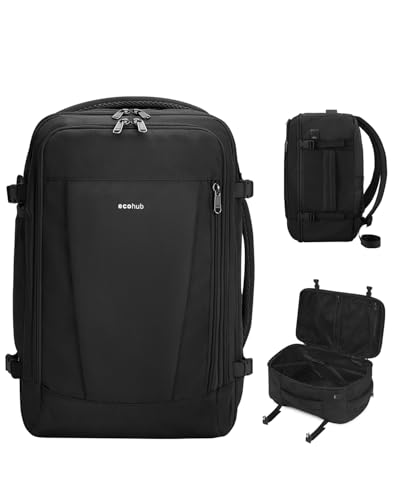 ECOHUB 17'' Travel Backpack |
Budget | Underseat carry-on with 13 pockets | Organized packers and frequent flyers | Check Price | ||
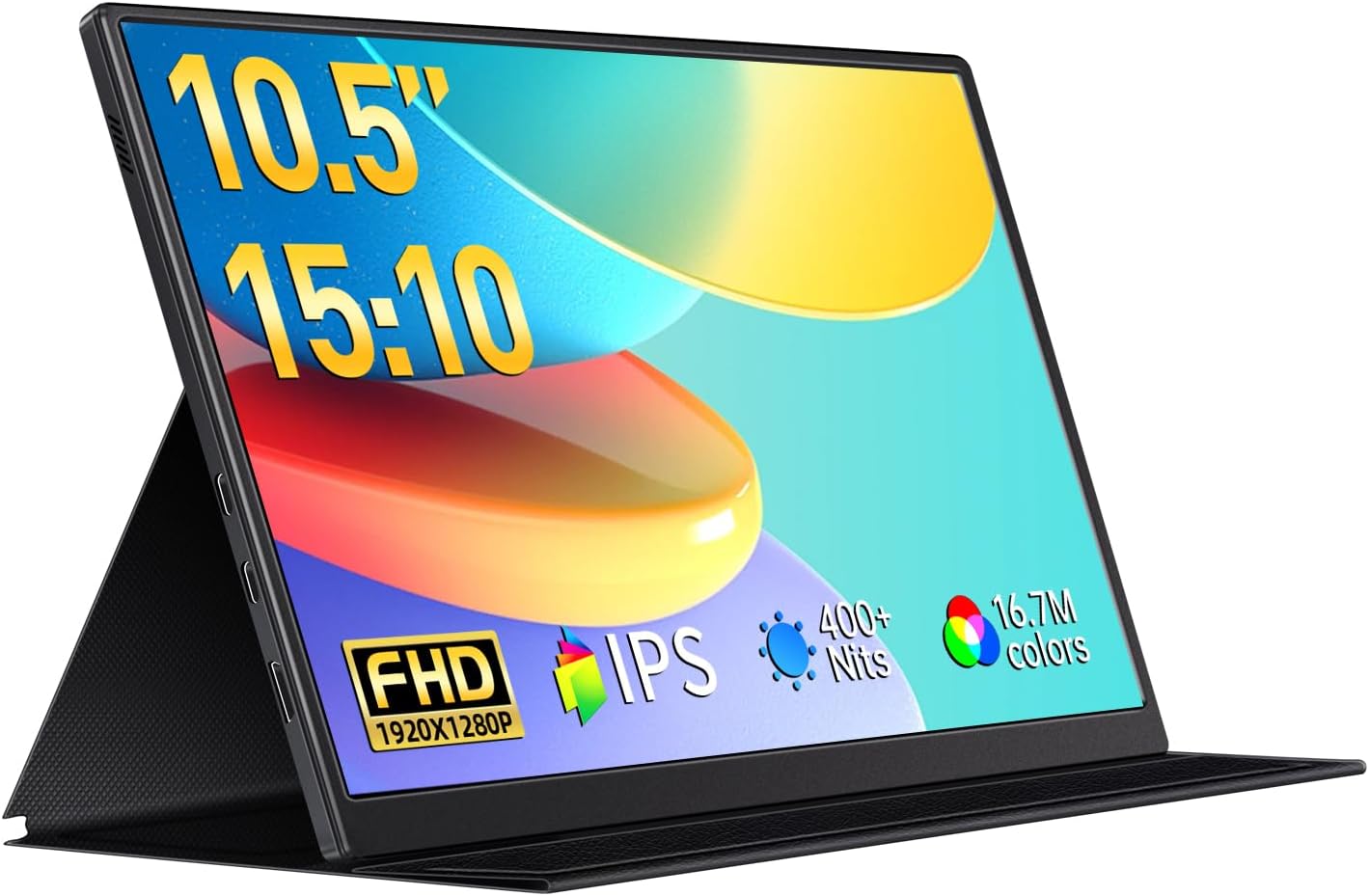 VOKENSU 10.5" Portable Monitor |
Mid-Range | 400 cd/m² FHD IPS with dual USB-C | Remote workers who need extra screen real estate | Check Price | ||
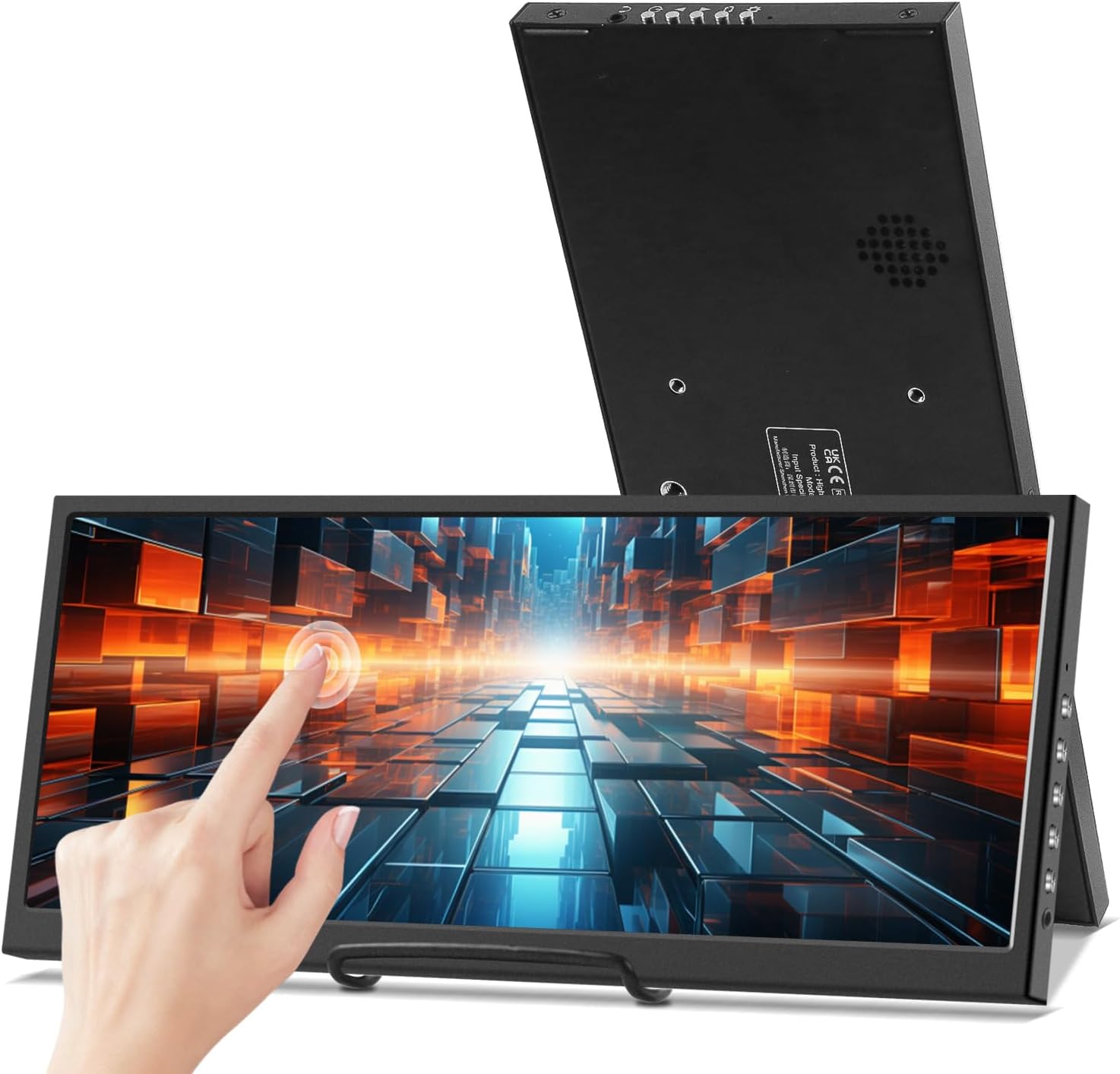 Prechen 12.3" Touch Monitor |
Premium | 12.3" stretched touchscreen with speakers | Users who want touchscreen and system monitoring | Check Price |
1. ECOHUB 17'' Small Travel Backpack, United Airlines Personal Item Bag 16.7"x10"x8" with 13 Pockets Carry on Backpack with USB Port Luggage Sleeve Travel Essentials for Men Women Water Resistant, Black
A thoughtfully organized personal-item backpack that makes packing a laptop, cables, a small monitor and a hub effortless. Customers praise its layout and travel-fit; some report mixed durability at seams. It's the most practical pick if you want to reliably carry docks, hubs and a portable monitor without paying for premium luggage.
Key Specs
- External size: 16.7" x 10" x 8" (personal-item friendly)
- Capacity: ~25L, weight ~1.5 lb
- Built-in USB charging port (requires power bank)
- Made with at least 50% recycled materials; water-resistant fabric
Pros
- Better organization and compartmentation than single-sleeve bags
- Designed to fit underseat airline limits for stress-free packing
- Built-in USB port simplifies charging on the go
Cons
- Some customers report seam/durability issues over time
- Not a substitute for a powered dock — it's a carrier, not a hub
Best For: Organized packers and frequent flyers
Check Latest Price on Amazon2. Small Portable Monitor 10.5" 400 Nits 15:10 FHD 1280P IPS Screen, Ultra-Slim Mini Monitor w/Smart Cover & Speaker, USB C HDMI HDR Portable Gaming Monitor, Travel Monitors for Laptop PCs
A compact 10.5" FHD IPS portable display with strong color and brightness for its size, a light smart-cover stand, and both USB-C and Mini-HDMI inputs. It’s the best value portable monitor for travelers who want sharp visuals without a heavy load—but a minority report connectivity or short-term durability problems.
Key Specs
- Display: 1920 x 1280 Full HD IPS (3:2 aspect) with HDR
- Brightness: 400 cd/m²; 100% sRGB color coverage
- Ports: dual USB-C (power/video) + Mini-HDMI
- Size & weight: ~0.3" thin, ~0.9 lb; PU leather smart cover stand
Pros
- Brighter, more color-accurate screen than many cheap monitors
- Ultra-light and thin — easier to pack than a full monitor
- Dual USB-C and Mini-HDMI for varied device compatibility
Cons
- Some buyers report intermittent failures or short-term reliability issues
- Smart-cover stand can feel less stable than a dedicated tripod or rigid stand
Best For: Remote workers who need extra screen real estate
Check Latest Price on Amazon3. Prechen 12.3 Inch Touchscreen Secondary Monitor, IPS Stretched Bar LCD Travel Touch Display 1920 * 720 HDMI USBC, Portable Touch Screen for Laptop Computer Windows Aida64 GPU CPU RAM Monitoring
A wider 12.3" stretched bar monitor with touch input and built-in speakers that excels as a status/monitoring display behind a laptop keyboard. It’s a premium, feature-rich portable screen, but touchscreen and USB-C connectivity are inconsistent on some devices—especially on macOS and iOS.
Key Specs
- Display: 1920 x 720 stretched FHD IPS, 60Hz
- Touch: USB-C touchscreen support (device-dependent)
- Ports: HDMI + USB-C (full-function on compatible hosts)
- Built-in stereo speakers; VESA-style mount holes (75x75mm)
Pros
- Useful stretched form factor for code, logs or monitoring panels
- Integrated speakers remove need for external audio on the road
- Well-suited for AIDA64-style system monitoring setups
Cons
- Touch function and USB-C-only connectivity are unreliable on some devices
- Touch gestures have limited support on macOS/iOS
Best For: Users who want touchscreen and system monitoring
Check Latest Price on AmazonWhich One Should You Choose?
If you need the most practical travel solution for carrying gear: buy the ECOHUB 17" travel backpack — it’s the best overall pick for organized packing and underseat airline compliance. If you want the most portable secondary screen with great color and brightness at a good value: choose the VOKENSU 10.5" portable monitor. If you need a wider touchscreen for system monitoring, multi-column spreadsheets or voice/video setups and you’re willing to accept occasional connectivity quirks: pick the Prechen 12.3" touchscreen monitor.
In short — bring a portable monitor (VOKENSU) when screen space matters, bring a compact hub/dock when ports and power delivery matter, and bring the ECOHUB backpack when how you carry everything is the priority.
Best for Specific Scenarios
- Light traveling remote worker: VOKENSU 10.5" — lightweight, bright screen for extra workspace without extra bulk.
- Packing multiple devices and accessories: ECOHUB backpack — organized compartments and a built-in USB port keep cables, a hub and a monitor safe and accessible.
- Live system monitoring or touchscreen workflows: Prechen 12.3" — stretched format and touch support are ideal for monitoring panels, although check device compatibility.
Frequently Asked Questions
Can a portable monitor run from a laptop USB-C port without extra power?
Many modern portable monitors support single-cable operation using USB-C DP Alt Mode and will draw power from a laptop if the laptop’s port supplies enough power. Check the monitor’s power draw and your laptop’s USB-C output. If your laptop can’t supply enough power, use a power bank or the laptop charger.
Should I bring a docking station or a USB-C hub for holiday work?
Bring a docking station if you need many ports and steady power at a single destination; bring a USB-C hub if you need a lightweight, portable solution that adds a few ports and PD passthrough. For travel, hubs usually strike a better balance between portability and functionality.
Will the Prechen touchscreen work with macOS and iPads?
The Prechen touchscreen supports USB-C touch on compatible hosts, but touch support is limited on macOS (two-point touch) and is not supported on iPadOS/iOS. Verify your device’s USB-C implementation and prepared to use touch primarily on compatible Windows machines.
How We Selected These Products
Our recommendations are based on data-driven analysis: we evaluated 155229+ products across 23916+ brands using a composite scoring system that weighs rating (40%), review volume (30%), price value (20%), and demand signals (10%). Every product is ranked by data, not opinions.
Last updated: November 23, 2026
As an Amazon Associate we earn from qualifying purchases at no extra cost to you. Full disclosure.
GearLark Score is our editorial ranking based on a composite analysis of product quality, value, and verified customer sentiment. Click through to Amazon for current pricing, availability, and live customer reviews.