As an Amazon Associate we earn from qualifying purchases. Learn more.
Mechanical vs Wireless Membrane Keyboards for Remote Learning (2026)
Remote learning in 2026 demands keyboards that balance typing comfort, low noise in shared spaces, long battery life, and trustworthy durability. In this head-to-head review we compare two Redragon membrane models and a compact Snpurdiri keyboard+mouse combo, focusing on tactile feel, sound levels, longevity, and power. Products were selected based on connectivity modes, battery claims, build details and real customer feedback about quality, value, and reliability. Read on to see side-by-side strengths, a detailed buying guide, and clear recommendations for students, parents, and remote professionals.
Quick Answer
For remote learning in shared rooms, the Redragon K525 PRO (B0FDKMFX8L) is the best overall for durable build, quiet linear ‘mechanical-feel’ typing, and macro control. If you need a budget rechargeable keyboard, choose the Redragon K503 (B08CFPXPB7); for a compact keyboard+mouse combo, the Snpurdiri set (B0BQW5ZNHF) is the best value.
Our Top Picks
Quick Comparison
Select 2-3 products to compare side-by-side
| Compare | Product | GearLark Score | Price Tier | Key Feature | Best For | Action |
|---|---|---|---|---|---|---|
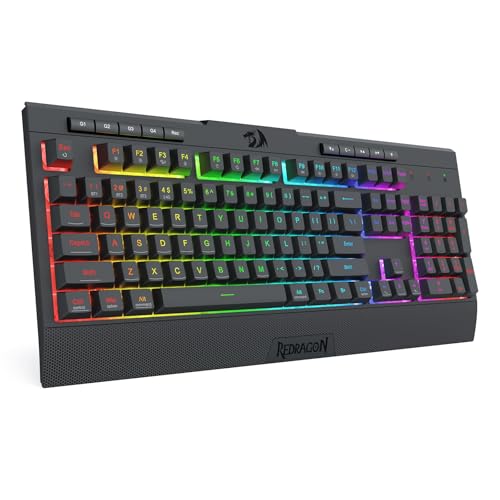 Redragon K525 PRO
|
Premium | Linear mechanical-feel switches | Students who want durable, quiet typing | Check Price | ||
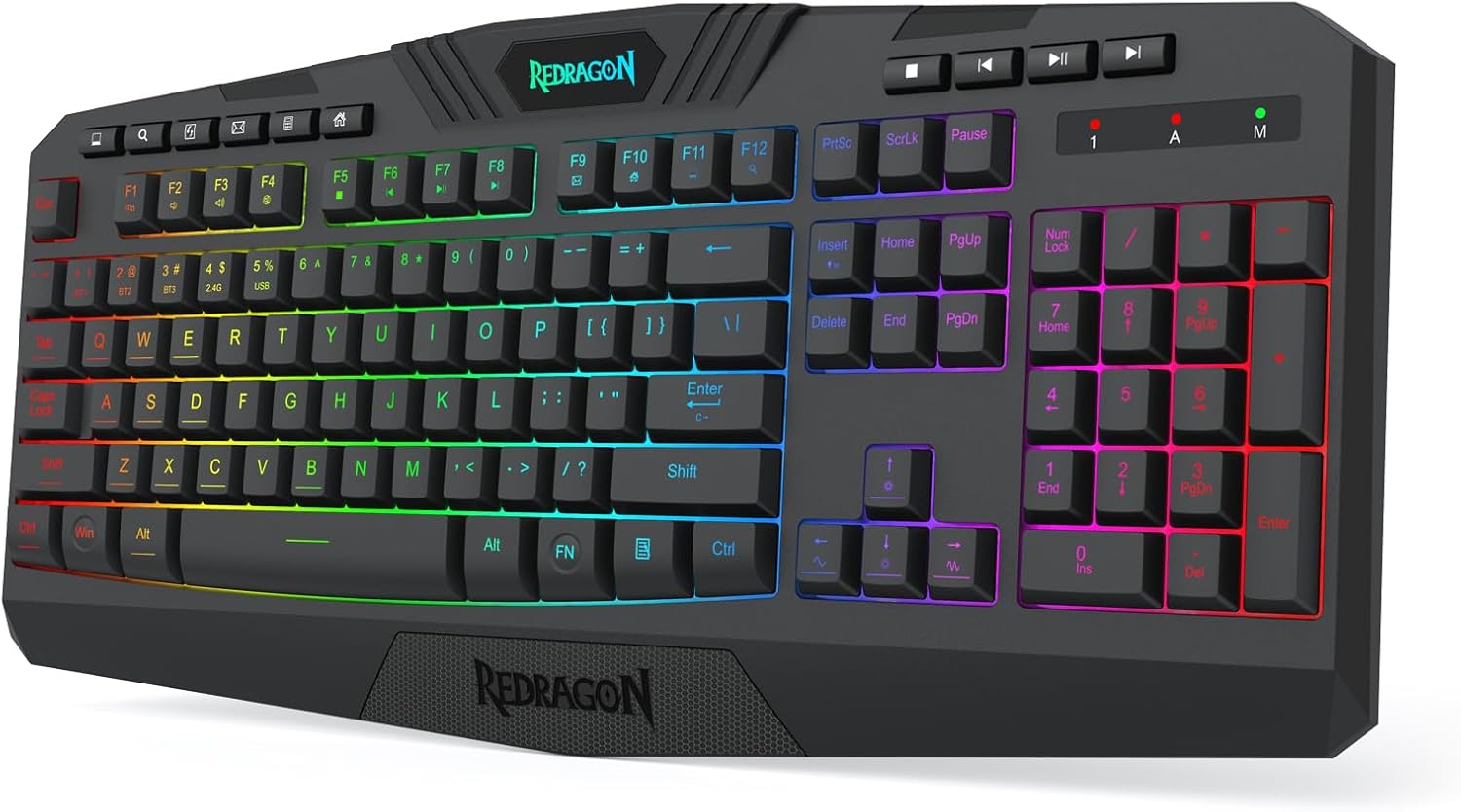 Redragon K503
|
Budget | Large 4000 mAh rechargeable battery | Budget-conscious remote learners who want long run-time | Check Price | ||
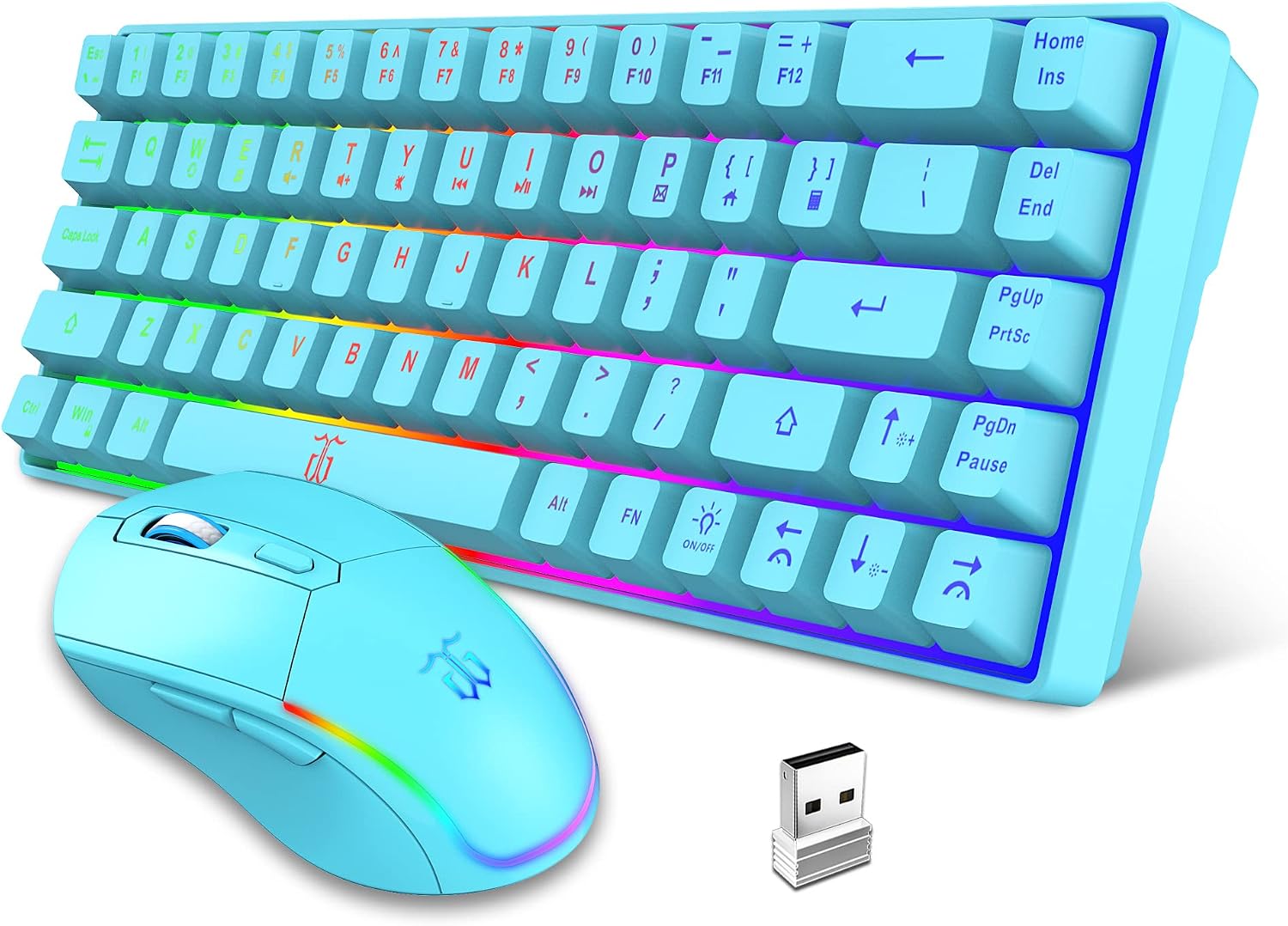 Snpurdiri 60% Combo
|
Mid-Range | Compact 60% keyboard + mouse combo | Learners needing a portable desk setup | Check Price |
1. Redragon K525 PRO RGB 3-Mode Wireless Membrane Gaming Keyboard with Multimedia Keys, Linear Mechanical-Feel Switch, 4 Extra On-Board Macro Keys, Dedicated Media Control, Ergonomic Wrist Rest
The K525 PRO brings a premium membrane experience with linear mechanical-feel switches, a full tri-mode connection suite, dedicated media controls and a supportive wrist rest. It emphasizes durability (10M keystroke testing) and on-board macros, making it a solid pick for focused remote learning and longer typing sessions.
Key Specs
- Tri-mode: USB-C wired, Bluetooth 3.0/5.0 & 2.4GHz wireless
- 4 on-board macro keys (G1–G4), editable on the fly
- True RGB backlight with pre-sets and custom slots
- 26 anti-ghosting keys; double-shot keycaps; 10 million keystroke test
Pros
- More durable construction than the cheaper options (10M keystroke testing)
- Better macro and control options than the budget K503
- Quieter linear 'mechanical-feel' action suited for shared rooms
Cons
- Premium price compared with the K503 and Snpurdiri combo
- No explicit large-capacity battery spec listed like some budget models
Best For: Students who want durable, quiet typing
Check Latest Price on Amazon2. Redragon K503 Wireless Gaming Keyboard, 3-Mode (2.4G/BT/USB), RGB LED Backlit, Multimedia Keys, Fully Programmable Silent Membrane Keyboard with Wrist Rest for Windows PC Games (Black)
The K503 delivers multi-mode connectivity and a big 4000 mAh battery that Redragon rates for hundreds of hours with RGB off. Customers praise its soft, buttery key feel and value-for-money, making it an attractive budget option for study sessions and class time in shared spaces.
Key Specs
- Tri-mode: Bluetooth, 2.4G wireless, and USB wired
- 4000 mAh rechargeable battery (up to ~300 hours with RGB off per manufacturer)
- RGB backlight with 6 lighting modes; battery indicator
- 25 anti-ghosting keys, detachable USB-C cable, splash resistance
Pros
- Longer advertised battery life than many compact combos
- Quieter membrane profile than loud mechanical boards for shared rooms
- Better waterproof/splash resistance than the Snpurdiri combo
Cons
- Some reports of inconsistent functionality and occasional key failures
- Mixed feedback on long-term battery reliability
Best For: Budget-conscious remote learners who want long run-time
Check Latest Price on Amazon3. Snpurdiri 60% Wireless Gaming Keyboard and Mouse Combo,LED Backlit Rechargeable 2000mAh Battery,Small Membrane But Mechanical Feel Keyboard + Popular RGB Mice for Gaming,Business Office(Blue)
This compact 60% keyboard plus mouse combo packs rechargeable batteries and RGB lighting into a travel-friendly package. It aims for a mechanical-like feel with built-in steel plates; it’s the best choice if portability and a tidy desk are priorities, though build longevity can be mixed based on user reports.
Key Specs
- 60% layout keyboard with 2.4GHz wireless via tiny USB receiver
- Keyboard: 2000 mAh battery; Mouse: 500 mAh battery (rechargeable)
- Rechargeable (approx. 40+ hours with light per manufacturer claims)
- Compact dimensions with ergonomic small mouse; built-in steel plates for feel
Pros
- Most portable option and includes a matching mouse—better value than standalone boards
- Smaller footprint helps students with limited desk space
- Brighter RGB visibility in dark rooms compared with some low-end boards
Cons
- Durability and connectivity reports are mixed compared with the Redragon models
- Smaller layout may frustrate users who want full arrow cluster or numpad
Best For: Learners needing a portable desk setup
Check Latest Price on AmazonWhich One Should You Choose?
If premium quality and quiet, durable typing matter most → choose the Redragon K525 PRO (B0FDKMFX8L). It’s the best overall for students who want a long-lasting board with macros, strong keycap construction and a quiet linear feel ideal for shared learning spaces. If budget is tight and you want the longest runtime between charges → pick the Redragon K503 (B08CFPXPB7), which pairs tri-mode connectivity with a large 4000 mAh battery and a soft, comfortable typing feel. If you need the smallest footprint or want a ready-made keyboard+mouse package for a compact dorm desk → go with the Snpurdiri 60% combo (B0BQW5ZNHF) for portability and value.
Best for Specific Scenarios
- Dorm or shared apartment study sessions: Redragon K525 PRO — quieter linear feel and durable build reduce distractions for roommates.
- All-day remote classes with limited charging access: Redragon K503 — large 4000 mAh battery and tri-mode flexibility keep you online longer.
- Portable study kit or travel-ready setup: Snpurdiri 60% Combo — small keyboard plus mouse fits into a backpack and clears desktop clutter.
Frequently Asked Questions
Are membrane keyboards quiet enough for shared rooms?
Yes — membrane boards are generally quieter than clicky mechanical switches. Models with linear mechanical-feel designs (like the K525 PRO) and soft key tops (K503) are especially suited to shared rooms. Also watch for noisy stabilizers or spacebar springs; user feedback sometimes flags those as sources of noise.
How long do the batteries last on these wireless keyboards?
Battery life varies: the K503 advertises a 4000 mAh rechargeable battery with very long runtimes when RGB is off, the Snpurdiri combo lists ~2000 mAh for the keyboard and ~500 mAh for the mouse (designed for portability), and the K525 PRO uses tri-mode wireless but does not publish a large battery spec. Expect real-world runtimes to vary with backlight use and connectivity mode.
Do any of these require special software or drivers?
The K525 PRO and K503 offer software or onboard options for macros and RGB customization; K525 emphasizes on-board macros that work without extra software, while K503 supports downloadable software for deeper customization. The Snpurdiri combo is plug-and-play over its 2.4GHz receiver and typically needs no drivers.
How We Selected These Products
Our recommendations are based on data-driven analysis: we evaluated 155229+ products across 23916+ brands using a composite scoring system that weighs rating (40%), review volume (30%), price value (20%), and demand signals (10%). Every product is ranked by data, not opinions.
Last updated: August 30, 2026
As an Amazon Associate we earn from qualifying purchases at no extra cost to you. Full disclosure.
GearLark Score is our editorial ranking based on a composite analysis of product quality, value, and verified customer sentiment. Click through to Amazon for current pricing, availability, and live customer reviews.