As an Amazon Associate we earn from qualifying purchases. Learn more.
Best Mechanical Keyboards for Remote Typing and Gaming (2026)
If you work or study in shared spaces and still want the precision of a mechanical keyboard for gaming and typing, this guide focuses on quiet tactile switches and compact layouts. You'll find tested compact tenkeyless and 60–75% keyboards that reduce noise and free up desk space, plus real-customer insights on build quality, battery and durability. Products were selected for low-noise tactile or smooth linear action, compact footprints, and a balance of materials and features customers praise most: build quality, sound, and value.
Quick Answer
For the best quiet tactile experience in a compact build, choose the HyperX Alloy Origins Core with HyperX Aqua tactile switches — it balances a quieter tactile feel, aluminum construction, and true tenkeyless portability. If price is the priority, the RK ROYAL KLUDGE RK61 delivers compact, hot-swappable value.
Our Top Picks
Quick Comparison
Select 2-3 products to compare side-by-side
| Compare | Product | GearLark Score | Price Tier | Key Feature | Best For | Action |
|---|---|---|---|---|---|---|
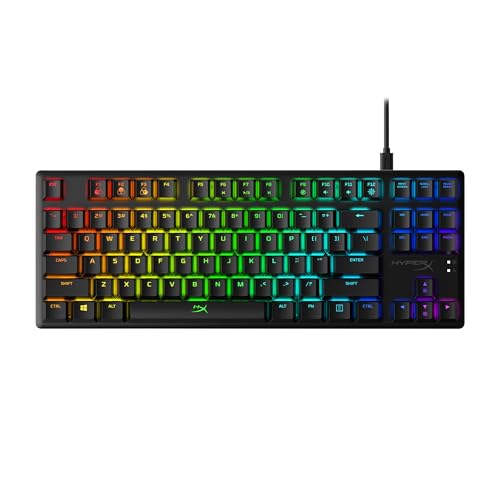 HyperX Alloy Origins Core (Aqua)
|
Premium | Quiet tactile HyperX Aqua switches | Quiet tactile typing and compact gaming | Check Price | ||
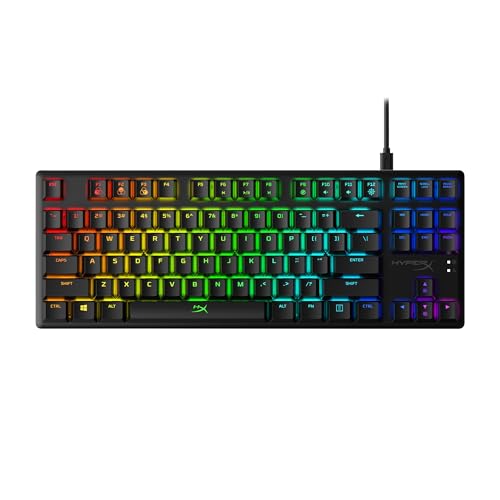 HyperX Alloy Origins Core (Red)
|
Premium | Smooth linear HyperX Red switches | Fast, quiet gaming and low-profile typing | Check Price | ||
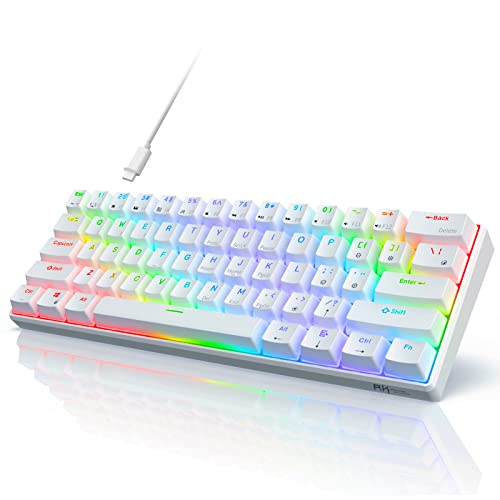 RK ROYAL KLUDGE RK61
|
Budget | Hot-swappable 60% compact layout | Ultra-compact desks and custom switch swaps | Check Price | ||
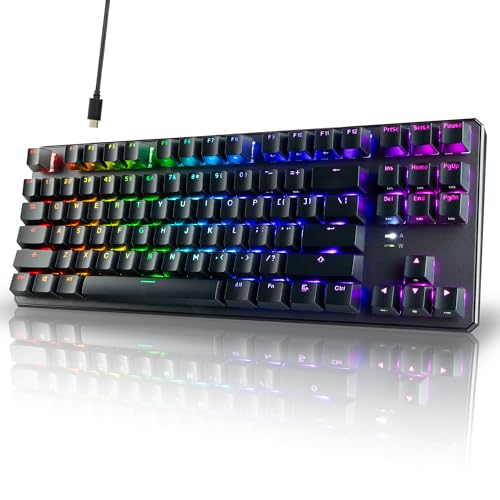 TECWARE Phantom+ 87 Key
|
Mid-Range | 75%/TKL 87-key compact layout | Typists who want a thocky, compact board | Check Price | ||
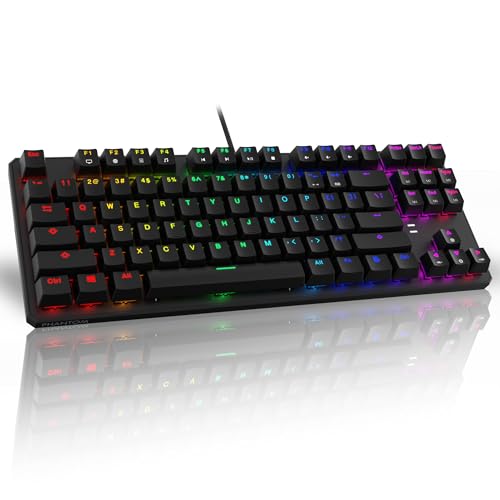 TECWARE Phantom (Red)
|
Budget | Outemu Red linear switches | Budget-focused gamers who want smooth linears | Check Price | ||
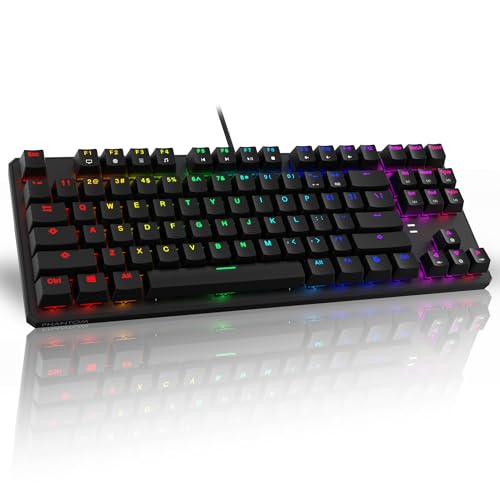 TECWARE Phantom (Brown)
|
Budget | Outemu Brown tactile switches | Balanced typing and gaming on a budget | Check Price | ||
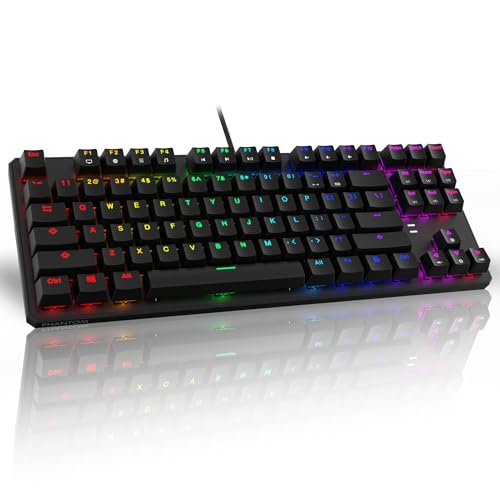 TECWARE Phantom (Blue)
|
Budget | Outemu Blue clicky switches | Typewriter-like feedback and loud tactile typing | Check Price |
1. HyperX Alloy Origins Core - Tenkeyless Mechanical Gaming Keyboard, Software Controlled Light & Macro Customization, Compact Form Factor, RGB LED Backlit, Tactile HyperX Aqua Switch,Black
A solid tenkeyless option with aluminum construction and tactile HyperX Aqua switches that lean quieter than many clicky switches. It pairs bright, customizable RGB and onboard profile storage with a detachable USB-C cable for portability.
Key Specs
- Tactile HyperX Aqua switches, rated for long lifespan
- Full aircraft-grade aluminum body
- Tenkeyless (TKL) compact layout with detachable USB-C
- RGB backlighting + HyperX NGENUITY software, onboard memory
Pros
- Well-built aluminum chassis reduces flex
- Tactile switches that are quieter than typical clicky switches
- Detachable USB-C and onboard profiles for portability
Cons
- Some customers report mixed long-term durability
- A few reports of intermittent key failures
Best For: Quiet tactile typing and compact gaming
Check Latest Price on Amazon2. HyperX Alloy Origins Core - Tenkeyless Mechanical Gaming Keyboard, Software Controlled Light & Macro Customization, Compact Form Factor, RGB LED Backlit, Linear HyperX Red Switch,Black
This HyperX TKL shares the same premium chassis and customization but swaps in linear HyperX Red switches for a smoother, lower-noise experience ideal for fast keypresses. Software customization and bright RGB give flexibility for gaming setups.
Key Specs
- Linear HyperX Red mechanical switches
- Aircraft-grade aluminum body
- Detachable USB-C cable, TKL layout
- HyperX NGENUITY software and RGB per-key controls
Pros
- Smooth, low-resistance linear action for rapid keying
- Sturdy, premium metal construction
- Customizable lighting and macro support
Cons
- Durability reports are mixed across units
- Some users noted occasional functionality issues
Best For: Fast, quiet gaming and low-profile typing
Check Latest Price on Amazon3. RK ROYAL KLUDGE RK61 60% Gaming Keyboard, Wired RGB Mechanical Keyboard with No-Conflict 61 Keys, Hot Swappable PC Game Keyboard for Windows Mac, Quiet Red Switch-White
A highly compact 60% board with hot-swappable PCB, detachable Type-C, and multiple RGB modes — excellent value if you want a small footprint with the ability to change switches. Users praise the feel and color brightness for the price.
Key Specs
- 60% layout with 61 keys
- Hot-swappable PCB supporting 3- and 5-pin switches
- Detachable Type-C cable and wired connection
- 18 RGB modes and software customization
Pros
- Great value and compact for tight desks
- Hot-swap support makes switch upgrades easy
- Good RGB and appearance for the price
Cons
- Some users report keys losing function over time
- Build feels less premium than aluminum alternatives
Best For: Ultra-compact desks and custom switch swaps
Check Latest Price on Amazon4. TECWARE Phantom+ 87 Key Mechanical Gaming Keyboard, RGB led, TKL 75% Keyboard, Thocky Sounding, Wraith Orange Switch
The Phantom+ balances a compact 87-key layout with a tactile 'thocky' typing profile via Wraith Orange-style switches. It targets users who want a premium typing feel without a full-size footprint and aims to deliver dependable performance at a mid-range price.
Key Specs
- 87-key 75% / TKL-style layout
- Wraith Orange-style tactile switch
- RGB LED lighting
- Designed for a premium typing experience
Pros
- Compact 87-key layout keeps essential keys reachable
- Tactile, thockier sound profile favored by typists
- Mid-range value with polished typing focus
Cons
- Limited public feedback on long-term durability
- Not a wireless model; portability depends on cable
Best For: Typists who want a thocky, compact board
Check Latest Price on Amazon5. TECWARE Phantom 87 Key Mechanical Keyboard, RGB led, Outemu RED Switch
A budget-friendly 87-key board with Outemu Red switches and extensive RGB options. Customers like the feel and customization for the price, and the fiberglass PCB and spare switches add value for hobbyists.
Key Specs
- 87-key layout with 16.8M RGB lighting
- Outemu Red switches (linear)
- Dual-layer fiberglass PCB for stability
- Includes spare switches and puller tools
Pros
- Excellent value with strong RGB options
- Smooth linear action suitable for gaming
- Includes spare switches and tooling
Cons
- Some users report mixed sound and functionality experiences
- Not the quietest option for shared spaces
Best For: Budget-focused gamers who want smooth linears
Check Latest Price on Amazon6. TECWARE Phantom 87 Key Mechanical Keyboard, RGB led, Outemu Brown Switch
The Brown switch variant offers tactile feedback with the same RGB and build features as other Phantom models. It's a value pick for those who want a tactile but economical keyboard with good customization.
Key Specs
- 87-key layout with 16.8M RGB lighting
- Outemu Brown tactile switches
- Fiberglass dual-layer PCB
- Comes with spare switches and switch/keycap pullers
Pros
- Tactile feedback without loud clickiness
- Strong RGB customization for the price
- Includes spare parts for quick fixes
Cons
- Reports of mixed functionality and occasional key issues
- Sound profile may still be too loud for some study environments
Best For: Balanced typing and gaming on a budget
Check Latest Price on Amazon7. TECWARE Phantom 87 Key Mechanical Keyboard, RGB led, Typewriter Sound, Outemu Blue Switch
This version uses clicky Outemu Blue switches for a pronounced typewriter feel. It’s best for users who enjoy audible feedback and customization, but less suited to quiet shared spaces.
Key Specs
- 87-key layout with 16.8M RGB lighting
- Outemu Blue clicky switches
- Fiberglass PCB and included spare switches
- Multiple preset RGB modes
Pros
- Satisfying clicky feedback for typists
- Good value with rich RGB modes
- Easy switch replacement and included spares
Cons
- Too loud for quiet study or shared rooms
- Some functionality reports vary across units
Best For: Typewriter-like feedback and loud tactile typing
Check Latest Price on AmazonWhich One Should You Choose?
If budget is tight → RK ROYAL KLUDGE RK61 (B089GN2KBT) delivers the smallest footprint and hot-swap flexibility at a budget price. If you need portable and premium build → HyperX Alloy Origins Core with HyperX Aqua (B084GYSFDT) combines quieter tactile switches with an aluminum frame and detachable USB-C. If you want the best mid-range balance of typing feel and value → TECWARE Phantom+ 87 Key (B0BPLTTS2D) offers a thocky tactile profile in a compact 87-key layout.
Best for Specific Scenarios
- Shared study spaces / libraries: HyperX Alloy Origins Core (B084GYSFDT) because tactile Aqua switches are quieter and the metal body reduces resonance.
- Small desks and travel: RK ROYAL KLUDGE RK61 (B089GN2KBT) because its 60% layout and detachable cable save space and pack easily.
- Typists who want a fuller layout: TECWARE Phantom+ 87 Key (B0BPLTTS2D) because an 87-key layout keeps arrow keys while staying compact and offers a thocky typing profile.
Frequently Asked Questions
Are tactile switches a good choice for quiet typing?
Yes — tactile switches hit a middle ground between loud clicky switches and smooth linears. Many tactile switches are engineered to be less noisy than clicky variants; pairing them with dampening foam, softer keycaps, or factory-lubed stems further reduces sound for shared spaces.
Which compact layout is best for gaming and typing?
It depends on how many dedicated keys you need. 60% boards (like the RK61) are the most compact and great for FPS gaming and tight desks but require function layers. 75% or 87-key layouts keep arrow keys and a few extras while still saving space — a good balance for typists who game occasionally.
Is hot-swappable PCB worth it?
If you want to experiment with different switch types or replace a faulty switch easily, hot-swap is very convenient. It increases flexibility and long-term value, especially if you care about tuning noise and feel without soldering.
How We Selected These Products
Our recommendations are based on data-driven analysis: we evaluated 155229+ products across 23916+ brands using a composite scoring system that weighs rating (40%), review volume (30%), price value (20%), and demand signals (10%). Every product is ranked by data, not opinions.
Last updated: September 20, 2026
As an Amazon Associate we earn from qualifying purchases at no extra cost to you. Full disclosure.
GearLark Score is our editorial ranking based on a composite analysis of product quality, value, and verified customer sentiment. Click through to Amazon for current pricing, availability, and live customer reviews.