As an Amazon Associate we earn from qualifying purchases. Learn more.
Complete Portable Monitor Setup for College Students (2026 Guide)
College students with small dorm desks need an end-to-end portable monitor setup that saves space, charges a laptop, adds screen real estate, and gives decent audio for study breaks and group projects. In this 2026 guide you'll get a complete small-desk kit — recommended portable monitors, compact stands, docking/hub options, cables and power strategies — all selected for portability, connectivity, and value. Products were chosen from popular portable monitors and desktop audio options with a focus on build quality, connectivity (USB-C/HDMI), and easy dorm-friendly installation.
Quick Answer
For a compact dorm-desk kit pick the UPERFECT Portable Monitor (B08L5SRCZJ) as the core display — it gives a large, lightweight 18.5" FHD panel with 120Hz and broad connectivity. Pair it with PreSonus Eris Accent speakers for great room audio and one of the KEFEYA or domyfan extenders/hubs for multi-screen productivity.
Our Top Picks
Quick Comparison
Select 2-3 products to compare side-by-side
| Compare | Product | GearLark Score | Price Tier | Key Feature | Best For | Action |
|---|---|---|---|---|---|---|
 PreSonus Eris Accent BT
|
Budget | 60W powered stereo with flexible inputs | Dorm-room audio and compact desktop setups | Check Price | ||
 UPERFECT 18.5" 120Hz
|
Budget | 18.5" 120Hz FHD IPS portable display | Students who want a large, responsive second screen | Check Price | ||
 domyfan 14" Extender
|
Mid-Range | Clamp-on, travel-friendly 14" FHD extender | Students who need a lightweight, laptop-mounted extra screen | Check Price | ||
 Teamgee 15.6" Extender
|
Premium | Premium metal stand + 120% sRGB | Creative students and power multitaskers | Check Price | ||
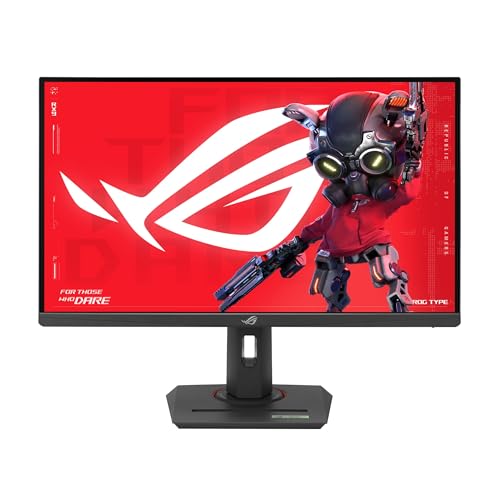 ASUS ROG Strix 27"
|
Mid-Range | 27" QHD 180Hz Fast IPS | Gamers and students who double as creators | Check Price | ||
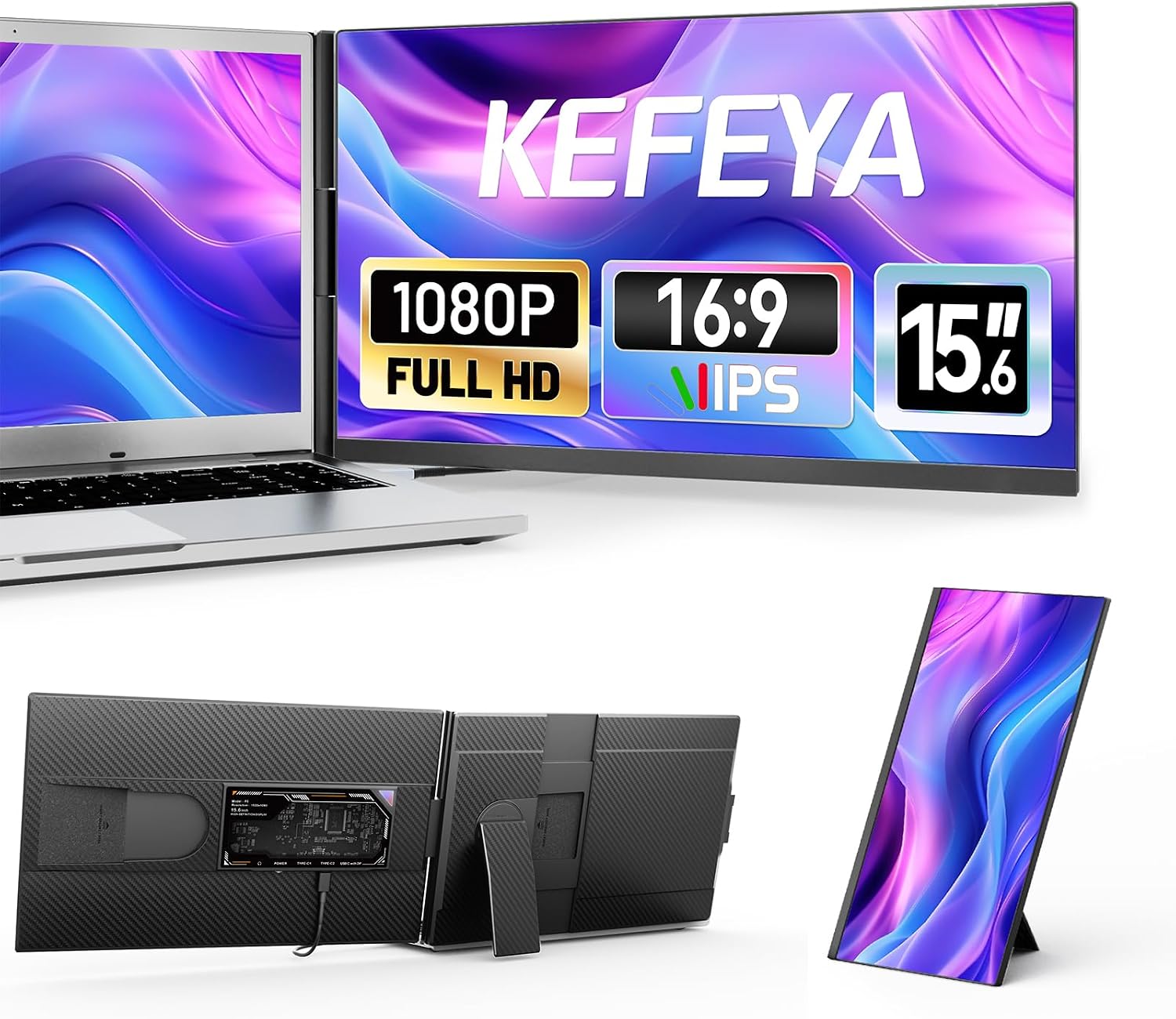 KEFEYA 15.6" Extender
|
Mid-Range | Plug-and-play 15.6" FHD extender with built-in speakers | Traveling students who want simple dual-screen setups | Check Price | ||
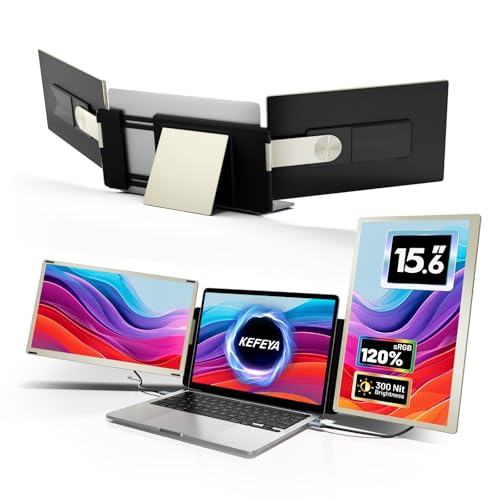 KEFEYA Triple S6
|
Premium | Triple-screen extender with 120% sRGB | Power users who need multiple screens at a desk | Check Price | ||
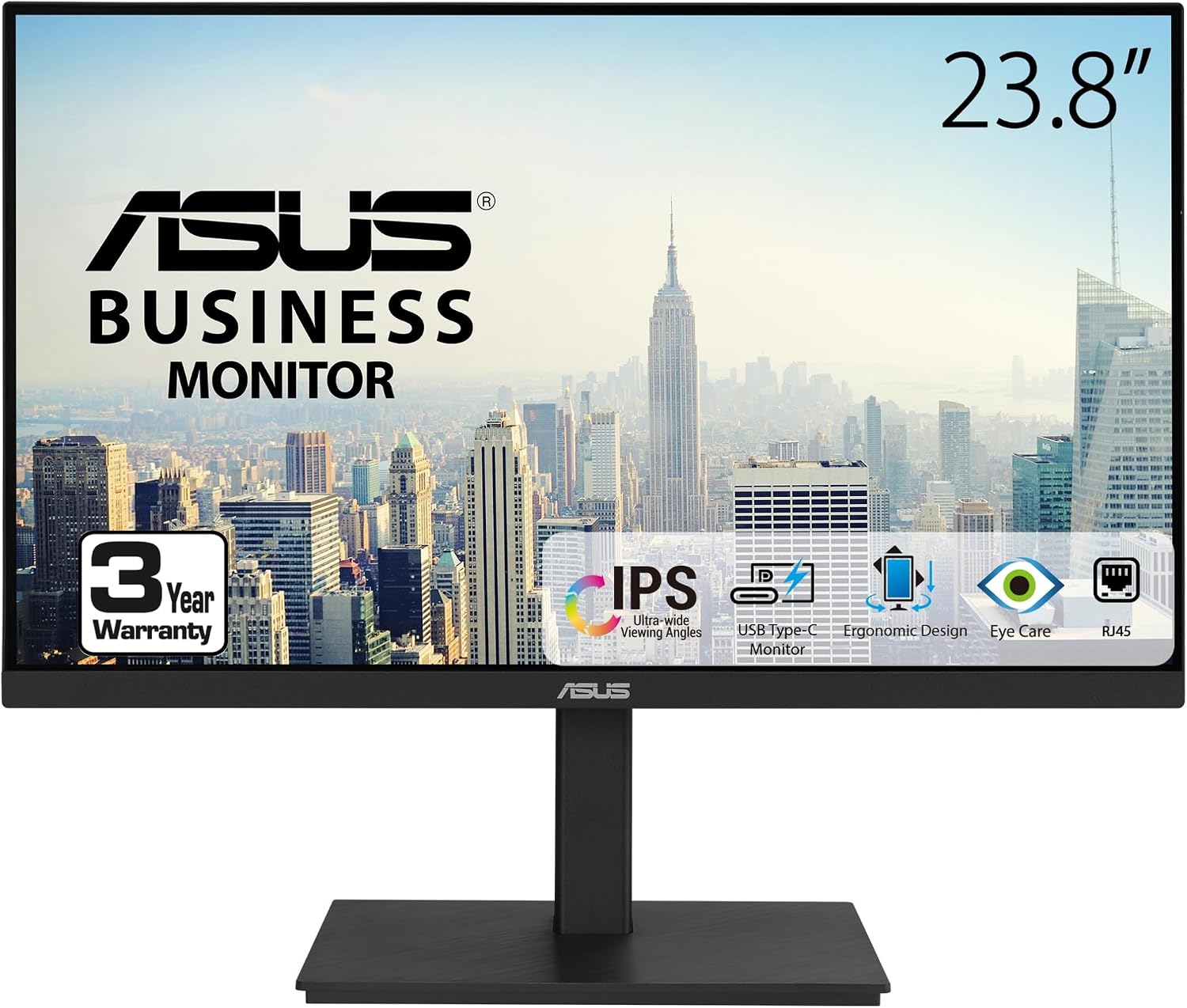 ASUS 23.8" Docking
|
Mid-Range | USB-C docking with up to 65W laptop charging | Students who want single-cable docking on a small desk | Check Price |
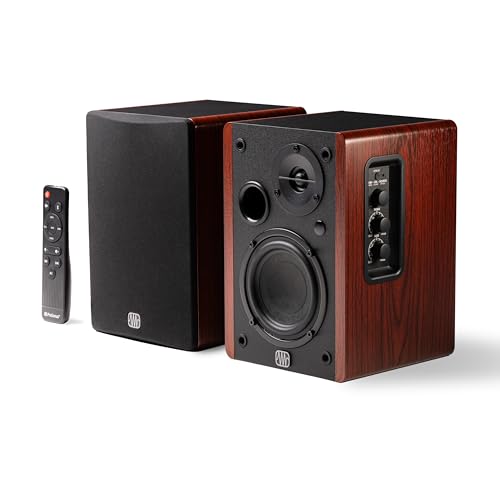
1. PreSonus Eris Accent BT 60W Powered Bookshelf Bluetooth Speakers Studio Monitors for Turntable, Home, 4" Woofer, Silk Tweeter, USB-C, Optical, RCA, Coax, Remote, Sub Out, Wired Option, Wood Grain
Compact powered bookshelf speakers with a 4" woofer and silk tweeter that deliver clear mids and highs for music, movies, and study sessions. Multiple inputs (Bluetooth 5.3, USB-C, optical, RCA) and a remote make them convenient for a small desk, though there are some reports of durability concerns with long-term use.
Key Specs
- 60W total power (30W per channel)
- 4" woofer + 13mm silk-dome tweeter
- Bluetooth 5.3, USB-C, Optical, RCA, Coax inputs
- Front-panel tone controls + remote; sub-out
Pros
- Clear, balanced audio ideal for music and video
- Versatile connectivity (Bluetooth + wired options)
- Compact wood-grain design fits small desks
Cons
- Some customers report intermittent reliability issues
- Livelier bass than tiny USB speakers, but needs room to breathe
Best For: Dorm-room audio and compact desktop setups
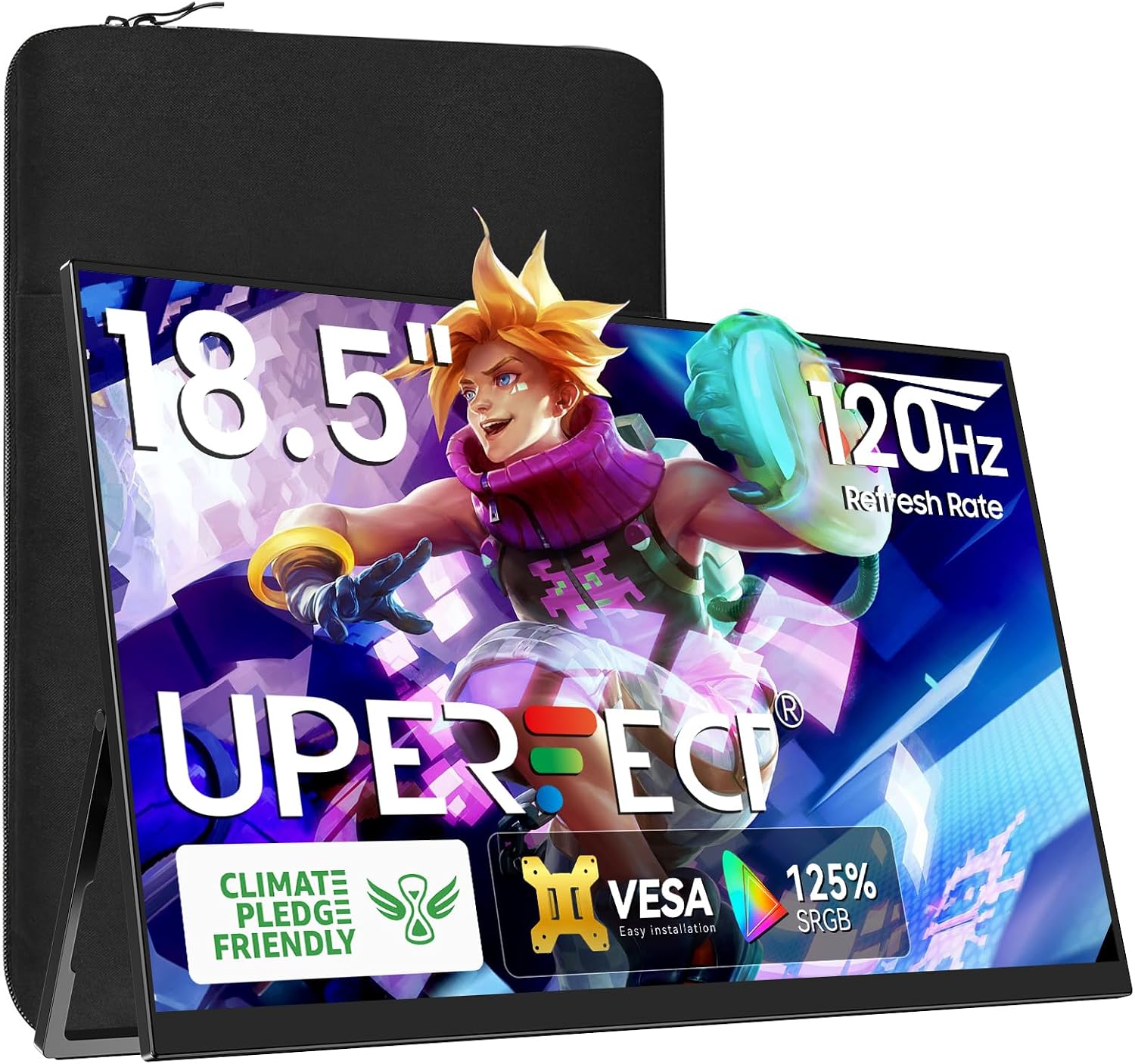
Check Latest Price on Amazon2. UPERFECT Portable Monitor 18.5 inch 120HZ 125% sRGB 1080P w/VESA & Stand, Large Portable Monitor FreeSync IPS HDR Gaming Display, HDMI USB C Travel Second Screen for Laptop MacBook
An unusually large portable monitor for dorm use: 18.5" FHD IPS with 120Hz and FreeSync, plus mini HDMI and dual USB-C ports. It balances portability and performance well — lightweight and VESA-ready — though brightness impressions vary among users depending on environment.
Key Specs
- 18.5" IPS, 1080p, 125% sRGB
- 120Hz refresh rate with FreeSync
- Mini HDMI + 2× USB-C 3.1 ports
- VESA-compatible & integrated adjustable kickstand
Pros
- Large screen area without a big footprint
- High refresh rate good for smooth scrolling and gaming
- Multiple ports and VESA/kickstand for flexible setups
Cons
- Brightness can feel inconsistent in very bright dorm rooms
- Not the smallest option to carry daily
Best For: Students who want a large, responsive second screen
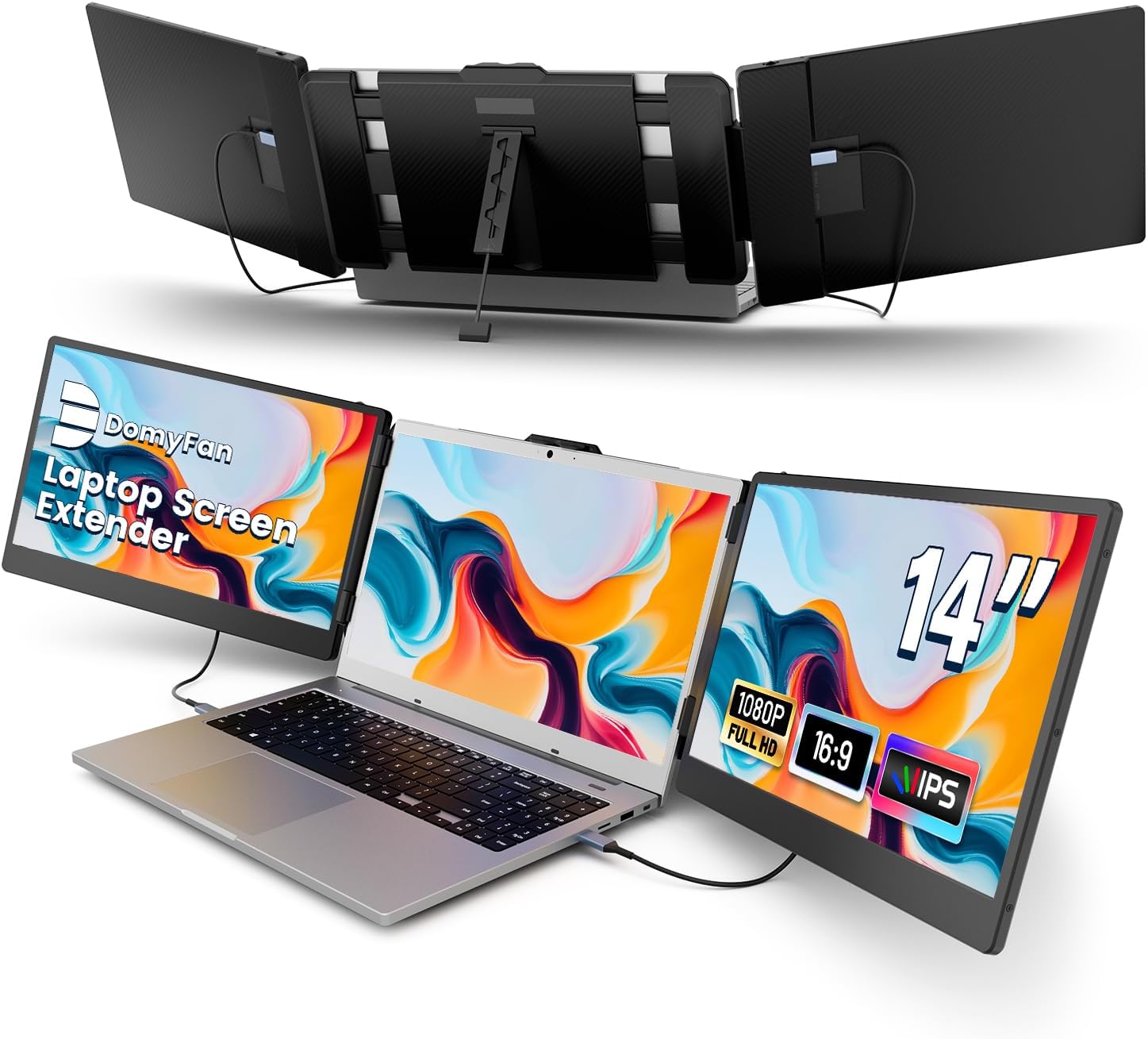
Check Latest Price on Amazon3. 14" Laptop Screen Extender, FHD 1080P IPS Triple Portable Monitor for Laptop, HDMI/USB-A/Type-C for Windows, Mac, Android, Chrome, Switch & PS5, Work with 13.3-17 Laptops
A true laptop screen extender that clamps to 13–17" laptops — great for cramped desks or café study sessions. Crisp 1080p IPS panel and included cables make it plug-and-play for many laptops; note Mac M1/M2 compatibility limits and the clamp design suits clamshell setups best.
Key Specs
- 14" IPS, 1080p resolution, 1000:1 contrast
- Works in extended/duplicated/second-screen modes
- Includes multiple cables: USB-C, USB-A, HDMI adapters
- Clamp/mount fits 13.3–17" laptops; carry bag included
Pros
- Excellent portability and easy setup
- Good picture quality for work and streaming
- Cables and carry case included for travel
Cons
- Some Mac models (M1/M2 series) may need alternate connections
- Clamp-style mount isn't ideal for every laptop lid design
Best For: Students who need a lightweight, laptop-mounted extra screen
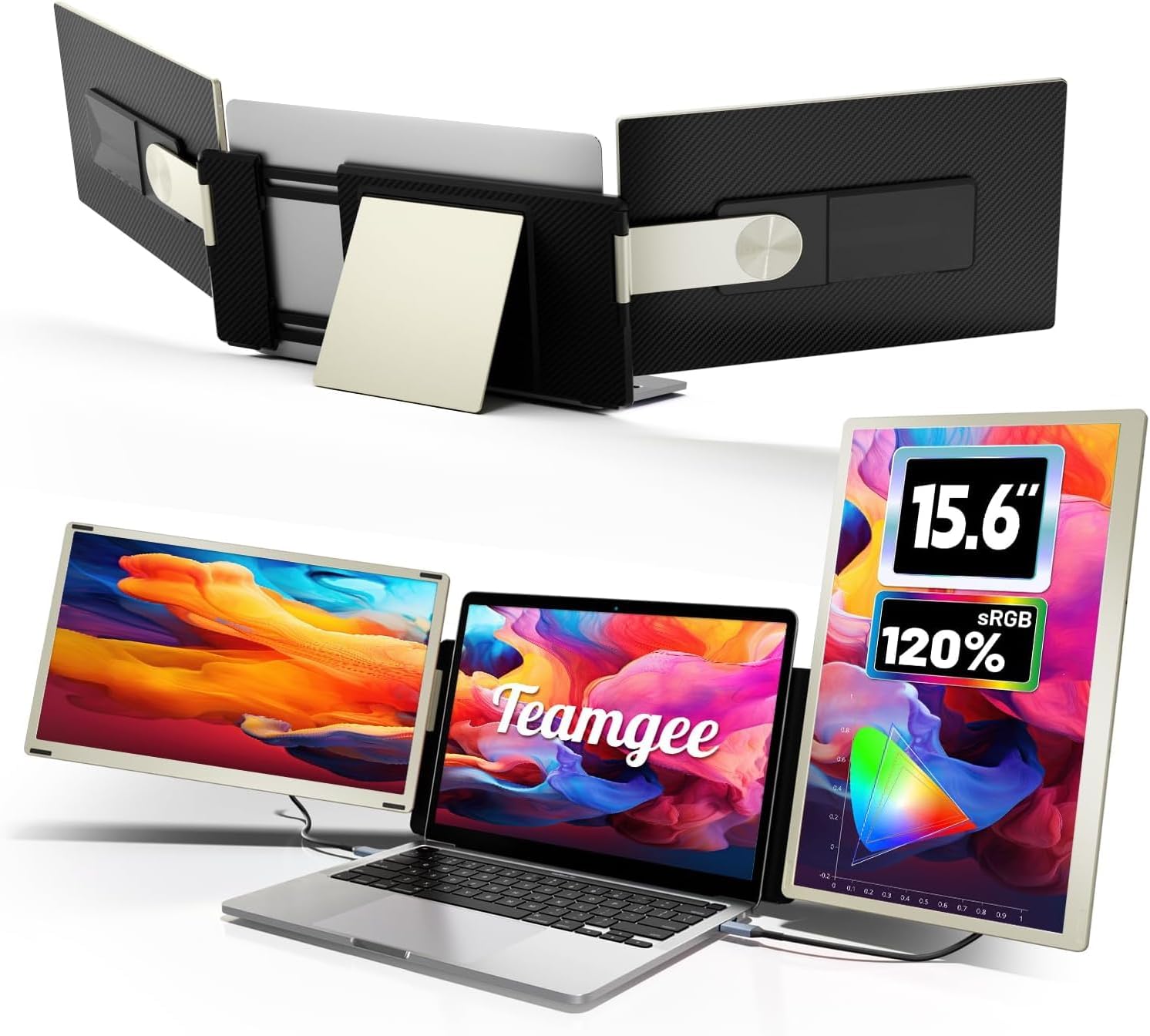
Check Latest Price on Amazon4. Teamgee 15.6" Laptop Screen Extender | Portable Monitor for 13-17 Mac/Windows Laptops | 120% sRGB FHD, Metal Stand, 235 Rotation, Ideal for Hybrid Work
A higher-end portable extender focused on color accuracy and a sturdy metal stand. The 15.6" FHD panel hits 120% sRGB, and the detachable screens / 235° rotation make it flexible for presentations or shared viewing, with pre-sales compatibility help for tricky setups.
Key Specs
- 15.6" FHD IPS, 120% sRGB
- Dual detachable screens with magnetic connection
- Aerospace-grade aluminum stand; 235° rotation
- Broad compatibility; pre-sales adapter support
Pros
- Strong color accuracy for photo/video work
- Very stable metal stand for small desks
- Flexible configurations and easy storage
Cons
- Premium price tier for students on tight budgets
- Dual-screen features may require adapters for some Macs
Best For: Creative students and power multitaskers
Check Latest Price on Amazon5. ASUS ROG Strix 27 1440P USB-C HDR Gaming Monitor (XG27ACG) -QHD, 180Hz, 1ms, Fast IPS, DCI-P3 95%, Extreme Low Motion Blur Sync, G-Sync Compatible, Tripod Socket, Aura Sync, AI Gaming, 3yr Warranty
A performance-minded 27" QHD monitor with 180Hz refresh and 1ms response for gaming and fluid workflows. Excellent color coverage and advanced motion tech make it great for high-frame work, though larger size and occasional panel issues reported by some buyers mean it's best for students with a bit more desk space.
Key Specs
- 27" QHD (2560×1440) Fast IPS
- 180Hz refresh rate, 1ms response
- DCI-P3 ~95% color gamut; HDR support
- USB-C input and gaming-focused features
Pros
- Ultra-smooth motion for gaming and video
- Strong color reproduction and HDR support
- Robust feature set for creators and players
Cons
- Larger footprint not ideal for very small desks
- Some users report occasional pixel/light uniformity issues
Best For: Gamers and students who double as creators
Check Latest Price on Amazon6. Laptop Screen Extender, 15.6" FHD 1080P IPS Portable Monitor for Laptop, Plug and Play Dual Monitor Extender for 13"-17.3" Laptops, Compatible with MAC, Windows, Android, Linux, Chrome
A practical 15.6" plug-and-play extender with built-in speakers and a detachable stand that supports 360° rotation. It comes with required cables and is designed for easy travel and quick desk expansion, though weight impressions vary between users.
Key Specs
- 15.6" bezel-less IPS, 1080p, 300 nits
- Built-in speaker; low-blue-light mode
- Includes Type-C, HDMI and USB-A cables
- Detachable stand with 360° rotation
Pros
- Straightforward plug-and-play with included cables
- Good display quality for travel and meetings
- Compact foldable design for backpacks
Cons
- Weight is reported variably—some find it heavier than expected
- Basic stand may not be as premium as metal alternatives
Best For: Traveling students who want simple dual-screen setups
Check Latest Price on Amazon7. Laptop Screen Extender, 15.6" Portable Monitor for Laptop with 120% sRGB, FHD IPS & USB to HDMI Hub & 235 Rotation, Triple Monitor Extender Plug & Play Fits for All Laptops (Mac/Win/Android)
A flexible triple-monitor extender that greatly increases productivity with up to 7 connection combinations and magnetic frames for easy storage. It supports many configurations, but MacBooks with Apple silicon may require a custom hub or driver to enable multiple external displays.
Key Specs
- 15.6" FHD panels with 120% sRGB
- Multiple connection methods: USB-C, USB-A + HDMI
- Magnetic frame, up to 360° rotation and multiple angles
- Supports triple-screen setups with dedicated support
Pros
- Exceptionally flexible multi-screen configurations
- Strong color gamut for visual tasks
- Magnetic storage and many angle combinations
Cons
- Mac M1/M2/M3/M4 owners may need additional hub/driver
- Heavier and more complex than a single portable monitor
Best For: Power users who need multiple screens at a desk
Check Latest Price on Amazon8. ASUS 23.8 1080P Docking Monitor (VA24ECPSN) - Full HD, IPS, 75Hz, Adaptive-Sync, Speakers, Eye Care, Low Blue Light, Flicker Free, USB-C, RJ45, HDMI, Frameless, Height Adjustment, VESA Wall Mountable
A 23.8" desktop monitor that doubles as a USB-C dock — it supports up to 65W laptop charging, RJ45, and a built-in USB hub for a clean single-cable dorm setup. It’s a good mid-range desktop option when you have slightly more desk space and want ergonomic adjustments and eye-care features.
Key Specs
- 23.8" Full HD IPS, 75Hz, Adaptive-Sync
- USB-C with up to 65W laptop charging + RJ45 LAN
- Tilt/swivel/pivot/height adjustments; VESA mountable
- Built-in speakers and Eye Care tech (low blue light, flicker free)
Pros
- One-cable docking makes desk setup neat
- Ergonomic adjustments for comfortable study sessions
- Solid picture quality and sensible ports for productivity
Cons
- Larger footprint than most truly portable monitors
- 75Hz is smoother than 60Hz but not a high-refresh gaming panel
Best For: Students who want single-cable docking on a small desk
Check Latest Price on AmazonWhich One Should You Choose?
If budget is tight → Choose the UPERFECT 18.5" (B08L5SRCZJ) for the best balance of screen size, refresh rate and price. If you need ultra-portable laptop-mounted expansion → Choose the domyfan 14" Extender (B0CC2LY1HP) or KEFEYA 15.6" (B0DJR53NL9). If premium color accuracy and a sturdy stand matter → Choose the Teamgee 15.6" (B0D4LRQ56M). If you want desktop docking convenience with single-cable setup and Ethernet → Choose the ASUS 23.8" Docking (B0BFC8J7QZ). For compact but higher-quality audio to pair with any of the monitor choices → add PreSonus Eris Accent speakers (B0FKVD8P7V).
Best for Specific Scenarios
- Cramped dorm desk / travel: UPERFECT 18.5" because it maximizes screen area while remaining relatively light and has multiple ports for flexible connections.
- Laptop-clamped dual screen for note-taking: domyfan 14" because the clamp-on design saves desk space and is ready to go with included cables and carry case.
- Color-critical coursework or content creation: Teamgee 15.6" because 120% sRGB and a metal stand give accurate colors and a stable, adjustable viewing angle.
Frequently Asked Questions
Can I run a portable monitor off a single USB-C cable?
Many modern portable monitors support DisplayPort Alt Mode over USB-C and will accept video plus power over one cable. Check that your laptop's USB-C port supports video output and sufficient power delivery. If it doesn't, use the monitor's HDMI port or a powered hub.
Will these extenders work with MacBooks (M1/M2/M3/M4)?
Basic USB-C monitors usually work for a single external display, but some Apple silicon MacBooks limit multiple external monitors. Several extenders note that multi-display modes may require a vendor-supplied hub or adapter—confirm compatibility with the seller before buying if you need more than one external screen.
What’s the best way to power a full setup in a dorm with limited outlets?
Use a compact powered USB-C hub or docking monitor that delivers power to your laptop (PD 45–65W) and offers extra ports. Combine with a small power strip (surge-protected) for speakers and a lamp. Avoid overloading a single outlet and check dorm rules for high-draw devices.
How We Selected These Products
Our recommendations are based on data-driven analysis: we evaluated 155229+ products across 23916+ brands using a composite scoring system that weighs rating (40%), review volume (30%), price value (20%), and demand signals (10%). Every product is ranked by data, not opinions.
Last updated: August 05, 2026
As an Amazon Associate we earn from qualifying purchases at no extra cost to you. Full disclosure.
GearLark Score is our editorial ranking based on a composite analysis of product quality, value, and verified customer sentiment. Click through to Amazon for current pricing, availability, and live customer reviews.