As an Amazon Associate we earn from qualifying purchases. Learn more.
Best SSD & SD Card Backup Workflow for Photographers on the Go (2026)
Traveling photographers who shoot fall weddings, landscapes or adventure sessions need a backup workflow that’s fast, durable and compact. This guide shows a complete in-field SSD + SD card workflow — rugged portable SSDs, modular mags and tool-free enclosures, plus card reader and cable choices — selected for speed, toughness and simplicity. Products were chosen for real-world durability, transfer performance, and portability; every recommendation aims to cut backup time, survive drop-and-damp conditions, and fit a photographer’s kit bag.
Quick Answer
For photographers shooting on location, the Oyen Digital U34 Bolt 4TB (B0CV62T1BW) is the best overall pick for a fast, rugged backup workflow — it balances sustained 2800MB/s transfers, Thunderbolt/USB4 compatibility and MIL-grade protection. If you need maximum capacity and turbo speeds, consider the 8TB U34 Bolt variant.
Our Top Picks
Quick Comparison
Select 2-3 products to compare side-by-side
| Compare | Product | GearLark Score | Price Tier | Key Feature | Best For | Action |
|---|---|---|---|---|---|---|
 Oyen U34 Bolt 8TB
|
Premium | Sustained 2800MB/s transfers | High-capacity, pro photographers | Check Price | ||
 Oyen U34 Bolt 4TB
|
Premium | Top-rated speed + ruggedness | Photographers wanting balance of speed & durability | Check Price | ||
 SanDisk PRO‑Blade 1TB
|
Mid-Range | Modular PRO‑Blade mag system | Travel shooters wanting multiple mags | Check Price | ||
 Unitek M.2 Enclosure
|
Budget | Tool-free 10Gbps M.2 + SATA support | Budget photographers & data recovery | Check Price | ||
 Oyen Helix Dura 2TB
|
Mid-Range | Compact 1050MB/s portable NVMe | Everyday field backups | Check Price | ||
 Cable Matters USB4 Enclosure
|
Mid-Range | USB4 / Thunderbolt 4 speeds (40Gbps) | On-the-go editors who need raw speed | Check Price | ||
 AOKO NVMe Adapter
|
Budget | 3-in-1 NVMe, SATA & 2.5" support | Technicians and multi-drive users | Check Price | ||
 ASUS TUF AS1000 Plus
|
Mid-Range | MIL & IP68 ruggedness | Shooters in harsh weather | Check Price |
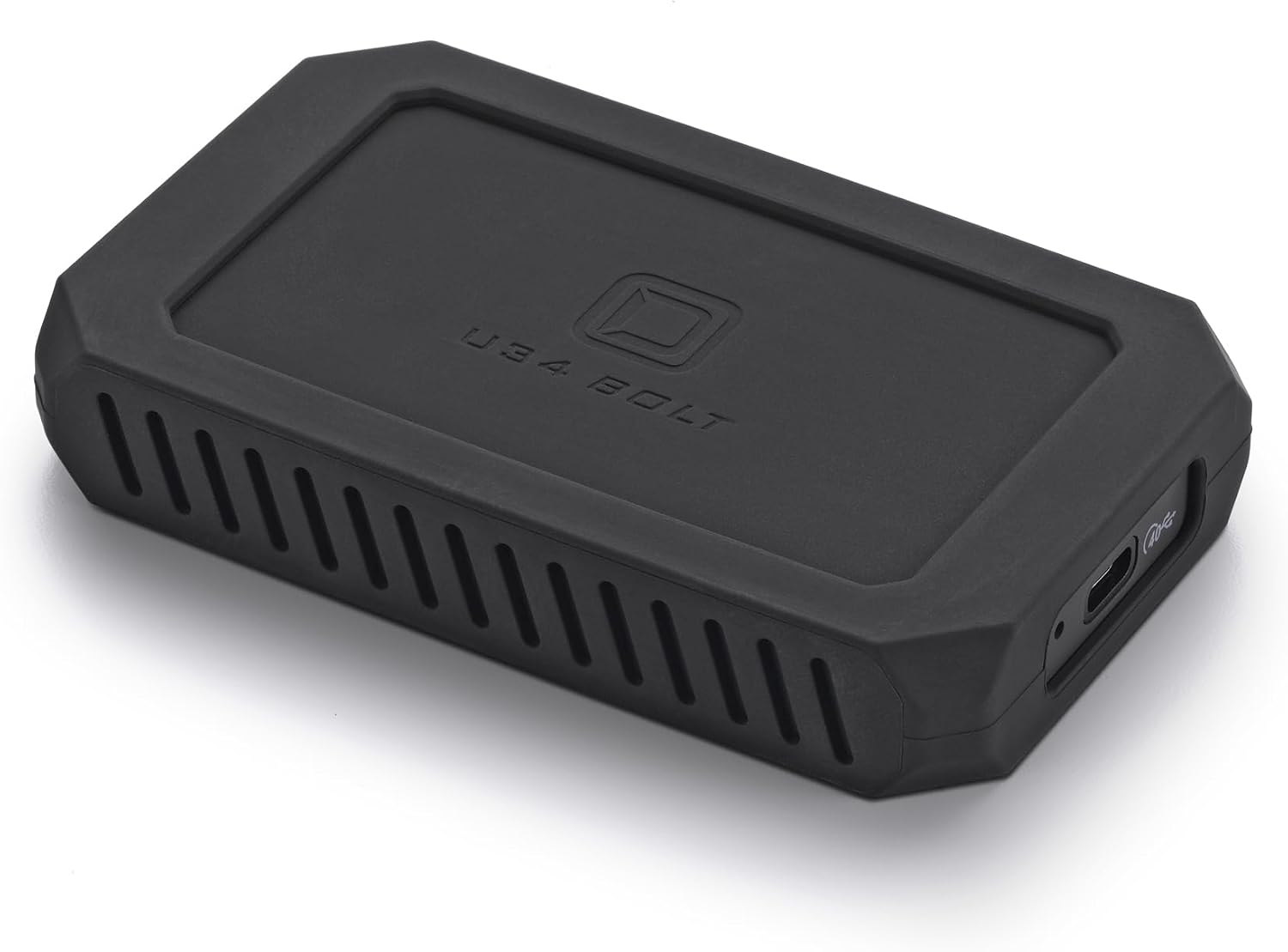
1. Oyen Digital U34 Bolt 8TB (USB4 40Gbps) NVMe Thunderbolt 4 (USB-C) Portable SSD, Up to 2800MB/s
A turbocharged, rugged portable NVMe designed for pro workflows that need high sustained write/read speed and MIL-grade protection. Great for on-location bulk backups of high-resolution RAW and video with broad Thunderbolt/USB4 compatibility.
Key Specs
- Sustained transfer rates up to 2800 MB/s
- USB-C / Thunderbolt 3/4/5 compatible (USB4 40Gbps)
- MIL-Standard 810 protection
- Aluminum cooling core and 3-year warranty
Pros
- Very fast sustained transfers that cut backup time
- Rugged MIL-grade build and metal cooling core
- Versatile Thunderbolt/USB4 connectivity
Cons
- Premium price tier
- Mixed reports on long-term durability from some users
Best For: High-capacity, pro photographers
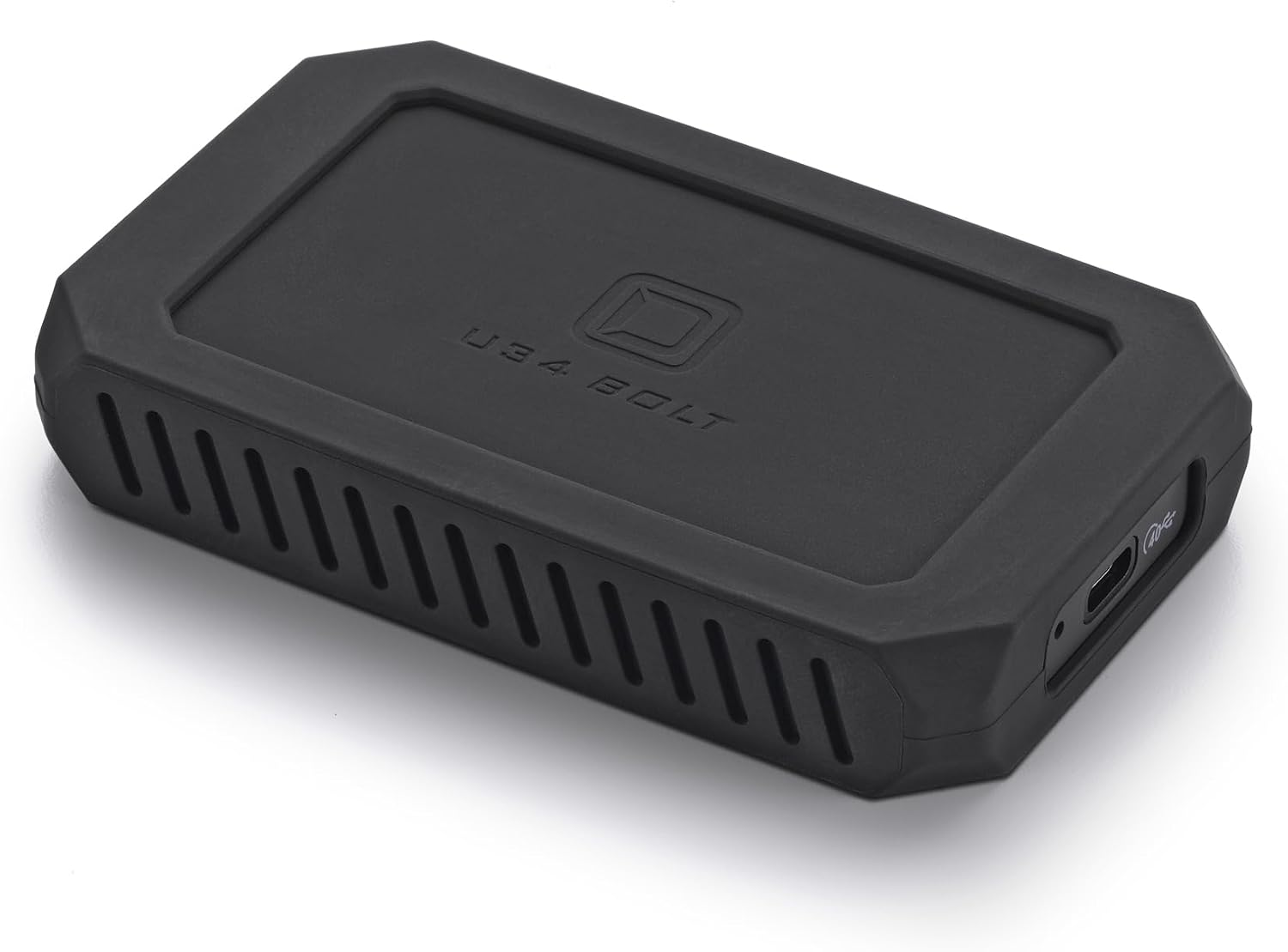
Check Latest Price on Amazon2. Oyen Digital U34 Bolt 4TB (USB4 40Gbps) NVMe Thunderbolt 4 (USB-C) Portable SSD, Up to 2800MB/s
Same high-speed platform as the 8TB model in a slightly lower capacity—excellent for photographers who want Thunderbolt/USB4 speed and MIL-standard robustness without the absolute max capacity. It’s built to handle fast in-field copies and heavy file loads.
Key Specs
- Up to 2800 MB/s sustained transfer
- USB4 / Thunderbolt 4 compatible
- MIL-Standard 810 protection
- Formatted for macOS; 3-year warranty
Pros
- Outstanding transfer speeds for fast backups
- Compact, well-built chassis and solid cable quality
- Good cross-platform compatibility
Cons
- Premium price tier
- Some users noted mixed durability/value experiences
Best For: Photographers wanting balance of speed & durability
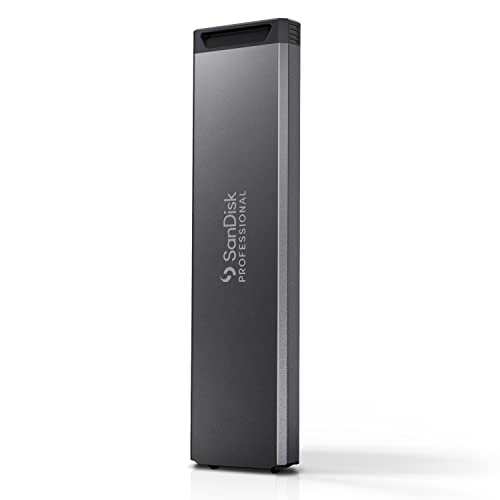
Check Latest Price on Amazon3. SanDisk Professional 1TB PRO-Blade SSD Mag - Portable & Modular NVMe SSD Mag, Ultra-Durable - SDPM1NS-001T-GBAND
A modular SSD mag that’s designed to be carried in multiples and dropped into a transport enclosure. Excellent for photographers who prefer swapping compact mags rather than carrying multiple full-sized drives.
Key Specs
- Modular PRO‑Blade SSD mag format
- Up to 2000 MB/s with PRO‑BLADE TRANSPORT
- 3m drop and 4000 lb crush resistance (per manufacturer)
- Scales to multi‑mag desktop station (PRO‑BLADE ecosystem)
Pros
- Extremely compact — carry more capacity in less bulk
- Durable, crush/drop-rated design
- Modular system scales well for long shoots
Cons
- Can run warm under sustained transfers
- Perceived value for money debated by some users
Best For: Travel shooters wanting multiple mags
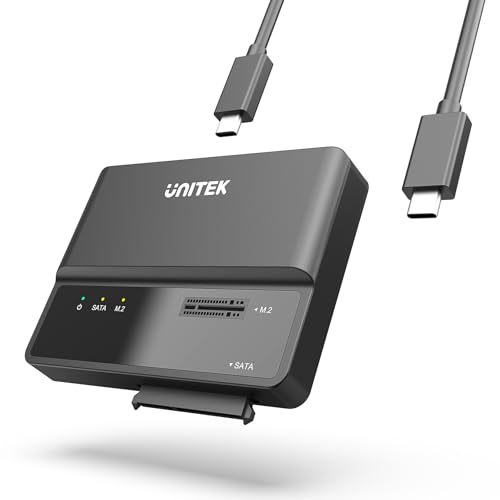
Check Latest Price on Amazon4. Unitek M.2 NVME SATA SSD Enclosure-2 in 1 Tool-Free Portable 10Gbps NVMe PCI-E M.2 and SATA SSD External Adapter USB 3.2 Hard Drive Reader for 2230/2242/2260/2280 NVMe and 2.5" /3.5" SSD
A flexible, budget-friendly enclosure that supports both M.2 NVMe and SATA drives with a tool-free install. It’s a great low-cost option for field techs who swap drives, recover data, or need basic high-speed USB3.2 transfers.
Key Specs
- USB 3.1 Gen2 / 10Gbps interface (UASP & TRIM)
- Tool-free M.2 NVMe and SATA dual compatibility
- LED status indicator; plug-and-play
- Includes USB‑C cable and 12V/2A power adapter
Pros
- Very affordable and versatile (M.2 + SATA)
- Easy, tool-free installation
- Good value for quick access/data recovery
Cons
- Not as rugged as purpose-built portable SSDs
- Lower top speed than Thunderbolt/USB4 options
Best For: Budget photographers & data recovery
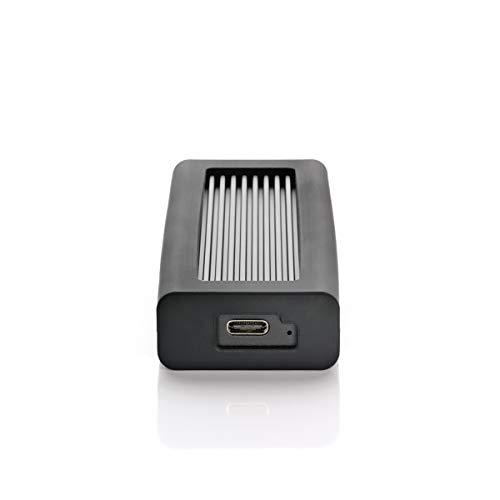
Check Latest Price on Amazon5. Oyen Digital Helix Dura 2TB USB-C (USB 3.2 Gen2) NVMe Portable SSD, Up to 1050MB/s
A compact, well-built portable NVMe drive with sensible speeds for fast SD card offloads and everyday backups. It’s a good mid-range choice when you want durability and a long warranty without Thunderbolt complexity.
Key Specs
- Read/write up to 1050 MB/s
- USB-C / Thunderbolt 3/4 compatible (via cable)
- 3D TLC NAND; PCIe NVMe 3.0x4
- Includes USB-C and USB-C-to-3.0 cables; 4-year warranty
Pros
- Small, pocketable and well manufactured
- Good performance for SD card transfers
- Strong warranty for peace of mind
Cons
- Can feel warm under load
- Some isolated durability concerns reported
Best For: Everyday field backups
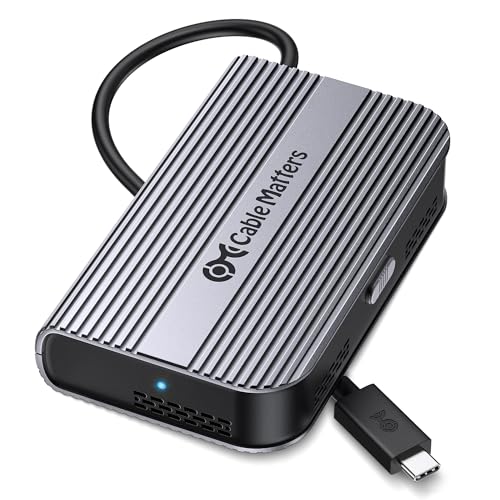
Check Latest Price on Amazon6. Cable Matters 40Gbps Portable USB4 / Thunderbolt 4 SSD Enclosure for M.2 NVMe SSD - Up to Read:3800MB/s, Write:3600MB/s, NVMe Enclosure, Tool-Free, Intelligent Cooling, Thunderbolt 4/5 Compatible
A USB4/Thunderbolt 4 enclosure that unlocks PCIe Gen4 NVMe speeds for real-time editing and huge transfers. The active fan and tool-free install make it a strong choice for professionals who need desktop-class throughput in the field.
Key Specs
- USB4 / Thunderbolt 4/5 compatible, up to 40Gbps
- PCIe Gen4x4 support; tested high read/write throughput
- Active, temperature-controlled fan for cooling
- Tool-free installation; supports 2230–2280 single-sided M.2
Pros
- Extremely fast when paired with a Gen4 NVMe
- Active cooling helps sustain peak speeds
- Compact, foldable design for travel
Cons
- Reported heat retention under some conditions
- Built-in cable can be short and cause compatibility issues
Best For: On-the-go editors who need raw speed
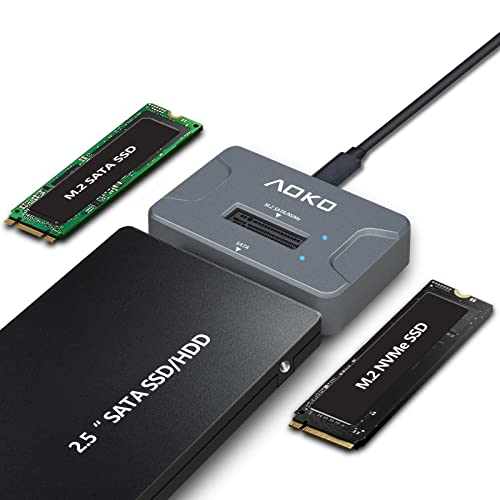
Check Latest Price on Amazon7. AOKO NVMe to USB 3.2(10Gbps) SSD Reader Docking Station Portable M.2 SSD to USB Adapter External NVMe SSD Enclosure for M.2 PCIe NVMe and M.2 SATA SSD, Compatible with 2.5'' SATA Dirve
A budget-friendly, compact adapter that reads M.2 NVMe, M.2 SATA and 2.5" SATA drives and includes a Y-cable for extra power. It’s handy for photographers who manage many drive types and need occasional in-field access.
Key Specs
- Supports M.2 NVMe and SATA (2242/2260/2280) and 2.5" SATA
- USB-C interface up to theoretical 10Gbps
- Vertical design with silicone feet for heat dissipation
- Includes 60cm Y-cable and USB-A to USB-C adapter
Pros
- Very versatile — reads many drive types
- Compact and easy to carry
- Includes auxiliary power cable for large drives
Cons
- Heat resistance is a concern during long transfers
- Some users report inconsistent transfer speeds
Best For: Technicians and multi-drive users
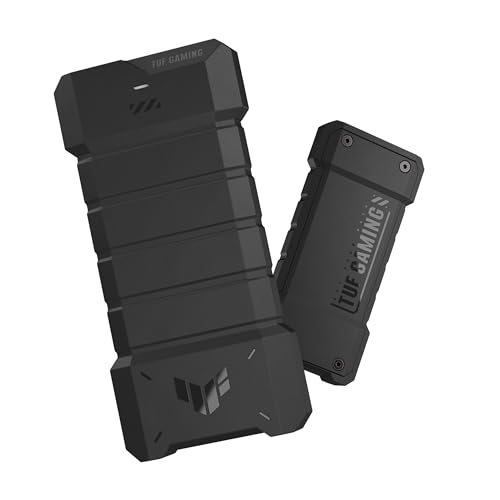
Check Latest Price on Amazon8. ASUS TUF Gaming AS1000 Plus USB-C 3.2 Gen 2x2 Portable M.2 NVMe PCIe SSD 1 TB, Up to 2000MB/s, MIL-STD-810H Drop Resistance, IP68 Water and dust Resistance, Aluminum Alloy Chassis and a Thermal pad
A highly rugged portable NVMe with IP68 water/dust resistance and MIL-STD drop protection. Built-in thermal design and bundled backup software make it a solid pick for photographers working in wet, muddy or rough fall conditions.
Key Specs
- USB-C 3.2 Gen 2x2 interface (~20Gbps)
- Up to 2000 MB/s transfer speeds
- MIL-STD-810H drop resistance and IP68 rating
- Aluminum alloy chassis with thermal pad; backup software included
Pros
- Very durable — built for drops and water/dust exposure
- Effective heat dissipation for sustained transfers
- Includes backup software and cable
Cons
- A bit heavier than ultra-light pocket drives
- Mid-range price tier may be higher than basic SSDs
Best For: Shooters in harsh weather
Check Latest Price on AmazonWhich One Should You Choose?
If budget is tight → choose the Unitek M.2 Enclosure (B0CQ4LXVS7) plus a reliable M.2 SSD for the most cost-effective, flexible solution. If you need portable everyday backups with good speed and warranty → choose the Oyen Helix Dura 2TB (B07YCQCDDJ). If you need premium speed, ruggedness and maximal in-field throughput → choose the Oyen Digital U34 Bolt 4TB (B0CV62T1BW) or the 8TB variant (B0CV628X37) for higher capacity. If your shoots expose gear to weather and rough handling → pick the ASUS TUF AS1000 Plus (B0DM5CG6QD) for IP68/MIL-grade protection.
Best for Specific Scenarios
- Fast multi-card offloads: Oyen Digital U34 Bolt 4TB because its sustained 2800MB/s transfers cut backup time on large RAW/ProRes libraries.
- Modular multi-day shoots: SanDisk PRO‑Blade 1TB mags because you can carry many mags and swap them into a single transport enclosure for simple scaling.
- Budget field tech kit: Unitek M.2 Enclosure because it reads M.2 and SATA drives tool‑free and keeps costs down while offering good transfer speeds.
Frequently Asked Questions
Do I need Thunderbolt/USB4 for in-field backups?
Thunderbolt/USB4 gives much higher peak and sustained transfer speeds, which matters if you’re copying large video files or editing from the drive. For most photographers doing RAW stills and short offloads, a USB 3.2 Gen2 portable SSD (1,000–2,000 MB/s) is fast enough and more affordable.
How should I format drives for compatibility with cameras and laptops?
Use exFAT for cross-platform compatibility between macOS and Windows and for large file support. For specialized workflows or checksum verification, keep a separate drive formatted for the editing system if you rely on features like APFS snapshots or NTFS-only tools.
What’s the most reliable field backup strategy?
Follow a 2-target approach: copy cards to two separate storage targets (e.g., main portable SSD + backup mag or second SSD) before reformatting cards. Verify both copies using file checks or checksums when possible. Store one copy in a separate bag compartment or with a trusted assistant to reduce single-point-of-failure risk.
How We Selected These Products
Our recommendations are based on data-driven analysis: we evaluated 155229+ products across 23916+ brands using a composite scoring system that weighs rating (40%), review volume (30%), price value (20%), and demand signals (10%). Every product is ranked by data, not opinions.
Last updated: September 22, 2026
As an Amazon Associate we earn from qualifying purchases at no extra cost to you. Full disclosure.
GearLark Score is our editorial ranking based on a composite analysis of product quality, value, and verified customer sentiment. Click through to Amazon for current pricing, availability, and live customer reviews.