As an Amazon Associate we earn from qualifying purchases. Learn more.
Best DDR5 RAM Kits for Student Game Development Laptops (2026)
If you're a game development student working on laptops or compact desktops, your workflow mixes IDEs, game engines (Unity/Unreal), multiple browser tabs, and frequent builds — all of which benefit from more and faster RAM. This guide tests capacity, compatibility, and real-world value to surface DDR5 SODIMM kits that suit students on a budget and those who need extra headroom for 3D assets, sims, and local testing. Products were selected for compatibility with modern mobile CPUs, ease of install in thin-and-light systems, and a balance of price and sustained performance that fits a student's schedule and budget.
Quick Answer
For most student game developers using laptops, the Crucial 64GB DDR5 4800MHz (CT2K32G48C40S5) is the best overall pick — it pairs large capacity with broad compatibility and reliable Micron-backed quality. If you want the cheapest high-speed option, the Crucial 32GB DDR5 5600MHz kit (CT2K16G56C46S5) gives great FPS and compile-time improvements for the price.
Our Top Picks
Quick Comparison
Select 2-3 products to compare side-by-side
| Compare | Product | GearLark Score | Price Tier | Key Feature | Best For | Action |
|---|---|---|---|---|---|---|
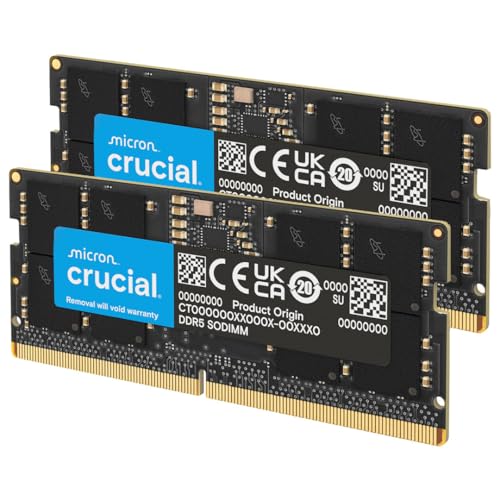 Crucial 64GB DDR5 4800
|
Mid-Range | Large 64GB capacity for heavy multitasking | Students building complex game projects | Check Price | ||
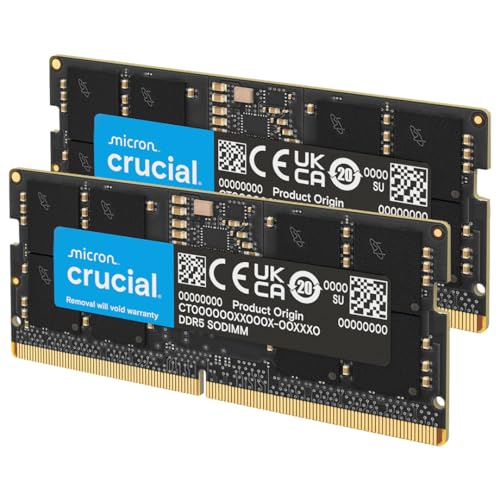 Crucial 32GB DDR5 5600
|
Budget | High speed 5600MHz option | Budget-conscious students wanting higher clock speeds | Check Price | ||
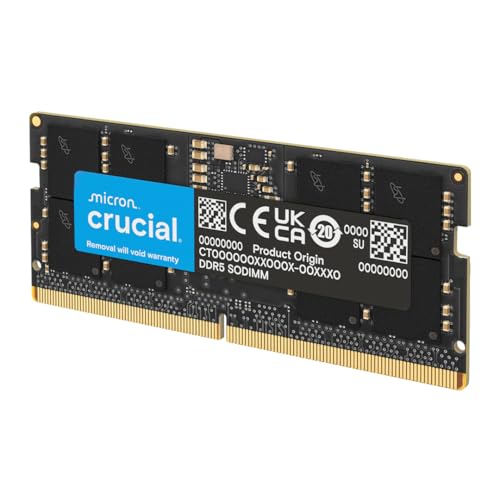 Crucial 64GB DDR5 5600
|
Premium | High-clock 5600MHz at 64GB | Students needing max throughput and capacity | Check Price | ||
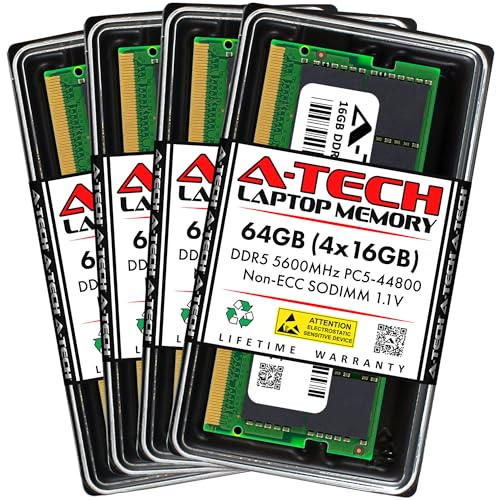 A-Tech 64GB (4x16GB) 5600
|
Premium | Four-module kit for multi-slot systems | Compact desktops and laptops with 4 SODIMM slots | Check Price | ||
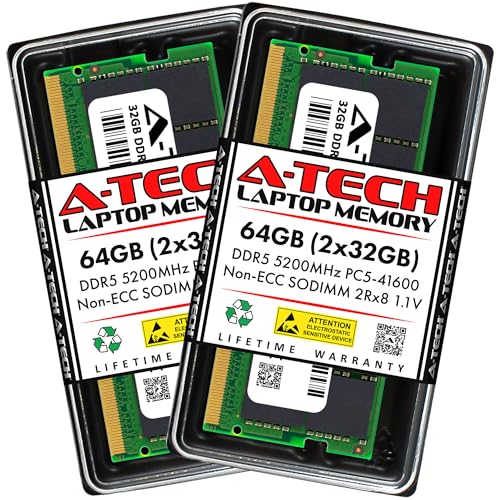 A-Tech 64GB 5200 (2x32GB)
|
Mid-Range | Dual-rank 2x32GB modules (5200MHz) | Students needing balanced speed and capacity | Check Price | ||
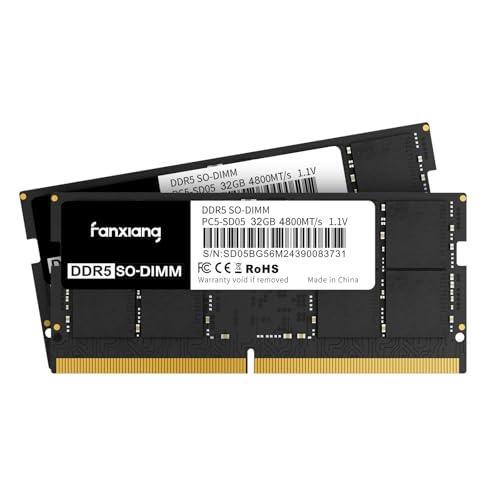 fanxiang 64GB DDR5 4800
|
Budget | Affordable 64GB with 4800MHz | Students upgrading older DDR5-ready laptops affordably | Check Price |
1. Crucial 64GB DDR5 RAM Kit (2x32GB), 4800MHz CL40 Laptop Memory - SODIMM 262-Pin - Compatible with 12th Intel Core - CT2K32G48C40S5
This Crucial 64GB DDR5 4800MHz kit gives student devs plenty of headroom for running engines, VMs, and browser-heavy workflows. It’s broadly compatible with recent Intel and AMD mobile platforms and gets praised for reliability, ease of installation, and overall value for capacity.
Key Specs
- Capacity: 64GB (2 x 32GB)
- Speed: 4800MHz, CL40
- Form Factor: SODIMM 262-pin, Non-ECC
- Voltage: 1.1V; XMP 3.0 / AMD EXPO support
Pros
- Plenty of RAM for simultaneous engine, editor, and browser use
- Trusted Micron/Crucial quality and wide compatibility
- Easy to install in most DDR5-capable laptops
Cons
- Some users report intermittent system instability on select systems
- 4800MHz is slower than newer 5200/5600 modules for peak throughput
Best For: Students building complex game projects
Check Latest Price on Amazon2. Crucial 32GB DDR5 RAM Kit (2x16GB), 5600MHz (or 5200MHz or 4800MHz) Laptop Memory 262-Pin SODIMM, Compatible with Intel Core and AMD Ryzen 7000, Black - CT2K16G56C46S5
A strong budget pick for students who need improved FPS and snappier editor performance without paying premium for capacity. The 32GB kit can noticeably boost build times and multitasking and is praised for easy installation and compatibility with many gaming laptops.
Key Specs
- Capacity: 32GB (2 x 16GB)
- Speed: 5600 / 5200 / 4800MHz selectable, CL46/CL40 depending on speed
- Form Factor: SODIMM 262-pin, Non-ECC
- Voltage: 1.1V; Intel XMP 3.0 & AMD EXPO supported
Pros
- Excellent price-to-performance for game dev workloads
- Higher-clock option helps FPS and compile responsiveness
- Easy to fit into student laptops and portable builds
Cons
- 32GB may feel tight for complex scenes or VM-based testing
- Some users reported sporadic restarts on specific laptop models
Best For: Budget-conscious students wanting higher clock speeds
Check Latest Price on Amazon3. Crucial 64GB DDR5 RAM, 5600MHz (or 5200MHz or 4800MHz) Laptop Memory Kit, SODIMM 262-Pin, Compatible with 13th Gen Intel Core and AMD Ryzen 6000 - CT2K32G56C46S5
This premium Crucial kit combines 64GB capacity with higher top speeds up to 5600MHz—ideal for heavy scene builds, texture streaming, and running local servers or containers. Buyers report smoother gameplay and fewer stutters in complex projects, though a few note occasional restarts in edge cases.
Key Specs
- Capacity: 64GB (2 x 32GB)
- Speed: 5600 / 5200 / 4800MHz, CL46
- Form Factor: SODIMM 262-pin, Non-ECC
- Voltage: 1.1V; supports XMP 3.0 and AMD EXPO
Pros
- Top-tier bandwidth for demanding dev workloads and asset streaming
- Large capacity reduces swapping during heavy builds
- Well-suited to high-refresh gaming while developing
Cons
- Higher price tier for students on a tight budget
- Some systems may need BIOS tuning for stable 5600MHz operation
Best For: Students needing max throughput and capacity
Check Latest Price on Amazon4. A-Tech 64GB Kit (4x16GB) DDR5 5600MHz PC5-44800 CL46 SODIMM 1.1V Non-ECC Unbuffered SO-DIMM 262-Pin Laptop Computer RAM Memory Upgrade Modules
A-Tech’s 4x16GB 5600MHz kit is a flexible way to reach 64GB on systems with four SODIMM slots or to populate multiple machines. Users report solid speeds and easy installation; the company backs modules with a lifetime warranty, which appeals to students wanting longer-term coverage.
Key Specs
- Capacity: 64GB (4 x 16GB)
- Speed: 5600MHz (PC5-44800), CL46
- Form Factor: SODIMM 262-pin, Non-ECC, JEDEC DDR5
- Voltage: 1.1V; limited lifetime warranty
Pros
- Great for machines that need 4-module population
- Competitive speeds at a premium-capable spec
- Lifetime warranty and vendor support
Cons
- 4 modules may be overkill for many thin laptops with two slots
- Higher power/heat profile in sustained heavy use on small chassis
Best For: Compact desktops and laptops with 4 SODIMM slots
Check Latest Price on Amazon5. A-Tech 64GB Kit (2x32GB) DDR5 5200MHz PC5-41600 CL42 SODIMM 2Rx8 Dual Rank 1.1V Non-ECC Unbuffered SO-DIMM 262-Pin Laptop Computer RAM Memory Upgrade Modules
A-Tech’s 2x32GB 5200MHz kit is a sensible mid-range option that balances capacity and higher clocks. It installs simply and runs well in many laptops; customers note reliable performance and prompt vendor support for warranty claims.
Key Specs
- Capacity: 64GB (2 x 32GB)
- Speed: 5200MHz (PC5-41600), CL42
- Form Factor: SODIMM 262-pin, Dual Rank 2Rx8, Non-ECC
- Voltage: 1.1V; JEDEC DDR5 compliance
Pros
- Better peak bandwidth than 4800MHz kits
- Good practical balance of price and performance
- Easy installation and positive user reports
Cons
- Not as widely tested as major-brand modules in some laptops
- May need BIOS tweaks for stable operation at top speed
Best For: Students needing balanced speed and capacity
Check Latest Price on Amazon6. SODIMM DDR5 4800MHz RAM 64GB Kit (2 x 32GB),CL40 1.1V SODIMM 262 Pin Laptop Memory Module Ram,Memory for Enhanced Gaming Performance and Smooth Multitasking
This budget 64GB DDR5 4800MHz kit gives a low-cost path to large capacity, with many buyers noting Windows recognizes the full kit and installation is straightforward. It’s attractive for students who prioritize capacity over absolute peak clocks.
Key Specs
- Capacity: 64GB (2 x 32GB)
- Speed: 4800MHz, CL40
- Form Factor: SODIMM 262-pin, Non-ECC
- Voltage: 1.1V; advertised as rigorously tested
Pros
- Very cost-effective way to reach 64GB
- Easy to install and widely compatible in practice
- Good value for multitasking and asset-heavy projects
Cons
- Brand has less visibility compared to big memory manufacturers
- Lower top bandwidth versus 5200/5600 options
Best For: Students upgrading older DDR5-ready laptops affordably
Check Latest Price on AmazonWhich One Should You Choose?
If budget is tight → choose the Crucial 32GB DDR5 5600MHz kit (B0BLTDRRLF) for high clock speed and strong value. If you need a portable laptop-friendly large capacity for serious scene work → choose the Crucial 64GB DDR5 4800MHz kit (B09S2QLBWC). If you want the fastest sustained throughput and maximum headroom for asset-heavy projects → choose the Crucial 64GB DDR5 5600MHz kit (B0BLTG7TN6). For machines with four SODIMM sockets, consider the A-Tech 4x16GB 5600 kit (B0CQ33K7NP) to fully populate and maximize parallel bandwidth.
Best for Specific Scenarios
- Unity/Unreal prototyping on a student laptop: Crucial 32GB DDR5 5600 (B0BLTDRRLF) because higher clock speeds speed up in-editor playtests and shader compiles while keeping costs low.
- Working with high-res textures and large scenes: Crucial 64GB DDR5 4800 (B09S2QLBWC) because the extra RAM reduces swapping, letting you edit large assets locally without constant disk thrash.
- Local servers, containers, and simultaneous builds: Crucial 64GB DDR5 5600 (B0BLTG7TN6) because the combination of capacity and higher bandwidth keeps multiple services responsive during heavy development sessions.
Frequently Asked Questions
How much DDR5 RAM do I need for game development as a student?
For coding and small prototypes, 32GB is a solid baseline. If you work with complex 3D scenes, large textures, multiple VMs/containers, or run simultaneous editor + local server + browser workflows, 64GB provides much smoother performance and avoids swapping to disk.
Can I mix DDR5 modules of different speeds or brands?
You can mix modules, but the system will typically run all DIMMs at the speed of the slowest module. For best stability and performance, use matched kits (same capacity, speed, and timings) and, where possible, identical brand/model modules.
Will enabling XMP/EXPO profiles harm my laptop?
Enabling XMP/EXPO simply applies manufacturer-tested timings to run modules at rated speeds. On many laptops it’s supported and safe, but some systems require a BIOS update or manual voltage/timing tweaks for full stability. If unsure, use the JEDEC default speed or consult your laptop vendor's documentation.
How We Selected These Products
Our recommendations are based on data-driven analysis: we evaluated 155229+ products across 23916+ brands using a composite scoring system that weighs rating (40%), review volume (30%), price value (20%), and demand signals (10%). Every product is ranked by data, not opinions.
Last updated: September 24, 2026
As an Amazon Associate we earn from qualifying purchases at no extra cost to you. Full disclosure.
GearLark Score is our editorial ranking based on a composite analysis of product quality, value, and verified customer sentiment. Click through to Amazon for current pricing, availability, and live customer reviews.