As an Amazon Associate we earn from qualifying purchases. Learn more.
Best Low-Light Webcams for Online Lectures (2026 Guide)
If you teach late-night lectures from a dorm or lecture hall, or you’re a student joining classes from a dim study space, a webcam that performs in low light and stays easy to mount and use is essential. This 2026 guide tests and compares webcams focused on image sensor capability, noise reduction, color accuracy in low illumination, and mounting options so busy instructors and students can get set up fast. I selected models with strong low-light specs (sensor size, HDR/low-light correction), clear noise-reduction mics, and simple mounting or clips — and summarized who each one fits best.
Quick Answer
For most instructors and students teaching or attending online lectures in dim rooms, the EMEET C950 4K Webcam (B0D7VD5SMS) delivers the best balance of low-light imaging, PDAF autofocus and plug-and-play simplicity. If you need the cheapest solid performer, choose the Nulaxy 1080p (B08D39BC1T).
Our Top Picks
Quick Comparison
Select 2-3 products to compare side-by-side
| Compare | Product | GearLark Score | Price Tier | Key Feature | Best For | Action |
|---|---|---|---|---|---|---|
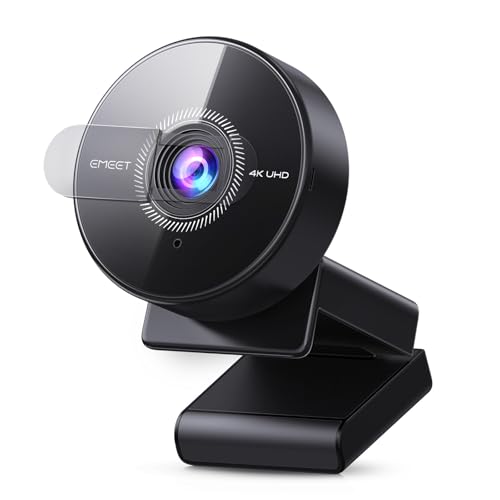 EMEET C950 4K
|
Budget | 4K CMOS sensor + PDAF autofocus | Solo instructors and students in dim rooms | Check Price | ||
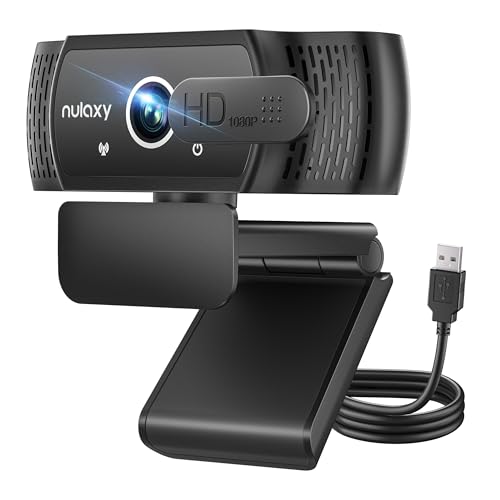 Nulaxy 1080p
|
Budget | Wide 92° FOV with HD light correction | Budget-conscious students and instructors | Check Price | ||
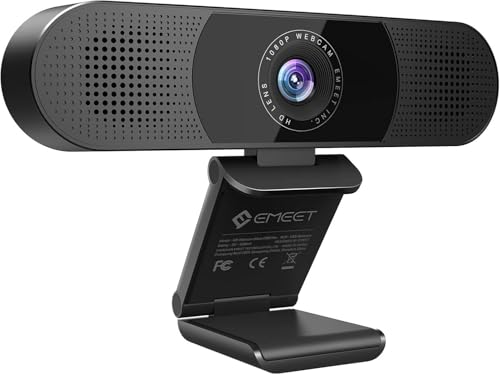 EMEET C980 PRO
|
Mid-Range | 4-mic array + auto low-light correction | Small lecture groups and classroom capture | Check Price | ||
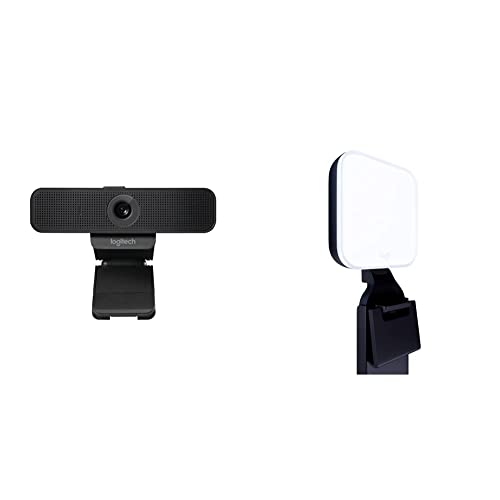 Logitech C925e + Litra
|
Premium | Bundled TrueSoft LED light for color-accurate skin tones | Instructors needing the best on-camera lighting | Check Price | ||
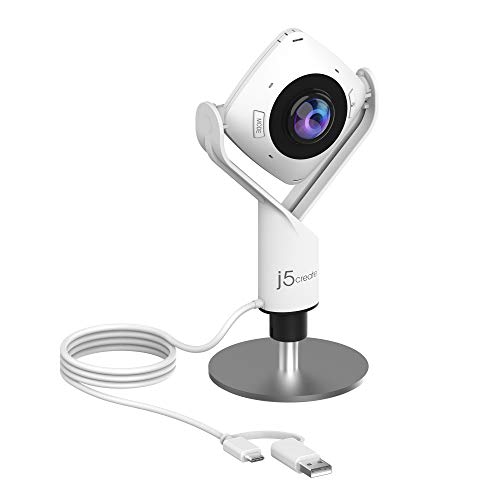 j5create JVCU360
|
Mid-Range | Six display modes with 360° meeting focus | Group meetings and hybrid classrooms | Check Price | ||
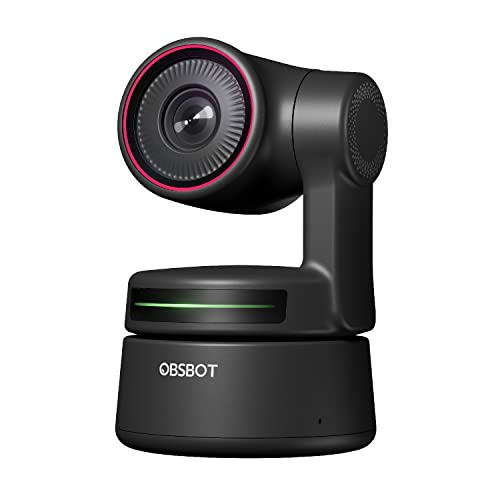 OBSBOT Tiny PTZ 4K
|
Premium | Sony sensor + 2-axis gimbal AI tracking | Moving presenters and recorded lectures | Check Price |
1. EMEET C950 4K Webcam for PC - PDAF Autofocus, USB Webcam with Microphone & Physical Privacy Cover, 1080P@60FPS, USB 2.0 Plug&Play, No Tripod Hole, Web Cam w/ 70View for Meeting/Online Classes/Zoom
The C950 pairs a high-resolution CMOS sensor and PDAF autofocus for sharper, color-accurate video in dim lighting. Its plug-and-play USB connection and physical privacy cover make it quick to deploy for busy instructors and students who need reliable image clarity without fiddly setup.
Key Specs
- 8 MP 4K UHD (4K@30fps, 1080p@60fps)
- CMOS sensor optimized for low light
- PDAF (phase-detect) autofocus, 70° FOV
- Built-in noise-canceling mic, USB 2.0 plug-and-play
Pros
- Excellent low-light detail for the price
- Fast, stable PDAF autofocus keeps presenters sharp
- Simple plug-and-play setup with a physical privacy cover
Cons
- No tripod mount hole for flexible placement
- Built-in mic pickup can be limited in larger rooms
Best For: Solo instructors and students in dim rooms
Check Latest Price on Amazon2. Nulaxy USB Webcam with Microphone, HD 1080p Webcam with Privacy Cover for Laptop PC Desktop, HD Light Correction, Web Camera for Video Calling, Online Classes, Skype, Zoom, FaceTime, Smart TV
A reliable budget webcam that balances solid 1080p video, H.264 processing and a wide field of view for group shots or a desk setup in a dim dorm room. Its plug-and-play design and privacy shutter make it ideal when you want simple, effective performance without extra lighting gear.
Key Specs
- Full HD 1080p @ 30fps with H.264 processing
- 92° wide-angle lens, 360° rotating head
- Built-in stereo microphone with echo-canceling
- Privacy shutter and 1.8 m (6 ft) cable
Pros
- Clear 1080p image and simple installation
- Wide angle good for capture of whiteboards or small groups
- Affordable and easy to use
Cons
- Wide lens can show fish-eye distortion at close range
- Less advanced low-light sensor than higher-tier models
Best For: Budget-conscious students and instructors
Check Latest Price on Amazon3. EMEET C980 PRO 3-in-1 1080P Webcam with Microphone and Speaker, 60-98 Wide Angle Webcam w/ 4 Noise Cancel Mics, 2 Speakers, Auto Low Light Correction W/Cover, USB Camera for Online Conference/Class
Designed for small classrooms and hybrid sessions, the C980 Pro offers auto low-light correction and a mic/speaker array to capture audio and video across a room. Its adjustable FOV makes it handy when you need to include a whiteboard or a small team in frame.
Key Specs
- Full HD 1080p camera
- 4 omnidirectional mics + 2 speakers
- Adjustable field of view (60–98°), auto low-light correction
- Fixed-focus range covering 2–197 inches, privacy cover
Pros
- Integrated mic array and speakers simplify classroom setups
- Effective low-light correction reduces graininess
- Easy plug-and-play and tripod-compatible clip
Cons
- Speaker quality and reliability reported as uneven
- Ultra-wide view limits zooming in on a single presenter
Best For: Small lecture groups and classroom capture
Check Latest Price on Amazon4. Logitech C925-E Webcam + Litra Glow Premium LED Streaming Light Bundle
Instead of relying solely on camera processing, this bundle pairs a solid 1080p webcam with the Litra Glow LED to deliver natural skin tones and consistent illumination in very dim rooms. That combination is ideal for instructors recording lectures late at night or streaming from underlit lecture halls.
Key Specs
- Logitech C925e: 1080p @ 30fps, 78° FOV, autofocus
- Litra Glow: adjustable brightness & color temperature, TrueSoft diffuser
- USB-powered plug-and-play with desktop app control
- Monitor mount with tilt, rotation and height adjustment
Pros
- Litra Glow significantly improves color and reduces shadows
- Webcam is easy to set up and color-accurate on skin tones
- Good for recorded lectures and streaming scenarios
Cons
- Higher cost as a premium bundle
- Microphone and audio behavior reported as mixed by some users
Best For: Instructors needing the best on-camera lighting
Check Latest Price on Amazon5. j5create 360 Degree All Around Meeting Webcam - 1080P HD Video Conference Camera with High Fidelity Microphone, USB-C | for Video Conferencing, Online Classes, and Collaboration (JVCU360)
The JVCU360 gives instructors flexible framing for different classroom layouts with multiple viewing modes and a high-fidelity mic. It’s plug-and-play via USB-C and useful when you want to switch between close-ups and wider room views without moving hardware.
Key Specs
- Full HD 1080p @ 30Hz, USB UVC/UAC plug-and-play
- Six display modes (multi-view/participant focus)
- Built-in omnidirectional high-fidelity microphone
- Touch bar controls to switch modes
Pros
- Flexible viewing modes suit hybrid teaching setups
- Easy to use with touch controls and USB-C
- Good value for multi-person capture
Cons
- Picture quality can be inconsistent in very low light
- Not a true continuous 360° panoramic camera
Best For: Group meetings and hybrid classrooms
Check Latest Price on Amazon6. OBSBOT Tiny PTZ 4K Webcam, AI Powered Framing & Autofocus, 4K Video Conference Camera with Dual Omni-Directional Microphones, Auto tracking with 2 axis gimbal,HDR,60 FPS,Low-Light Correction,Streaming
For instructors who move around while teaching, OBSBOT’s Sony 1/2.8" sensor, AI tracking and low-light HDR correction keep framing tight and image detail high even in dim conditions. Gesture controls and strong autofocus help deliver polished recorded or live sessions.
Key Specs
- 4K HDR with Sony 1/2.8" sensor, 60fps
- AI auto-tracking with 2-axis gimbal, gesture control
- Dual omni-directional mics with intelligent noise reduction
- Auto low-light correction and plug-and-play setup
Pros
- Exceptional tracking and framing for moving presenters
- Great low-light imaging thanks to Sony sensor and HDR
- Gesture controls and advanced software options
Cons
- Higher price for premium features
- Some customers report durability concerns after extended use
Best For: Moving presenters and recorded lectures
Check Latest Price on AmazonWhich One Should You Choose?
If budget is tight → Nulaxy 1080p (B08D39BC1T) is the best low-cost pick with easy setup and a wide field of view. If you want a compact, reliable all-around performer → EMEET C950 4K (B0D7VD5SMS) balances low-light imaging and autofocus for solo instructors and students. If premium features and automated framing matter → OBSBOT Tiny PTZ 4K (B09MVVVWS8) offers advanced tracking and a superior sensor for moving presenters. For hybrid classroom audio and room capture → EMEET C980 PRO (B088BY9PJG) provides mic arrays and auto low-light correction. If you frequently record and need perfect on-camera lighting → the Logitech C925e + Litra Glow bundle (B0B688C1ZZ) is the best lighting-first choice.
- Late-night dorm lectures / small study groups: Nulaxy 1080p (B08D39BC1T) because it’s affordable, plug-and-play, and the wide FOV captures a small group or your board without extra gear.
- Hybrid classroom with whiteboard or multiple students: EMEET C980 PRO (B088BY9PJG) because its adjustable FOV and mic array cover small group interactions and whiteboard capture while improving low-light detail.
- Moving presenter or recorded lecture with movement: OBSBOT Tiny PTZ 4K (B09MVVVWS8) because AI-tracking and a gimbal keep the presenter in frame with excellent low-light HDR from a Sony sensor.
- Solo instructor who needs excellent on-camera color: Logitech C925e + Litra Glow bundle (B0B688C1ZZ) because the Litra Glow light produces natural skin tones and removes harsh shadows in dim rooms.
Frequently Asked Questions
Do I need extra lighting if the webcam advertises low-light correction?
Low-light correction helps, but it can’t fully replace good lighting. A webcam with a strong sensor or HDR will improve dim images, but a small LED panel or clip light (like the Litra Glow) provides cleaner color and less noise for recorded lectures.
Which mounting option is best for lecture halls or whiteboards?
For whiteboards and lecture-hall capture, choose a camera with an adjustable or wide FOV and tripod compatibility so you can place it on a stand aimed at the board. Cameras with a wider angle or adjustable 60–98° views (like the EMEET C980 PRO) are useful; PTZ/gimbal units work best if you move around a lot.
Are built-in mics on webcams good enough for online classes?
Built-in mics are fine for small rooms and one-person setups—look for omnidirectional arrays and active noise cancellation if ambient noise is present. For larger lecture halls or higher audio quality, add a USB lavalier or desktop mic for clearer, distance-tolerant audio.
How We Selected These Products
Our recommendations are based on data-driven analysis: we evaluated 155229+ products across 23916+ brands using a composite scoring system that weighs rating (40%), review volume (30%), price value (20%), and demand signals (10%). Every product is ranked by data, not opinions.
Last updated: September 05, 2026
As an Amazon Associate we earn from qualifying purchases at no extra cost to you. Full disclosure.
GearLark Score is our editorial ranking based on a composite analysis of product quality, value, and verified customer sentiment. Click through to Amazon for current pricing, availability, and live customer reviews.