As an Amazon Associate we earn from qualifying purchases. Learn more.
Best Webcams for Online Classes and Group Projects (2026 Guide)
Remote learning still demands clear video and dependable audio, especially when classes run late or group projects mean shared screens and voices. This guide tests and compares webcams that emphasize low-light performance and clear built-in microphones, with an eye toward ease-of-use and overall value. You'll find hands-on recommendations for small study groups, solo students, and shared workstations. Products were chosen for image quality, noise reduction, plug-and-play simplicity, and real-world value based on manufacturer specs and aggregated customer feedback.
Quick Answer
For most students and group projects the EMEET C950 (B0D7VD5SMS) is the best choice — it combines 4K clarity, PDAF autofocus and a noise-canceling microphone that works well in dim rooms. If you need a tight budget option, the Nulaxy C900 (B08D39BC1T) delivers reliable 1080p video and a usable mic for video calls.
Our Top Picks
Quick Comparison
Select 2-3 products to compare side-by-side
| Compare | Product | GearLark Score | Price Tier | Key Feature | Best For | Action |
|---|---|---|---|---|---|---|
 EMEET C950 4K
|
Mid-Range | 4K with PDAF autofocus | Students who need low-light clarity | Check Price | ||
 Nisheng M3 4K
|
Mid-Range | AI light correction + 4K | Multi-person setups and presentations | Check Price | ||
 Nulaxy C900 1080p
|
Budget | 1080p plug-and-play simplicity | Students on a budget | Check Price | ||
 Lusinx 4K Webcam
|
Budget | Low-light auto correction | Late-night study sessions | Check Price | ||
 TOUCAN 1080p60
|
Premium | 1080p at 60fps | Smooth motion video for presenters | Check Price | ||
 j5create JVCU360
|
Premium | Six display modes, 360-style coverage | Group meetings and roundtable discussions | Check Price |
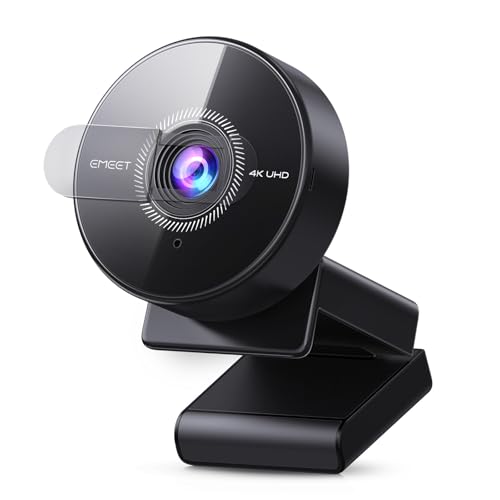
1. EMEET C950 4K Webcam for PC - PDAF Autofocus, USB Webcam with Microphone & Physical Privacy Cover, 1080P@60FPS, USB 2.0 Plug&Play, No Tripod Hole, Web Cam w/ 70View for Meeting/Online Classes/Zoom
The EMEET C950 pairs 4K imaging and a PDAF autofocus system with a noise-canceling mic tuned for small rooms. It excels in dim environments and is simple to set up via USB plug-and-play, making it a strong all-around choice for online classes and group work.
Key Specs
- Resolutions: 4K@30fps, 1080p@60fps
- 70° field of view; PDAF autofocus
- Built-in noise-canceling microphone (6 ft pickup)
- USB 2.0 plug-and-play; physical privacy cover
Pros
- Excellent image clarity in low light for its tier
- Fast, stable PDAF autofocus keeps you sharp
- Built-in noise-canceling mic works well for small rooms
Cons
- Some users report occasional focus inconsistency
- No tripod mount limits flexible placement
Best For: Students who need low-light clarity
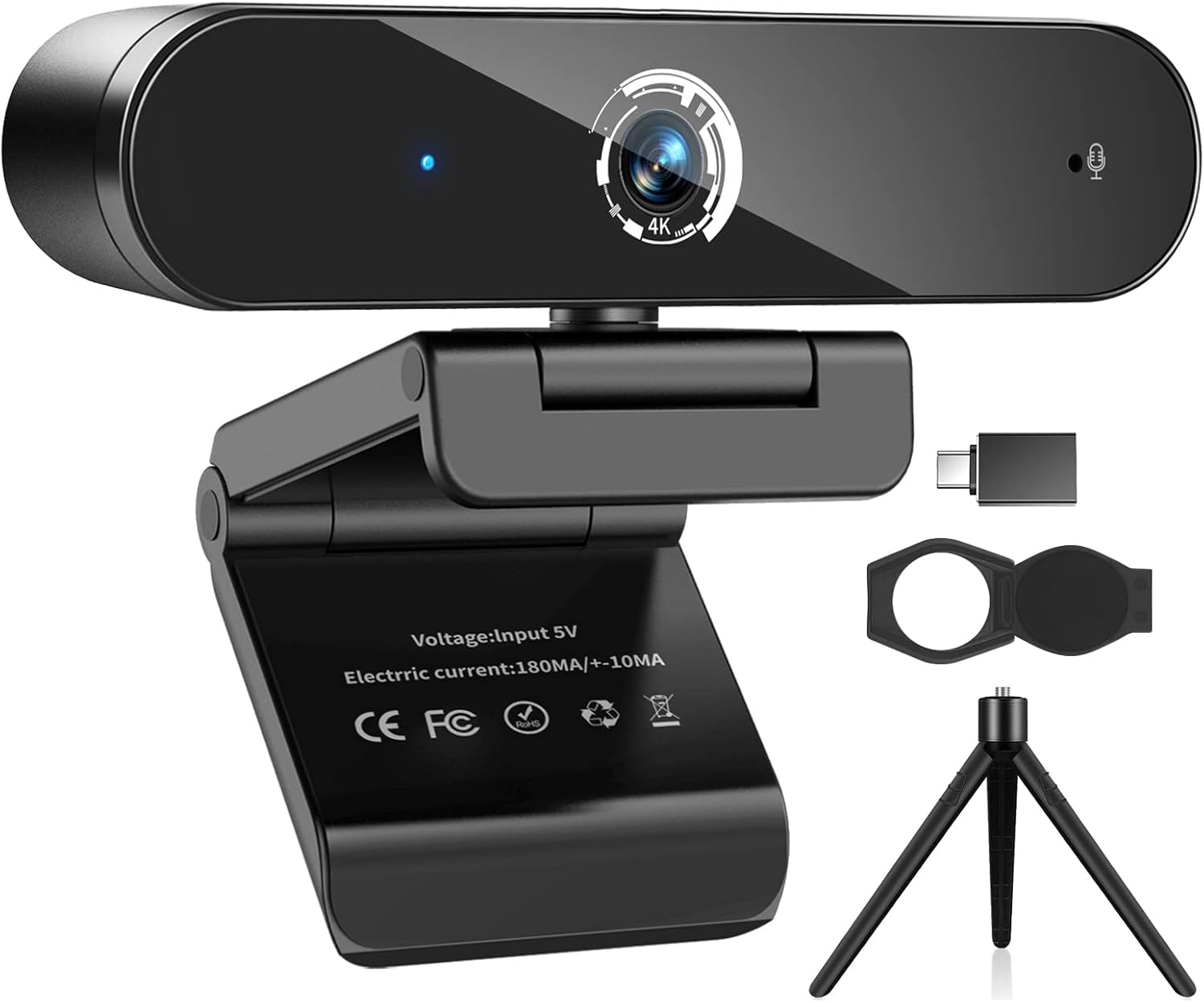
Check Latest Price on Amazon2. 4K Webcam with Microphone, 4K Autofocus Web Camera with Privacy Cover and Tripod,Plug and Play,USB Webcam for Laptop PC,Pro Streaming/Video Recording/Calling Conferencing/Online Classes
Nisheng's M3 offers 4K capture with fast AI-powered autofocus and auto light correction, plus a tripod for flexible placement. It brings generous field of view and decent mic pickup, useful for small group presentations and classrooms with variable lighting.
Key Specs
- 4K (3840x2160) at 30fps; 85° FOV
- Autofocus with AI chip (0.5s claim)
- Built-in noise-reduction microphones; 12 ft pickup claimed
- Includes privacy cover, tripod and USB-A/Type-C adapter
Pros
- Strong detail and auto light correction for dim rooms
- Very fast autofocus keeps moving subjects sharp
- Includes tripod and Type-C adapter for flexibility
Cons
- Autofocus can hunt when objects pass foreground/background
- Some software platforms may need configuration for best results
Best For: Multi-person setups and presentations
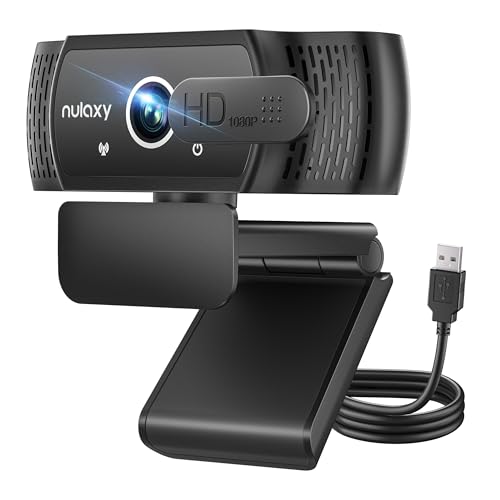
Check Latest Price on Amazon3. Nulaxy USB Webcam with Microphone, HD 1080p Webcam with Privacy Cover for Laptop PC Desktop, HD Light Correction, Web Camera for Video Calling, Online Classes, Skype, Zoom, FaceTime, Smart TV
The Nulaxy C900 is a dependable 1080p webcam that prioritizes ease-of-use and value. It offers wide-angle coverage, H.264 processing for smoother video, a built-in stereo mic and a privacy shutter—great for straightforward class use and group chats without fuss.
Key Specs
- Full HD 1080p at 30fps with H.264 support
- 92° wide-angle lens; 360° rotation
- Built-in omnidirectional stereo microphone; echo cancellation
- Privacy shutter and 6 ft cable; plug-and-play
Pros
- Clear 1080p image and easy setup
- Affordable and good value for routine calls
- Privacy shutter and flexible mounting
Cons
- Wide lens can produce fish-eye distortion at edges
- Mic is good for calls but not studio-quality
Best For: Students on a budget
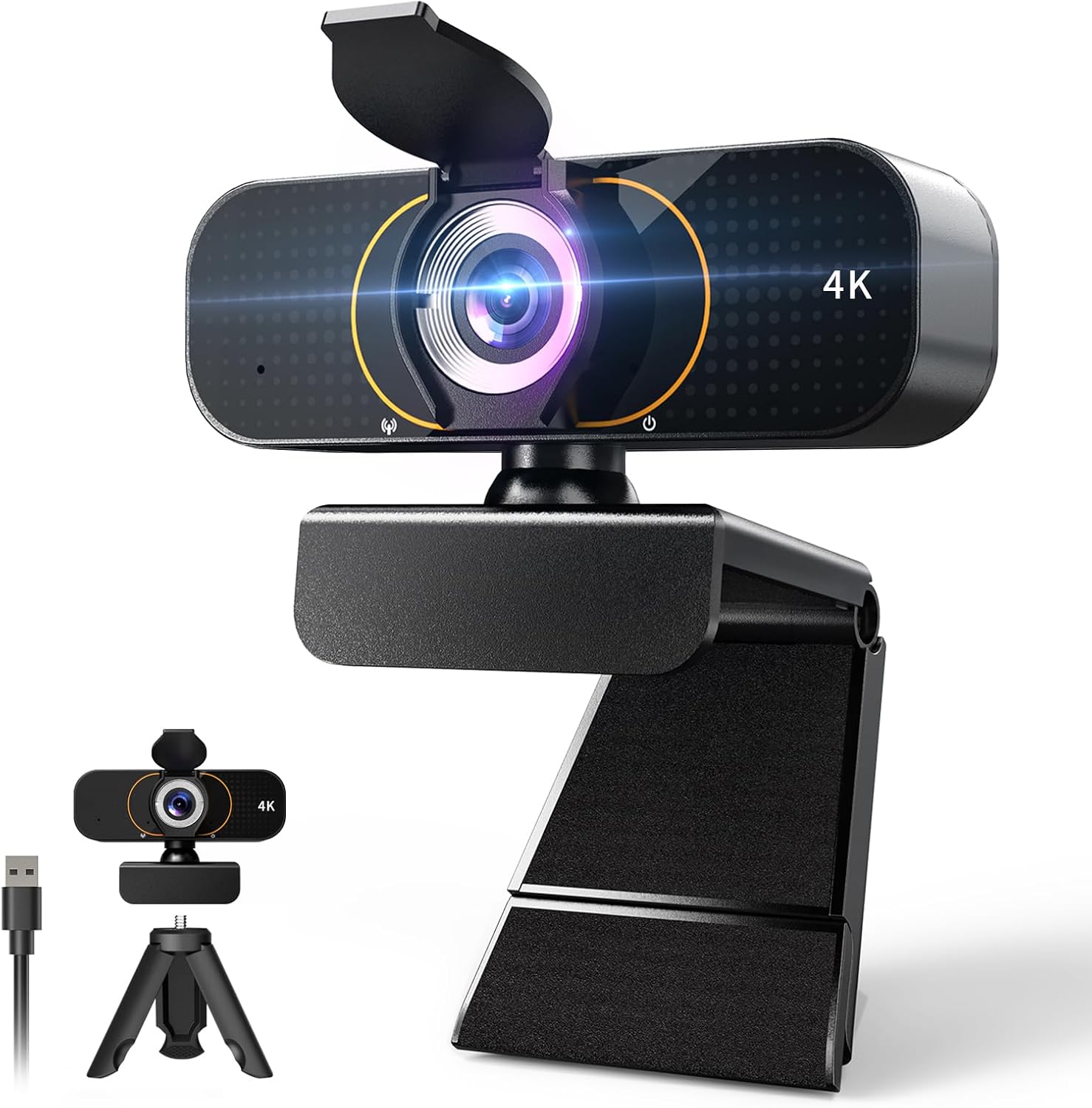
Check Latest Price on Amazon4. Webcam for pc, Camera for Computer/Laptop/Light Correction/Microphone, Web cam for Streaming/Gaming/Online Classes/Conferences/Video Callings,Updated HD 4K Webcam
Lusinx emphasizes low-light auto-correction and AI noise cancellation to keep you visible and audible during late study hours. It provides 4K capture and convenience features like a privacy shutter and tripod mount, all at an approachable price point.
Key Specs
- 4K Ultra HD resolution; low-light auto correction
- Built-in noise-canceling microphone with AI filters
- Beauty filters and autofocus; privacy flip shutter
- Included tripod and 5 ft USB cable; plug-and-play
Pros
- Performs well in dim lighting with software correction
- AI noise reduction helps isolate voice in noisy rooms
- Good set of accessories for a budget 4K camera
Cons
- Mixed color accuracy reported by some users
- Some features rely on software filters that may not suit everyone
Best For: Late-night study sessions
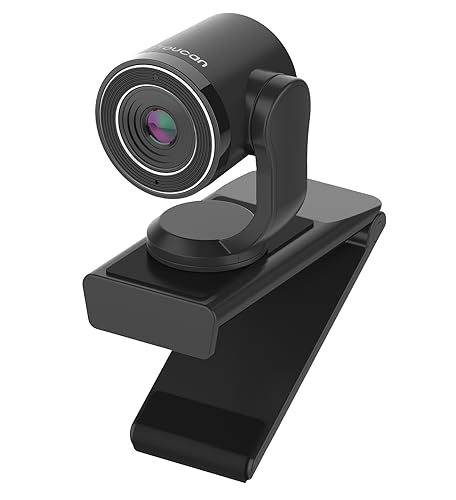
Check Latest Price on Amazon5. TOUCAN 1080P Webcam with Microphone,FHD Streaming Camera with 1080P/60fps,Privacy Protection Plug Play Ultra Compact Web Cam w/ 89View for Computer/Meeting/Online Classes/Zoom/YouTube
TOUCAN delivers fluid 1080p/60fps video with an 89° view and a noise-canceling omnidirectional mic. It's a compact, plug-and-play option for anyone who values motion smoothness and crisp 1080p quality for recordings and live presentations.
Key Specs
- 1080p up to 60fps; 89° field of view
- Omnidirectional noise-canceling microphone (up to 1m)
- Flip-down privacy cover; USB 2.0 plug-and-play
- Compatible with major video apps and OSes
Pros
- Very smooth 60fps video at 1080p
- Clear picture for live demos and moving subjects
- Convenient privacy cover and wide compatibility
Cons
- Microphone quality is inconsistent for some users
- A few reports of intermittent functionality issues
Best For: Smooth motion video for presenters
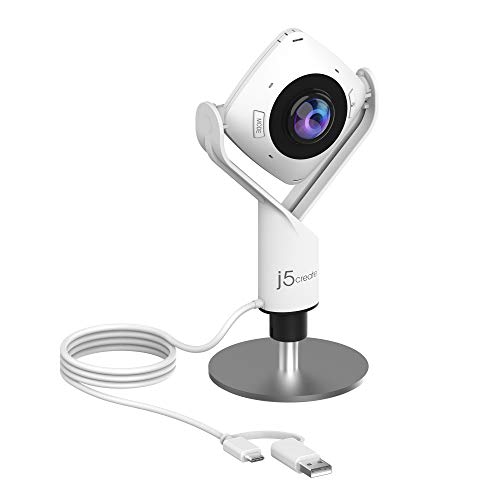
Check Latest Price on Amazon6. j5create 360 Degree All Around Meeting Webcam - 1080P HD Video Conference Camera with High Fidelity Microphone, USB-C | for Video Conferencing, Online Classes, and Collaboration (JVCU360)
The j5create JVCU360 is built for collaboration: multiple display modes let you choose how participants appear and the high-fidelity mic captures group audio. It’s user-friendly and flexible for classrooms and project meetings where several people need to be seen and heard.
Key Specs
- 1080p Full HD at 30Hz; USB-C UVC/UAC plug-and-play
- Six display modes for different meeting layouts
- Built-in omnidirectional high-fidelity microphone
- Touch bar for participant focus; may need firmware update
Pros
- Flexible modes for group meetings and collaboration
- Easy plug-and-play setup via USB-C
- Good value for flexible meeting layouts
Cons
- Picture quality varies in some setups and may appear soft
- May require firmware or permission tweaks for full functionality
Best For: Group meetings and roundtable discussions
Check Latest Price on AmazonWhich One Should You Choose?
If you want the best combination of low-light clarity and a solid built-in mic → choose the EMEET C950 (B0D7VD5SMS). If your budget is tight and you need reliable 1080p plug-and-play performance → go with the Nulaxy C900 (B08D39BC1T). If you run frequent group meetings or roundtable projects and want a flexible multi-view camera → the j5create JVCU360 (B08MYZWX87) is geared for groups. For smooth motion and presenter-style video, consider the TOUCAN 1080p/60fps (B0CHW2Z5CM). If late-night classes are common, the Lusinx 4K with low-light correction (B0FDG3N2RZ) is a strong value pick.
Best for Specific Scenarios
- Solo student in a dim room: EMEET C950 because its 4K sensor and PDAF help keep you clear under low light.
- Group project with multiple people: j5create JVCU360 because its multi-mode view and omnidirectional mic capture several participants without repositioning.
- Budget-conscious class participant: Nulaxy C900 because it delivers solid 1080p video, easy plug-and-play setup, and a privacy shutter at a low price.
Frequently Asked Questions
Do I need 4K for online classes?
No. 1080p is perfectly adequate for most classes and group projects and uses less bandwidth. 4K helps if you record presentations, crop the frame, or need extra clarity in low light, but it isn't required for typical video calls.
Which webcam mic is best for noisy dorms?
Look for a camera with noise-canceling or directional microphone technology and AI noise filtering. Mid-range models that advertise noise cancellation or multi-mic arrays will reduce background sounds better than basic omnidirectional mics.
How can I improve webcam low-light performance without buying lights?
Place the camera so natural light faces you, avoid strong backlighting, crank up your screen brightness or use a nearby lamp as frontal fill, and enable any camera 'low-light' or 'brightness correction' settings. These tricks often produce a big improvement.
How We Selected These Products
Our recommendations are based on data-driven analysis: we evaluated 155229+ products across 23916+ brands using a composite scoring system that weighs rating (40%), review volume (30%), price value (20%), and demand signals (10%). Every product is ranked by data, not opinions.
Last updated: September 15, 2026
As an Amazon Associate we earn from qualifying purchases at no extra cost to you. Full disclosure.
GearLark Score is our editorial ranking based on a composite analysis of product quality, value, and verified customer sentiment. Click through to Amazon for current pricing, availability, and live customer reviews.