As an Amazon Associate we earn from qualifying purchases. Learn more.
Best Portable NVMe Enclosures for On-the-Go Editing (2026)
If you edit photos or 4K/6K video on a laptop or iPad, a compact NVMe enclosure that actually delivers NVMe speeds changes your workflow — fewer trips back to the desktop, faster offloads, and real-time timelines on the road. This guide reviews six compact enclosures chosen for speed (USB4/Thunderbolt/USB 3.2), cooling, tool-free portability, and compatibility with common M.2 sizes used in laptops and tablets. You’ll learn which units are best for pure speed, field cloning, ultraportable setups, or budget-conscious creators, with clear pros/cons and real-world use advice geared to mobile editors.
Quick Answer
For on-the-go laptop and tablet editors who need full NVMe speed, the MOKiN Dual-Bay Offline Clone Tool-Free NVMe M.2 SSD Enclosure (ASIN B0DHGP238L) is the best overall — it pairs USB4 40Gbps throughput with a built-in fan and tool-free dual-bay cloning. If you need the cheapest pocketable option, the sharge Disk (ASIN B0CJC574M1) balances size, cooling and 10Gbps speed.
Our Top Picks
Quick Comparison
Select 2-3 products to compare side-by-side
| Compare | Product | GearLark Score | Price Tier | Key Feature | Best For | Action |
|---|---|---|---|---|---|---|
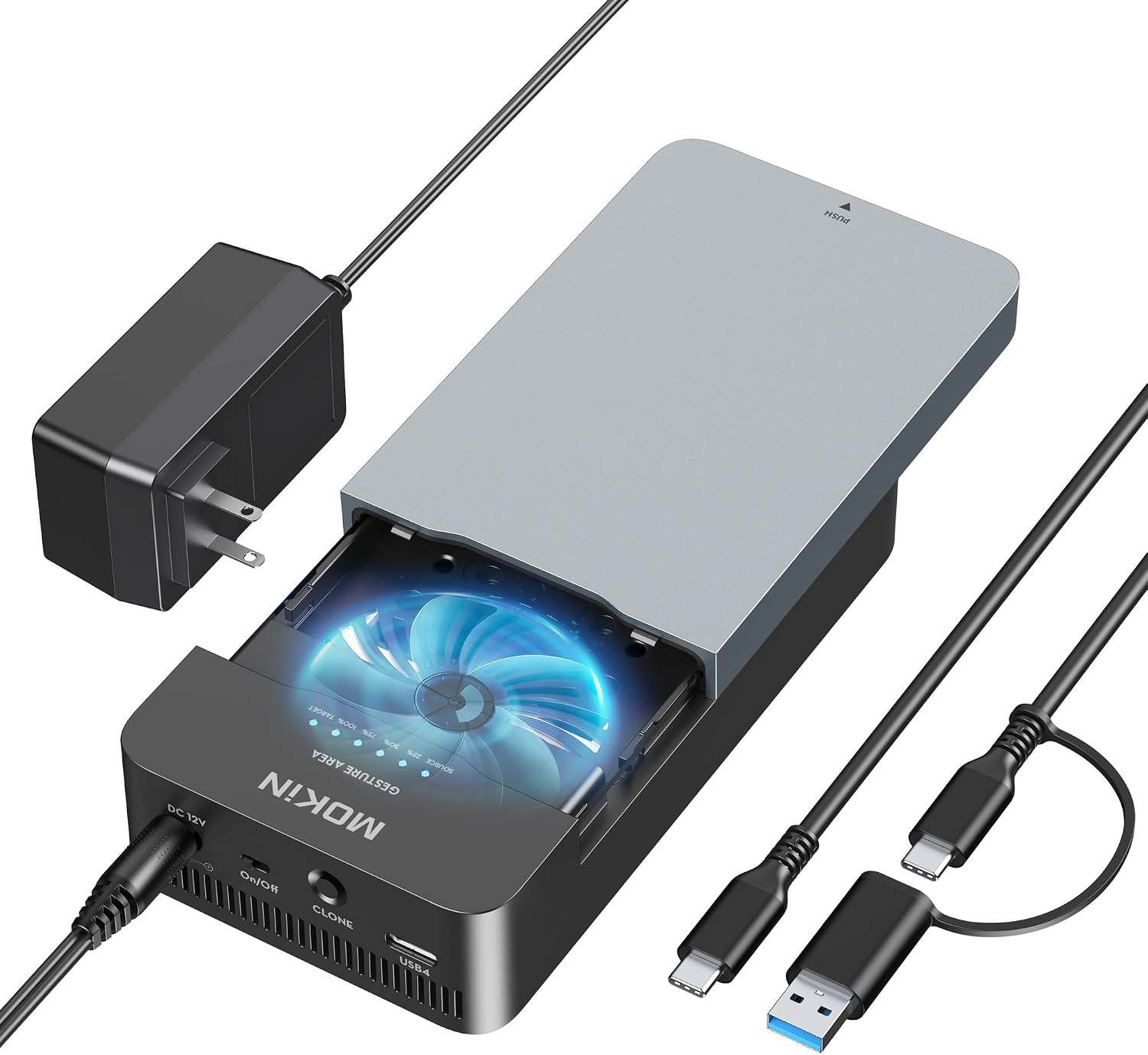 MOKiN Dual-Bay USB4 Enclosure
|
Premium | USB4 40Gbps + dual-bay offline clone | Power users who need max speed and cloning | Check Price | ||
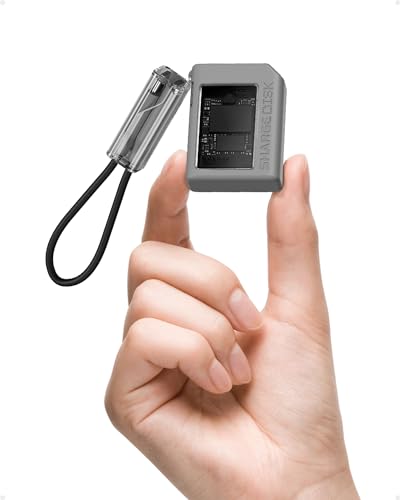 sharge Disk 10Gbps Enclosure
|
Budget | Ultra-light with built-in fan and IP54 | Photographers and vloggers who prioritize pocketability | Check Price | ||
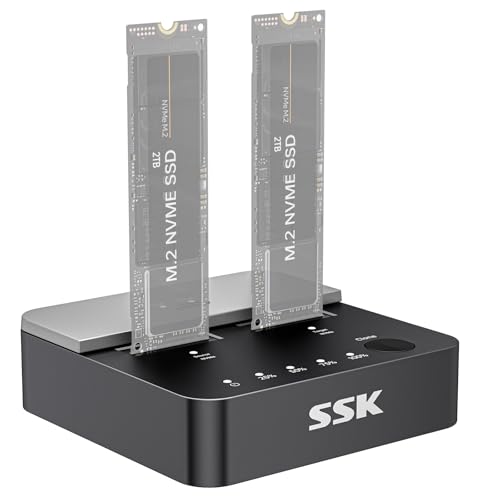 SSK Dual-Bay 20Gbps Cloner
|
Mid-Range | 20Gbps Gen2x2 + one-click clone | Editors who copy drives and work with multiple SSDs | Check Price | ||
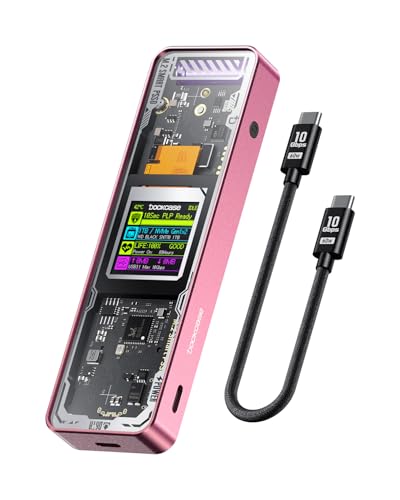 DOCKCASE Explorer 10Gbps
|
Mid-Range | Smart HD display with SSD health info | Editors who want drive diagnostics and PLP | Check Price | ||
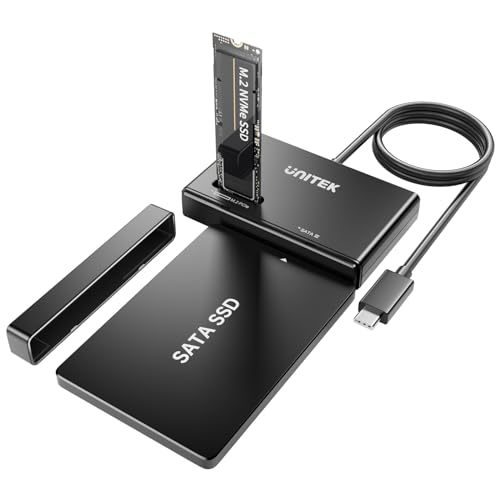 Unitek 10Gbps Tool-Free Adapter
|
Budget | Tool-free, supports NVMe and SATA | Users with mixed NVMe and SATA drives | Check Price | ||
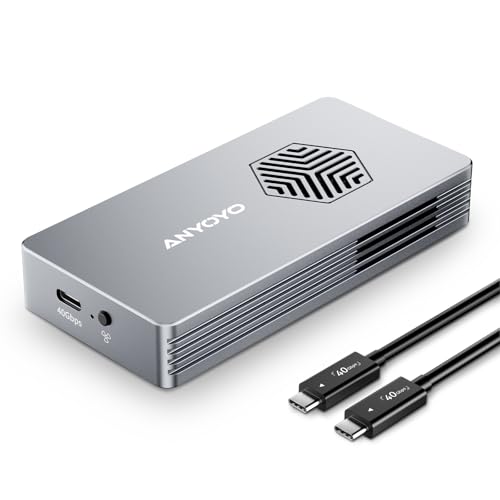 ANYOYO 40Gbps TB4 Enclosure
|
Premium | JHL7440 + RTL9210 dual-chip 40Gbps | Users needing Thunderbolt 4 speeds with quiet cooling | Check Price |
1. Dual-Bay Offline Clone Tool-Free NVMe M.2 SSD Enclosure 40Gbps USB4 with Cooling Fan, Compatible with MacBook M4/Pro/Max, Mac Mini, Supports NVMe PCIe Size 2230/2242/2260/2280 (Up to 8TB)
A compact dual-bay enclosure built for mobile pros who need Thunderbolt/USB4-class throughput and occasional disk cloning in the field. Tool-free installation, an active cooling fan, and both USB-C/A cables make it great for editors switching between MacBooks, minis and Windows laptops.
Key Specs
- Interface: USB4 / USB 3.2 Gen 2 (40Gbps)
- Drive support: NVMe M.2 2230/2242/2260/2280 up to 8TB
- Features: One-key offline cloning, built-in cooling fan
- Tool-free: Clip-based SSD installation; includes USB-A/C cable
Pros
- Very fast USB4 throughput for real NVMe speeds
- Tool-free dual-bay cloning without a host device
- Solid aluminum build and useful cable bundle
Cons
- Requires external power for cloning operations
- Some users report mixed heat dissipation under sustained load
Best For: Power users who need max speed and cloning
Check Latest Price on Amazon2. Sharge Disk M.2 NVMe SSD Enclosure with Active Cooling System, 10Gbps USB C 3.2 Gen2, Enclosure NVMe Reader Supports M Keys and Size 2230 SSDs, Gray
Extremely compact and light — roughly half a credit card — the sharge Disk targets editors who need a tiny active-cooled NVMe reader for phones, tablets and laptops at 10Gbps. It’s ideal for quick offloads and rough timelines on iPads or Steam Decks, though the fan can be noticeable under load.
Key Specs
- Interface: USB-C 3.2 Gen2 (10Gbps)
- Drive support: M key NVMe, up to 2TB (2230 compatible)
- Durability: IP54 dust/water resistance, 6.6ft drop protection
- Extras: Built-in write protection switch, included USB-C cable
Pros
- Ultra-portable and lightweight for true pocket carry
- Active cooling keeps performance stable for short bursts
- Durable IP54 build useful for outdoor shoots
Cons
- Fan noise can be distracting during long transfers
- Some users report inconsistent cable quality
Best For: Photographers and vloggers who prioritize pocketability
Check Latest Price on Amazon3. SSK NVMe SSD Cloner, M.2 Duplicator Dual Bay NVMe Enclosure, Tool-Free 20Gbps USB3.2 Gen 2X2 SSD to USB Adapter M.2 Docking Station for M Key PCIE NVMeSSD Reader Supports Offline Clone
A practical mid-range dock for content creators who swap drives frequently — it offers Gen2x2 speeds up to 20Gbps and a one-click offline clone. The open dual-bay layout makes it easy to hot-swap drives at home or in a small field workstation.
Key Specs
- Interface: USB 3.2 Gen2x2 (20Gbps)
- Drive support: Dual M.2 NVMe (M key & B+M), cloning button
- Power: Includes 12V/2A adapter for stable dual-drive use
- Protocol: USAP support, TRIM, S.M.A.R.T monitoring
Pros
- Fast cloning and simultaneous dual-drive operation
- Good balance of speed and price for mobile pros
- Includes cables and power adapter for field use
Cons
- Not compatible with some DRAM-less NVMe models
- Open design trades portability for cooling and dust exposure
Best For: Editors who copy drives and work with multiple SSDs
Check Latest Price on Amazon4. DOCKCASE Explorer Edition M.2 NVMe SSD Enclosure,Support 10s PLP Prevents Write Data Loss,USB 3.2 Gen 2 Type-C (10 Gbps), fits NVMe PCIe,Size 2230/2242/2260/2280,Support M-Key B+M Key UASP
DOCKCASE adds unique intelligence to an enclosure with an HD display that reports SSD health, remaining life and power warnings — useful for pros who track drive reliability. It also offers 10Gbps transfers and dual heat dissipation, making it a sensible choice for mobile folders who value data safety.
Key Specs
- Interface: USB 3.2 Gen2 Type-C (10Gbps)
- Drive support: NVMe M.2 2230–2280, M-Key & B+M
- Features: HD status display, 10s PLP (power loss protection)
- Cooling: Graphite thermal pad + temperature-controlled chip
Pros
- Display gives instant drive health and power info
- PLP reduces risk of write corruption during power loss
- Good heat management design for sustained transfers
Cons
- Some users report intermittent functionality issues
- Tempered glass and extra features add to size and fragility
Best For: Editors who want drive diagnostics and PLP
Check Latest Price on Amazon5. Unitek M.2 NVMe SSD Enclosure Adapter 10 Gbps Hard Drive Reader Tool Free Pcie NVMe Adapter External USB 3.2 M2 SATA Case Converter Supports M Key Any Sizes M.2 2.5" /3.5" SATA Solid State Drive
A practical, no-frills tool-free adapter that supports both NVMe M.2 and SATA drives at 10Gbps UASP speeds. It’s a budget-friendly multipurpose option for editors who maintain a mix of older SATA drives and newer NVMe modules.
Key Specs
- Interface: USB 3.2 Gen2 (10Gbps) with UASP
- Drive support: M.2 NVMe and SATA (tool-free)
- Power: Includes 12V/2A power adapter; supports hot-swap
- Features: TRIM support, JMS581D controller
Pros
- Versatile support for NVMe and SATA modules
- Easy tool-free installation and hot-swap
- Good budget value for mixed-drive workflows
Cons
- Some reports of early failures on a small number of units
- Bulkier than ultra-compact enclosures
Best For: Users with mixed NVMe and SATA drives
Check Latest Price on Amazon6. ANYOYO 40Gbps M.2 NVMe SSD Enclosure with Cooling Fan, Aluminium Alloy Enclosure Compatible with Thunderbolt 4/3/USB4, Support M/B+M Key SSD, Tool-Free Installation
A premium aluminum 40Gbps enclosure built around dual controller chips for wide compatibility with Thunderbolt/USB4 hosts. It emphasizes low noise and strong heat dissipation, suited for mobile editors who want near-desktop NVMe performance from a compact alloy shell.
Key Specs
- Interface: Thunderbolt 4/3 and USB4 compatible (40Gbps)
- Drive support: M/B+M key NVMe 2230–2280 up to 8TB
- Cooling: PWM-controlled turbo fan, aluminum alloy body
- Controller: JHL7440 + RTL9210 dual-chip solution
Pros
- Aluminum build with effective heat conduction
- Quiet PWM fan and strong real-world write/read speeds
- Tool-free installation for quick swaps
Cons
- Write speed reports are mixed across some drives
- Premium features come at a higher price tier
Best For: Users needing Thunderbolt 4 speeds with quiet cooling
Check Latest Price on AmazonWhich One Should You Choose?
If budget is tight → choose the sharge Disk (ASIN B0CJC574M1) for ultra-portability and solid 10Gbps performance. If you need portable cloning and the best value balance → pick the SSK NVMe SSD Cloner (ASIN B0D6RCR174). If premium throughput, dual-drive workflows and offline cloning matter most → choose the MOKiN Dual-Bay USB4 enclosure (ASIN B0DHGP238L). For drive diagnostics and extra safety (PLP) choose DOCKCASE (ASIN B0CCR2P1JX); for mixed NVMe/SATA versatility choose Unitek (ASIN B0BXRKM58Z); for quiet Thunderbolt 4 speeds choose ANYOYO (ASIN B0CR7BY3Y3).
Best for Specific Scenarios
- Wedding photographer shooting tethered to an iPad/MacBook: sharge Disk (ASIN B0CJC574M1) because it’s small, active-cooled and easy to carry in a camera bag for fast JPEG/RAW offloads between sets.
- Freelance video editor editing 4K timelines in cafes: ANYOYO (ASIN B0CR7BY3Y3) because the 40Gbps capability and quiet fan let you scrub and play high-bitrate files from the enclosure with minimal throttling.
- IT-savvy creator who clones drives and rotates media: MOKiN (ASIN B0DHGP238L) or SSK (ASIN B0D6RCR174) because dual-bay cloning and stable power support make backups and transfers fast without a laptop.
Frequently Asked Questions
Will these enclosures work with my iPad or iPad Pro?
Most USB-C/Thunderbolt‑compatible enclosures will work with iPadOS, but confirm the enclosure supports your SSD size (2230–2280) and that your iPad model supports external storage access. 10Gbps and Thunderbolt units require the iPad model to support USB 3.1/3.2 or Thunderbolt for full speed.
Do I need external power for dual‑bay enclosures and cloning?
Many dual-bay docks and offline cloners include or require an external power adapter to run two NVMe drives simultaneously or to perform hardware cloning reliably. Single-drive, pocket enclosures typically draw power from the host device.
How do I avoid thermal throttling when editing from an external NVMe?
Choose an enclosure with active cooling (fan) or a large aluminum body and graphite thermal pads, avoid blocking vents, and give the drive breaks during long sustained exports. For extended timeline editing, prefer Thunderbolt/USB4 or Gen2x2 enclosures with strong thermal designs to maintain consistent throughput.
How We Selected These Products
Our recommendations are based on data-driven analysis: we evaluated 155229+ products across 23916+ brands using a composite scoring system that weighs rating (40%), review volume (30%), price value (20%), and demand signals (10%). Every product is ranked by data, not opinions.
Last updated: August 23, 2026
As an Amazon Associate we earn from qualifying purchases at no extra cost to you. Full disclosure.
GearLark Score is our editorial ranking based on a composite analysis of product quality, value, and verified customer sentiment. Click through to Amazon for current pricing, availability, and live customer reviews.