As an Amazon Associate we earn from qualifying purchases. Learn more.
Best Webcams for Late-Night Lectures and Low-Light Conditions (2026 Guide)
If you’re pulling late-night study sessions in a dorm or streaming club meetings when the hallway lights are dim, a webcam that performs in low light and records clear audio is essential. This guide helps campus students and late-night streamers find webcams that brighten faces, cut background noise, and install fast with minimal desk clutter. We tested product specs, low-light features, microphone tech, portability, and real user feedback (ease of setup, durability, and value) to pick models that match dorm-room lifestyles and late-hour schedules.
Quick Answer
For most dorm-dwelling students and late-night streamers the Logitech Brio 300 (with bundled Litra Glow light) is the best pick — it balances strong low-light correction, a flattering LED light, and easy setup for Zoom/Teams. If budget is tight choose the AnkerWork PowerConf C200; for premium auto-tracking and studio-level framing pick the OBSBOT Tiny PTZ 4K.
Our Top Picks
Quick Comparison
Select 2-3 products to compare side-by-side
| Compare | Product | GearLark Score | Price Tier | Key Feature | Best For | Action |
|---|---|---|---|---|---|---|
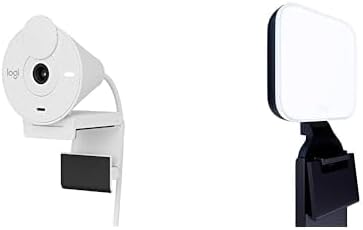 Logitech Brio 300 + Litra
|
Mid-Range | Bundled Litra Glow TrueSoft LED | Dorm streamers who need light + mic | Check Price | ||
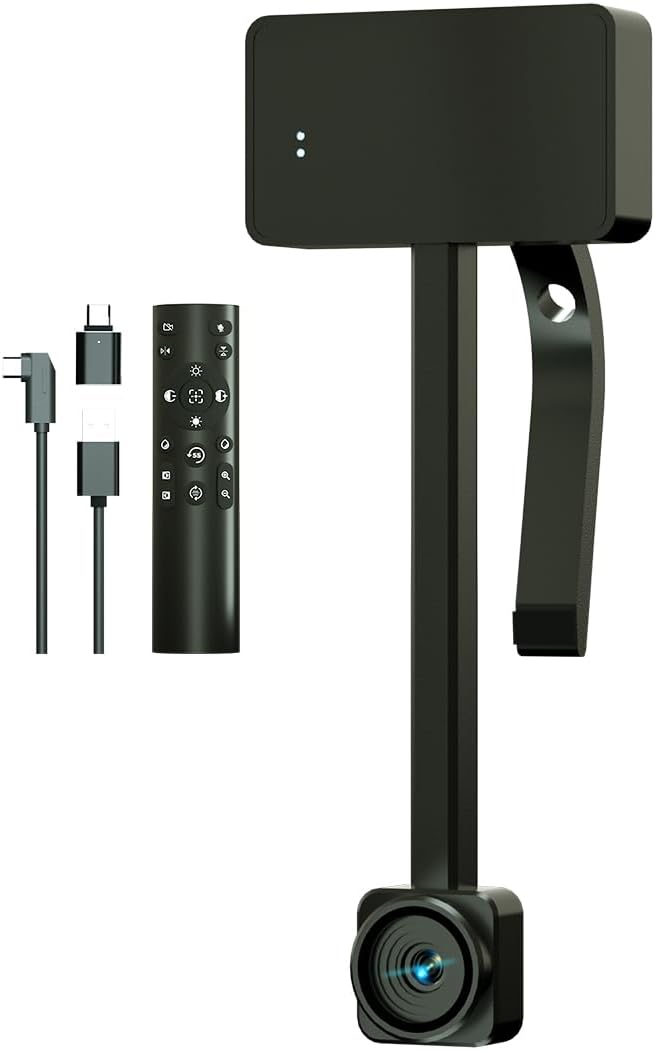 CEABULILA 4K Webcam
|
Mid-Range | 4K sensor with remote zoom | Students who want high-res streaming | Check Price | ||
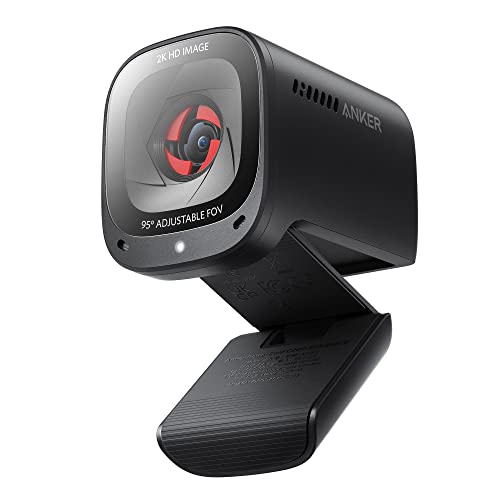 AnkerWork PowerConf C200
|
Budget | Larger aperture for low light | Tight budgets & late-night classes | Check Price | ||
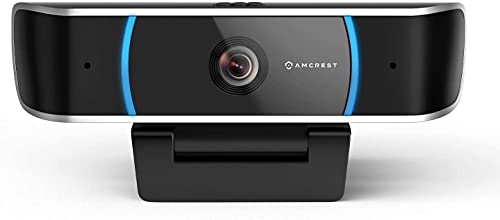 Amcrest 5MP Webcam
|
Budget | 5MP sensor for sharp stills | Students wanting wide-angle capture | Check Price | ||
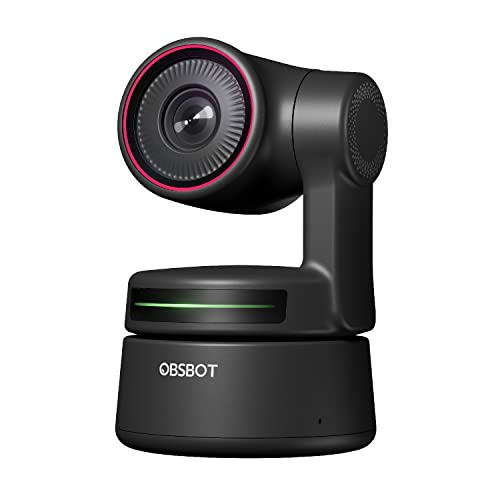 OBSBOT Tiny PTZ 4K
|
Premium | AI auto-tracking and PTZ gimbal | Club streamers & presenters who move | Check Price | ||
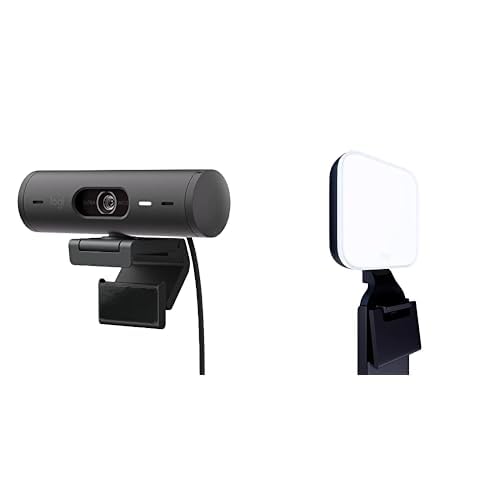 Logitech Brio 501 + Litra
|
Premium | RightLight 4 + auto-framing | Students who want polished, hands-free framing | Check Price |
1. Logitech Brio 300 Full HD Webcam with Privacy Shutter, Noise Reduction Microphone-Rose + Litra Glow Premium LED Streaming Light with TrueSoft, adjustable monitor mount
The Brio 300 pairs a dependable 1080p sensor with Logitech's TrueSoft Litra Glow LED to produce natural skin tones and even low-light illumination — ideal for late-night lectures, study streams, and virtual office hours. It’s easy to set up, compact for dorm desks, and its mono noise-reduction mic helps reduce hallway or roommate noise.
Key Specs
- 1080p Full HD resolution
- RightLight 2.5 auto light correction
- Mono noise-reduction microphone
- Litra Glow LED with adjustable monitor mount
Pros
- Flattering, balanced LED light for low-light dorms
- Natural skin tones with RightLight processing
- Simple plug-and-play setup and good value
Cons
- Clamp/mount can be fiddly on some laptops or thin monitors
- Mono mic (not stereo) limits spatial audio
Best For: Dorm streamers who need light + mic
Check Latest Price on Amazon2. 4K Webcam, Webcam for PC with Remote, Ultra HD 1/2.55'' Sensor, Auto Focus, 10X Digital Zoom, and Low Light Performance, Streaming Webcam for PC/Video Calling/Zoom/Skype/Teams (Black)
This 4K-capable webcam uses a large 1/2.55" sensor and dual microphones to capture fine detail and clear audio during late-night presentations or streaming. Remote control and a 10x digital zoom let you reframe without touching your setup — useful for dorm presenters switching between notes and face camera.
Key Specs
- 3840×2160 (4K) sensor, 1/2.55'' CMOS
- Auto focus with option to disable
- 10x digital zoom (limited at highest resolutions)
- Dual noise-canceling microphones
Pros
- Very high-resolution image for sharp detail
- Remote control lets you adjust settings from across the room
- Dual mics improve voice pickup in noisy dorms
Cons
- Zoom/functionality limited at top 4K settings (some features require lower resolution)
- Remote requires batteries (not included) and adds one more thing to manage
Best For: Students who want high-res streaming
Check Latest Price on Amazon3. AnkerWork Anker PowerConf C200 2K Webcam with Microphone for Laptop, Computer Camera, Web Camera with AI-Noise Canceling Mics, Stereo Mics, Adjustable Field of View, Low-Light Correction (Renewed)
A wallet-friendly 2K option that punches above its price for low-light capture thanks to a larger aperture and software low-light correction. The built-in privacy cover and AI noise-canceling mics make it a practical dorm-room choice for study groups, professor office hours, and late-night livestreams.
Key Specs
- 2K (upscaled/ultra-clear) resolution
- Adjustable field of view (65/78/95°)
- Built-in privacy cover
- AI noise-canceling dual microphones
Pros
- Good low-light performance for the price
- Privacy shutter for peace of mind in shared housing
- AI mics reduce dorm background noise
Cons
- Renewed item (condition varies) — potential durability concern
- Some users report mixed results with autofocus/functionality
Best For: Tight budgets & late-night classes
Check Latest Price on Amazon4. Amcrest 5-Megapixel Webcam with Microphone, Web Cam USB Camera, Computer HD Streaming Webcam for PC Desktop & Laptop w/Mic, Wide Angle Lens & Large Sensor for Superior Low Light (AWC5100)
Amcrest’s 5-megapixel webcam emphasizes high-detail imaging and a wider 65° field of view — useful when you want to show a whiteboard or study group in frame. The built-in privacy cover and dual noise-reducing mic are practical for shared living spaces, though autofocus can be slow at times.
Key Specs
- 5-Megapixel CMOS sensor
- Wide 65° field of view
- Built-in privacy cover
- Dual noise-reducing microphones, USB 2.0 plug-and-play
Pros
- Very detailed image and wider framing for group work
- Privacy shutter included
- Plug-and-play across many platforms
Cons
- Autofocus can be slow or inconsistent
- USB 2.0 limits bandwidth compared with newer USB standards
Best For: Students wanting wide-angle capture
Check Latest Price on Amazon5. OBSBOT Tiny PTZ 4K Webcam, AI Powered Framing & Autofocus, 4K Video Conference Camera with Dual Omni-Directional Microphones, Auto tracking with 2 axis gimbal,HDR,60 FPS,Low-Light Correction,Streaming
The OBSBOT Tiny brings true PTZ movement, AI framing and 4K HDR capture together — great for student creators who move while presenting or run club streams. Gesture controls and strong low-light correction help during late sessions, but some users note mixed long-term reliability reports and potential value trade-offs at this price.
Key Specs
- 4K HDR, 60 FPS with Sony 1/2.8'' sensor
- AI auto-tracking with 2-axis gimbal
- Dual omni-directional microphones
- Gesture control and app-based features
Pros
- Smooth AI tracking and real PTZ framing for dynamic presenters
- Excellent low-light correction and HDR for late-night clarity
- Gesture control simplifies on-the-fly adjustments
Cons
- Some users report reliability issues after extended use
- Optical/zoom performance can be mixed compared with expectations
Best For: Club streamers & presenters who move
Check Latest Price on Amazon6. Logitech Brio 501 Full HD Webcam with Auto Light Correction + Litra Glow Premium LED Streaming Light with TrueSoft, adjustable monitor mount
The Brio 501 ups the image processing with RightLight 4 and auto-framing so you stay centered while you move — perfect for standing presentations or recorded class projects. The Litra Glow light flattens shadows for late-night camera work, though some buyers note mixed platform compatibility and a higher price tier.
Key Specs
- 1080p Full HD with RightLight 4
- Auto-framing (RightSight)
- TrueSoft Litra Glow LED light
- Adjustable 3-way monitor mount
Pros
- Auto-framing keeps you centered without a tripod
- Superior low-light processing and flattering LED
- Easy setup with polished software features
Cons
- Some platform compatibility and value perceptions vary
- Higher price tier for similar core specs to other models
Best For: Students who want polished, hands-free framing
Check Latest Price on AmazonWhich One Should You Choose?
If budget is tight → AnkerWork PowerConf C200 (B09YPRY6TB) gives strong low-light capture, privacy shutter, and AI mics at a student-friendly price. If you want the easiest all-in-one dorm setup (light + mic + simple install) → Logitech Brio 300 (B0BXG2CRDN) is the best overall balance. If premium auto-tracking and studio-grade framing matter for club streams or video projects → choose the OBSBOT Tiny PTZ 4K (B09MVVVWS8). If you need extremely high-resolution detail for product demos or recording → consider the CEABULILA 4K (B0DHRL7XLH). For a wide-angle classroom or group study capture on a tight budget → the Amcrest 5MP (B08B8WC8HN) works well. For hands-free auto-framing with superior lighting and polish → the Logitech Brio 501 (B0BXG3THZY) is the premium webcam option.
Best for Specific Scenarios
- Late-night lecture capture: Logitech Brio 300 because the Litra Glow and RightLight processing brighten faces without harsh shadows.
- Streaming club meetings: OBSBOT Tiny PTZ 4K because AI tracking and gesture controls keep presenters in frame while moving around.
- Office hours & study groups: AnkerWork PowerConf C200 because the privacy cover and AI noise-canceling mics reduce background noise in shared housing.
- High-detail demos or art projects: CEABULILA 4K because the larger 1/2.55" sensor captures fine detail for critiques or portfolios.
- Group whiteboard sessions: Amcrest 5MP because the wider field of view fits multiple people or a whiteboard in-frame.
Frequently Asked Questions
Do I need a ring light if my webcam has low-light correction?
Not always. Built-in low-light processing and larger sensors help a lot, but a small soft LED (like Litra Glow) will deliver more flattering, consistent results in very dim dorm rooms. Choose a webcam with integrated or bundled LED if you prefer a simple all-in-one setup.
How can I improve audio without buying a separate mic?
Pick a webcam with dual or AI noise-canceling microphones and position it closer to your face while keeping distance from noisy equipment. Use software noise suppression in your meeting app and close doors/windows when possible to reduce background sounds.
Is 4K necessary for student lectures and streaming?
For live classes and standard video calls, 1080p or 2K is usually sufficient and lighter on bandwidth. 4K is helpful if you plan to record high-detail demonstrations or crop video in post-production, but it adds cost and requires more upload capacity.
How We Selected These Products
Our recommendations are based on data-driven analysis: we evaluated 155229+ products across 23916+ brands using a composite scoring system that weighs rating (40%), review volume (30%), price value (20%), and demand signals (10%). Every product is ranked by data, not opinions.
Last updated: September 27, 2026
As an Amazon Associate we earn from qualifying purchases at no extra cost to you. Full disclosure.
GearLark Score is our editorial ranking based on a composite analysis of product quality, value, and verified customer sentiment. Click through to Amazon for current pricing, availability, and live customer reviews.