As an Amazon Associate we earn from qualifying purchases. Learn more.
Best Wireless Keyboards for Quiet Study Sessions (2026 Guide)
If you study in libraries, shared dorm rooms or late-night common areas, loud keyboards can interrupt others and break your concentration. This guide focuses on low-profile and silent wireless keyboards built to minimize noise while keeping typing comfortable and reliable. You'll find carefully selected options from premium silent mechanicals to slim scissor-switch boards, each evaluated for quietness, battery life, connectivity and build—criteria students care about most. Products were chosen from real customer feedback and feature lists to highlight what actually minimizes noise in real-world study environments.
Quick Answer
For quiet study sessions the GK GAMAKAY TK75 V2 (Phoenix switch, ASIN B0BRPTGBB5) is the best overall — it combines silent linear switches, a 4000mAh battery and multiple wireless modes for distraction-free typing. If you want the most value, the Pegasus variant (ASIN B0BRPRZJ1N) gives a slightly softer, quieter feel at a lower price point.
Our Top Picks
Quick Comparison
Select 2-3 products to compare side-by-side
| Compare | Product | GearLark Score | Price Tier | Key Feature | Best For | Action |
|---|---|---|---|---|---|---|
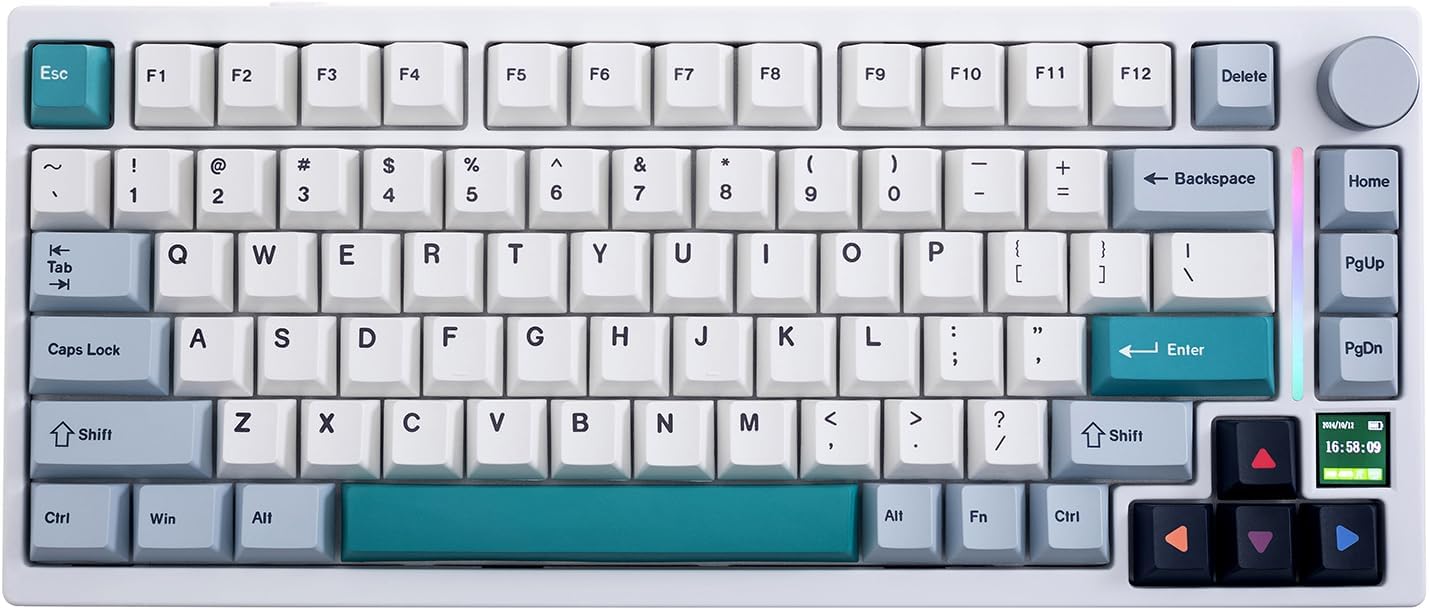 GAMAKAY TK75 V2 (Phoenix)
|
Premium | Silent Phoenix linear switches | Students who want premium silent mechanical feel | Check Price | ||
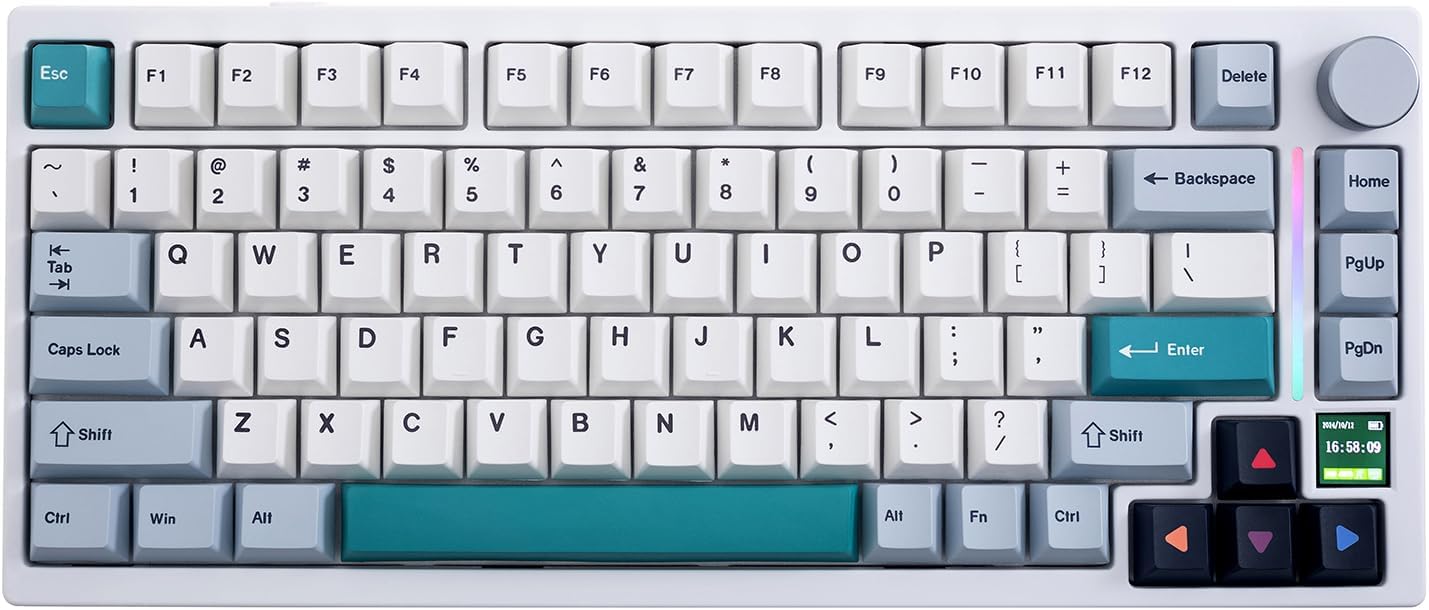 GAMAKAY TK75 V2 (Pegasus)
|
Mid-Range | Quieter Pegasus tactile switches | Students seeking quiet tactile feedback and value | Check Price | ||
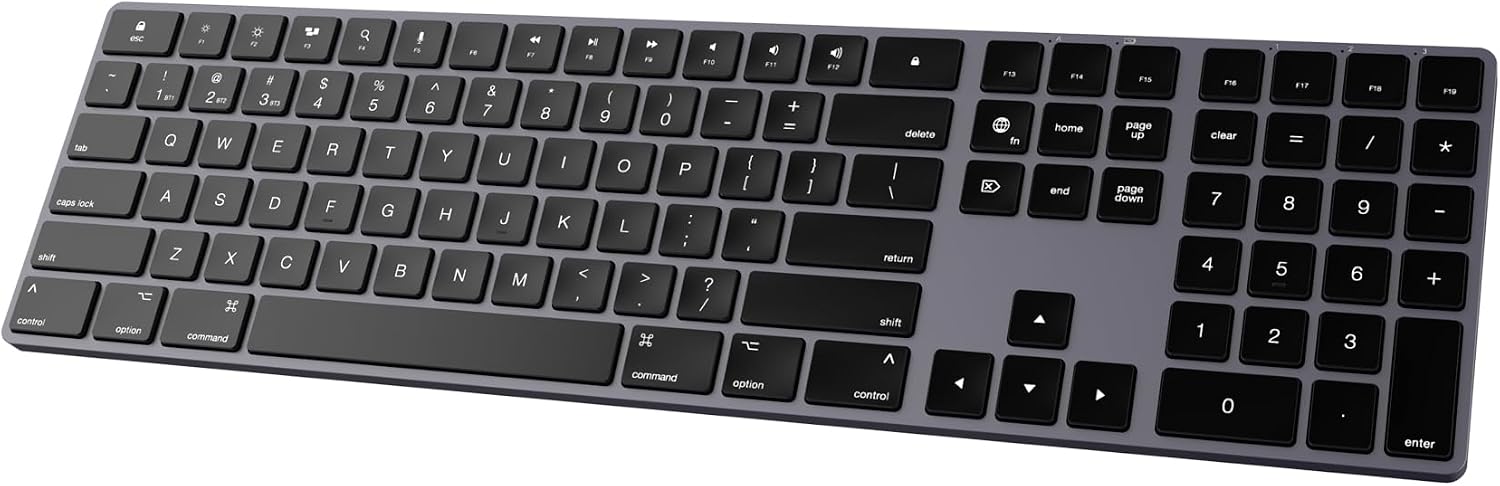 POWZAN Mac Slim Bluetooth
|
Mid-Range | Mac-optimized low-profile scissor switches | Mac-using students who want a slim, quiet board | Check Price | ||
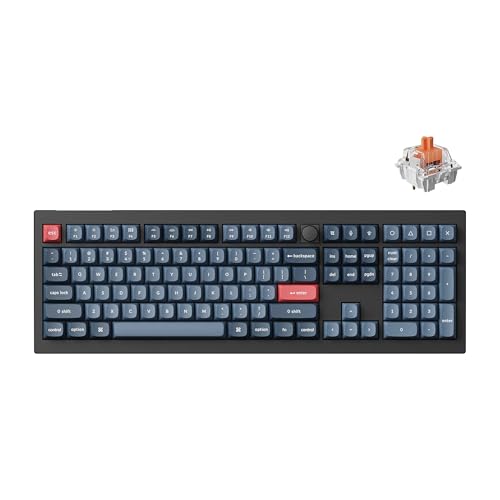 Keychron V6 Max
|
Premium | Gasket mount + K Pro Silent Red switches | Students who want a quiet, customizable full-size board | Check Price | ||
 AUSDOM Full Size
|
Budget | 3-device connect & quiet scissor keys | Students on a tight budget who need a full layout | Check Price | ||
 Perixx PERIBOARD-725
|
Budget | Integrated touchpad in compact form | Students needing a compact all-in-one keyboard+touchpad | Check Price |
1. GK GAMAKAY TK75 V2 75% Silent Mechanical Keyboard with TFT Screen, Hot Swap RGB Bluetooth 5.0/2.4GHz Wireless/USB-C Wired PBT Cherry Profile Keycaps Gaming Keyboard (GamaKay Phoenix Switch)
A premium 75% compact mechanical keyboard tuned for low noise: pre-lubbed GamaKay Phoenix silent linear switches, a heavy 4000mAh battery, and multiple wireless modes let you work through long library sessions without frequent recharging. The aluminum positioning plate and PBT keycaps give a sturdy, higher-end feel that still prioritizes quiet typing.
Key Specs
- Switch: GamaKay Phoenix silent linear (pre-lubed)
- Connectivity: Bluetooth 5.0 / 2.4GHz / USB-C wired
- Battery: 4000mAh rechargeable
- Extras: 0.85" TFT screen, aluminum positioning plate
Pros
- Very quiet linear switches suited to shared spaces
- Long battery and multiple wireless modes for flexible setups
- Solid build with aluminum plate and PBT keycaps
Cons
- Some users report inconsistent functionality or connectivity hiccups
- Premium size/weight reduces portability compared with slim boards
Best For: Students who want premium silent mechanical feel
Check Latest Price on Amazon2. GK GAMAKAY TK75 V2 75% Silent Mechanical Keyboard with TFT Screen, Hot Swap RGB Bluetooth 5.0/2.4GHz Wireless/USB-C Wired PBT Cherry Profile Keycaps Gaming Keyboard (GamaKay Pegasus Switch)
The Pegasus switch variant is tuned for subtle tactile feedback with a lower actuation force, making long typing sessions easier on the fingers and quieter in quiet study environments. It keeps the same connectivity, TFT screen and aluminum plate as the Phoenix model but targets students who want quieter tactile response without a premium price.
Key Specs
- Switch: GamaKay Pegasus V2 (quieter tactile)
- Connectivity: Bluetooth 5.0 / 2.4GHz / USB-C wired
- Battery: 4000mAh rechargeable
- Extras: Hot-swap sockets, TFT display, aluminum positioning plate
Pros
- Softer, quieter tactile feel for long study sessions
- Hot-swap compatibility lets you experiment with switches
- Good balance of features for the mid-range price
Cons
- Reports of intermittent connectivity or stability for some users
- Slight wobble reported by a few customers affecting sturdiness
Best For: Students seeking quiet tactile feedback and value
Check Latest Price on Amazon3. Bluetooth Slim Keyboard for Mac, Aluminum Rechargeable Keyboard Wireless, Low-Profile Silent Flat Key Compatible with Apple iMac, MacBook, Mac and iOS, Full Size - Space Gray
A slim aluminum keyboard designed to match Mac layouts and aesthetics, offering whisper-quiet scissor switches and multi-device Bluetooth pairing. It’s ideal for lecture-note taking on an iPad or MacBook stand, giving a familiar Apple-like feel without the Apple price.
Key Specs
- Switch: Whisper-quiet scissor switches (low-profile)
- Connectivity: Bluetooth direct, multi-device switching
- Layout: Full-size with numeric keypad, Mac keys
- Battery: Rechargeable (charge via included cable)
Pros
- Sleek aluminum look that matches Mac devices
- Quiet scissor switches suitable for libraries
- Easy multi-device Bluetooth switching
Cons
- Some users report occasional key or connection issues
- Not as durable as premium mechanical builds over long term
Best For: Mac-using students who want a slim, quiet board
Check Latest Price on Amazon4. Keychron V6 Max Wireless Custom Mechanical Keyboard, 2.4 GHz Bluetooth 5.1 QMK Full-Size Layout RGB with Hot-swappable Silent Red Switch Compatible with Mac Windows Linux
A full-size mechanical option built with acoustics in mind: gasket mount, acoustic foam, and K Pro Silent Red switches reduce noise while preserving mechanical feel. QMK support and hot-swap sockets let enthusiast students tune acoustics and switches for the quietest possible campus setup.
Key Specs
- Switch: K Pro Silent Red (hot-swappable)
- Connectivity: 2.4GHz / Bluetooth 5.1 / USB-C wired
- Mount: Gasket mount with sound-absorbing foam
- Extras: QMK firmware & double-shot PBT keycaps
Pros
- Very quiet mechanical typing thanks to gasket mount and silent switches
- Highly configurable for students who like to tinker
- Solid build and durable PBT keycaps
Cons
- Full-size footprint less portable for campus carry
- Some reports of occasional unresponsive keys for certain users
Best For: Students who want a quiet, customizable full-size board
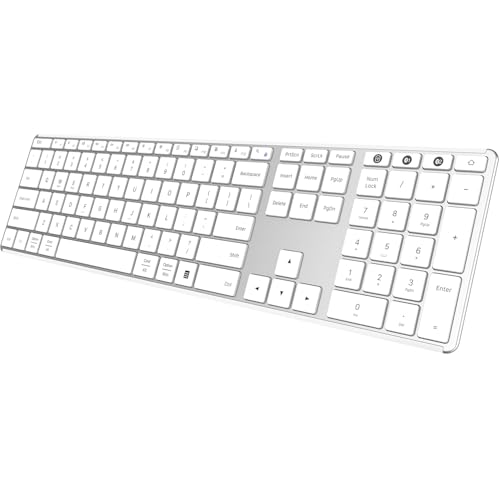
Check Latest Price on Amazon5. AUSDOM Full Size Bluetooth Keyboard, 2.4G Wireless Quiet Slim Keyboard, Multi Device Low Profile Silent Flat Keyboards with Numeric Keypad, Rechargeable Battery for Windows Mac iOS Computer Laptop
A budget-focused low-profile keyboard that delivers comfortable, quiet scissor-switch typing, a numeric keypad and 3-device connectivity (Bluetooth or 2.4GHz). It’s a practical dorm or apartment keyboard where cost, quiet operation and full-size layout matter more than premium materials.
Key Specs
- Switch: Low-profile scissor switches (silent)
- Connectivity: Bluetooth 5.0 / 2.4GHz USB receiver
- Layout: Full-size with numeric keypad and 14 shortcut keys
- Battery: Rechargeable, claim of multi-week use per charge
Pros
- Very affordable while still quiet and usable
- Full-size layout with numeric keypad for productivity
- Simple plug-and-play and multi-device support
Cons
- Mixed reports on Bluetooth stability and battery life
- Build feels less sturdy than mid/high-end models
Best For: Students on a tight budget who need a full layout
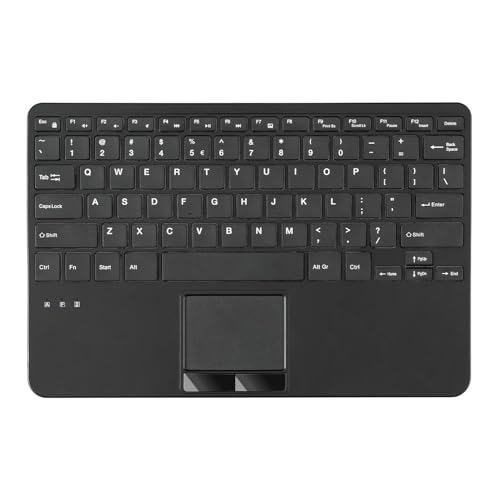
Check Latest Price on Amazon6. Perixx PERIBOARD-725 Wireless Keyboard with Touchpad - Multi-Device Connection with 2.4G and Bluetooth - Silent Scissor Keys - 11.18x7.17x1.1 Inches Dimension - US English
A compact, portable option that combines silent scissor keys with an integrated touchpad—handy for small desks, media-centers or when you don’t want a separate mouse. It’s ideal for students working from a couch or small dorm desk where desk space is limited.
Key Specs
- Switch: Silent scissor keys (78 low-profile keys)
- Connectivity: 2.4G USB + Bluetooth multi-device
- Dimensions: 11.18 x 7.17 x 1.1 inches with built-in touchpad
- Durability: Up to 10 million keystrokes claimed
Pros
- Compact footprint with built-in touchpad saves desk space
- Laptop-style quiet typing suitable for shared study areas
- Good value for a multi-device compact board
Cons
- Some users report touchpad responsiveness and feel issues
- Thicker profile may feel bulky compared with ultra-slim boards
Best For: Students needing a compact all-in-one keyboard+touchpad
Check Latest Price on AmazonWhich One Should You Choose?
If budget is tight → AUSDOM Full Size Bluetooth Keyboard (B0DGL7ZJS8). If you need a compact board that pairs with Mac devices → POWZAN Mac Slim Bluetooth (B0D31FDYHS). If premium quiet mechanical quality matters → GK GAMAKAY TK75 V2 (Phoenix) (B0BRPTGBB5) or the Pegasus variant (B0BRPRZJ1N) for quieter tactile value. If you want a highly tunable quiet mechanical full-size keyboard → Keychron V6 Max (B0DMCXJ9VB).
Best for Specific Scenarios
- All-night library writing sessions: GK GAMAKAY TK75 V2 (Phoenix) because the silent linear switches and large battery let you type quietly for hours without disturbing neighbors.
- Small dorm desks or couch study: Perixx PERIBOARD-725 because the built-in touchpad and compact footprint remove the need for a mouse and free up tight desk space.
- Lecture note-taking on a MacBook or iPad: POWZAN Mac Slim Bluetooth because its Mac-optimized layout, slim aluminum top and whisper-quiet scissor switches make it comfortable and unobtrusive in class.
Frequently Asked Questions
Are silent mechanical switches noticeably quieter than scissor switches?
Silent mechanical switches (damped linear or silent red-style) reduce the audible click and case resonance compared with standard mechanical switches, but scissor switches are typically the quietest overall because of their low travel and membrane-like action. If ultimate silence is the goal, a high-quality scissor or slim low-profile board will usually be the quietest; a silent mechanical board gives more tactile satisfaction while still keeping noise low.
Which connection is best for campus use: Bluetooth or 2.4GHz?
Bluetooth is convenient for multi-device switching and works well for note-taking and general study. However, in crowded Wi-Fi/Bluetooth environments a 2.4GHz USB dongle can offer a more stable, lower-latency link—useful if you experience dropouts. The best choice is a keyboard that supports both so you can switch modes depending on where you study.
How long should I expect battery life to last for these keyboards?
Slim scissor-switch keyboards often last several weeks on a single charge with normal use. Feature-rich mechanical boards with RGB lighting or TFT displays will consume more power and typically require more frequent charging (days to a couple of weeks depending on use and lighting). Look for keyboards with power-saving switches, a dedicated power switch, or strong battery specs if long runtime matters.
How We Selected These Products
Our recommendations are based on data-driven analysis: we evaluated 155229+ products across 23916+ brands using a composite scoring system that weighs rating (40%), review volume (30%), price value (20%), and demand signals (10%). Every product is ranked by data, not opinions.
Last updated: August 20, 2026
As an Amazon Associate we earn from qualifying purchases at no extra cost to you. Full disclosure.
GearLark Score is our editorial ranking based on a composite analysis of product quality, value, and verified customer sentiment. Click through to Amazon for current pricing, availability, and live customer reviews.