As an Amazon Associate we earn from qualifying purchases. Learn more.
Complete Dual Portable Monitor Study Rig for Fall Semester (2026 Guide)
Heading back to campus this fall? This guide builds a complete dual portable monitor study rig optimized for tight dorm desks and semester‑long ergonomics. You’ll learn which compact dual monitor extenders and accessories fit small footprints, how to set them up for healthy posture and long study sessions, and which extra gear (dock, stand, keyboard, cable management) completes the kit. I selected four portable dual/stackable monitors based on picture quality, connectivity (USB‑C/HDMI), portability, user feedback on durability, and how well they adapt to cramped desks typical of dorm rooms.
Quick Answer
For the best overall dual portable monitor setup on a small dorm desk, the Ingnok 15.6" Dual Portable Monitor (ASIN B0DXL3SKTW) balances color accuracy, a single‑cable USB‑C hookup, and a foldable stacked design that saves space. If you need the cheapest two‑screen option choose the Kado 15.6" 2‑pack (ASIN B0DP9F6BXJ); for a premium, hinge‑style attachable option see the SideTrak Swivel (ASIN B08VPXVCDP).
Our Top Picks
Quick Comparison
Select 2-3 products to compare side-by-side
| Compare | Product | GearLark Score | Price Tier | Key Feature | Best For | Action |
|---|---|---|---|---|---|---|
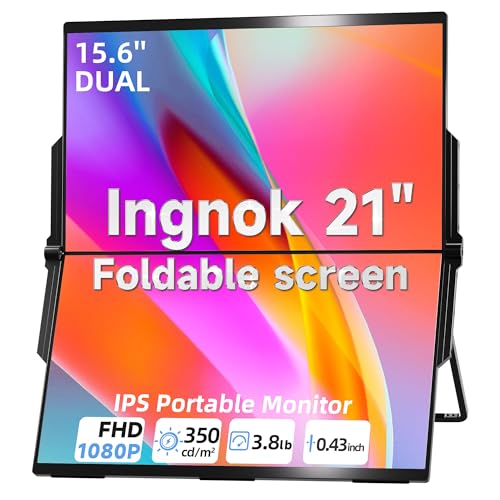 Ingnok 15.6" Dual Monitor
|
Mid-Range | Single‑cable USB‑C plug‑and‑play | Students needing color‑accurate stacked setup | Check Price | ||
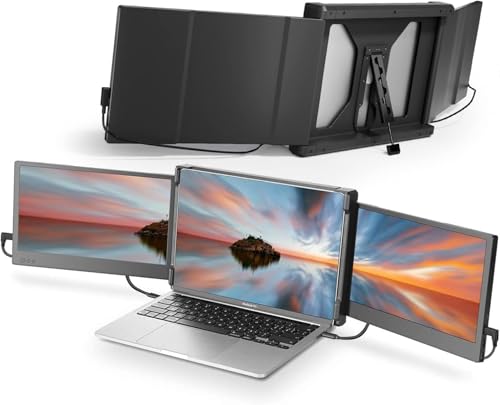 Teamgee 12" Dual Extender
|
Mid-Range | Versatile multi‑port connectivity | Frequent travelers who need compact screens | Check Price | ||
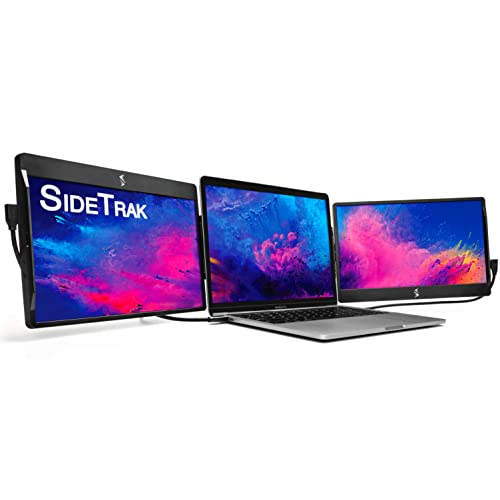 SideTrak Swivel 12.5"
|
Premium | Patented 360° swivel hinge | Users wanting attachable triple‑screen flexibility | Check Price | ||
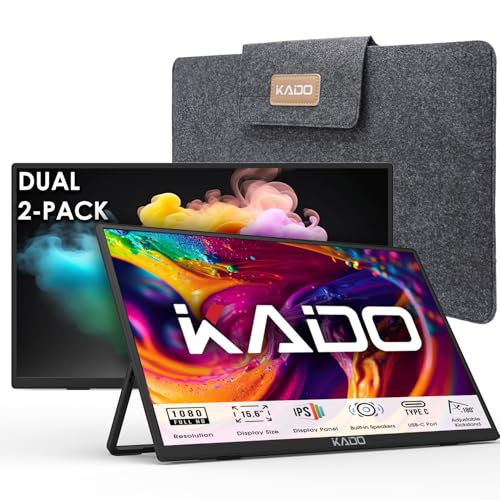 Kado 15.6" 2‑Pack
|
Budget | Two 15.6" FHD panels in one kit | Students on a tight budget who still want large screens | Check Price |
1. Laptop Screen Extender 15.6" 1080P Dual USB-C HDMI, Foldable Stacked Design, Dual Portable Monitors Compatible with Windows/Mac, Easy Setup
Ingnok’s 15.6" dual portable monitors offer strong color (100% sRGB) and a tidy single Type‑C connection that makes setup fast on cramped desks. The foldable, stacked design and 180° adjustable stand save desktop space, making it a solid mid‑range pick for semester use — note a few users reported mixed long‑term durability.
Key Specs
- 15.6" FHD 1920×1080 display
- 100% sRGB color, 1200:1 contrast
- Single Type‑C plug‑and‑play (no driver)
- Foldable stacked design with 180° adjustable stand
- 18‑month warranty and 30‑day returns
Pros
- Excellent color accuracy for a portable display
- Very simple single‑cable setup keeps desk clutter low
- Foldable stacked design maximizes tight desk area
Cons
- Some customer reports of functionality issues after extended use
- Mid‑range build may not match premium durability
Best For: Students needing color‑accurate stacked setup
Check Latest Price on Amazon2. Teamgee 12" Laptop Screen Extender, Dual Display Triple Setup, Portable Monitor for 13"16" Laptops, USB-C/HDMI/USB-A Plug & Play, Ideal for Remote Work & Multitasking
Teamgee’s long‑running 12" dual extender is compact, lightweight and plug‑and‑play with USB‑C/HDMI/USB‑A options, making it easy to pack between classes. It’s praised for solid build and clear visuals, but compatibility and cable choices can be fiddly on some laptops — check ports before buying.
Key Specs
- Dual 12" Full HD IPS displays
- USB‑C / HDMI / USB‑A connectivity options
- Built‑in speakers and eye‑care mode
- Folds flat and rotates up to 210°
- Not compatible with some MacBook Air M1/M2 models
Pros
- Very portable and travel‑friendly
- Good picture quality for spreadsheets and docs
- Plug‑and‑play simplicity with built‑in essentials
Cons
- Compatibility requirements can be confusing (ports/power)
- May need external power or dock for some combos
Best For: Frequent travelers who need compact screens
Check Latest Price on Amazon3. SideTrak Swivel 12.5" Portable Monitor for Laptop, Patented Swivel Hinge, Triple Screen Laptop Setup | FHD Dual Screen w/Kickstand, USB-C & HDMI, Mac, PC, Chrome Compatible (Triple Monitor)
SideTrak’s swivel‑hinge design is ideal if you want a laptop‑attached third screen that can rotate and swivel for quick sharing or portrait modes. It’s a premium, feature‑rich option, but some customers report mixed feedback on magnet hold and occasional connection/durability issues — plan for careful attachment and cable management.
Key Specs
- 12.5" FHD display with patented swivel hinge
- Magnetic attach plus built‑in kickstand
- USB‑C, USB‑A and HDMI connectivity
- Auto‑rotation and 270° rotation support
- May require supplemental power for dual/triple setups
Pros
- Very flexible mounting and swivel options
- Clean attachable design for laptop‑centric setups
- Good for presentations and collaborative work
Cons
- Mixed reports on magnet strength and attachment reliability
- Some users experienced connection/durability problems
Best For: Users wanting attachable triple‑screen flexibility
Check Latest Price on Amazon4. Kado Dual Portable Monitor Setup - 2-Pack 15.6'' FHD 1080p, Ultra-Slim Laptop Monitor 1920x1080 with Built-in Speakers, IPS Display 180 Kickstand Stacked Desktop Setup Office Gaming Daytrading
Kado’s dual 15.6" pack gives the most screen real estate for budget builds — great for multi‑document work and travel. Customers like the lightweight build and easy setup; expect basic materials and fewer premium durability guarantees compared with higher tiers.
Key Specs
- Two 15.6" FHD 1920×1080 IPS displays
- HDMI and USB‑C ports for broad compatibility
- Built‑in speakers and 180° kickstand
- Ultra‑slim, lightweight design
- Designed for stacked or side‑by‑side desktop layouts
Pros
- Excellent value for large dual displays
- Lightweight and easy to set up
- Includes common cables for immediate use
Cons
- Build and longevity not as robust as premium options
- Basic audio and accessory quality
Best For: Students on a tight budget who still want large screens
Check Latest Price on AmazonWhich One Should You Choose?
If budget is tight → Kado 15.6" 2‑Pack (ASIN B0DP9F6BXJ) gives the most screen real estate at the lowest cost. If you need portable, easy single‑cable setup and color accuracy → Ingnok 15.6" Dual (ASIN B0DXL3SKTW). If premium, attachable swivel and collaborative flexibility matter → SideTrak Swivel 12.5" (ASIN B08VPXVCDP). If you travel often and need a lightweight, well‑balanced pair of small displays → Teamgee 12" Dual Extender (ASIN B09NLKWDMP).
Best for Specific Scenarios
- Tight dorm desk / vertical reading: Ingnok 15.6" because its foldable stacked design saves horizontal desk space and supports portrait orientation.
- Frequent campus travel: Teamgee 12" because it’s lightweight, folds flat, and supports plug‑and‑play across common ports.
- Budget large‑screen workspace: Kado 15.6" 2‑Pack because it provides two full‑size FHD panels for the lowest cost, ideal for heavy multitasking.
Frequently Asked Questions
Will these dual portable monitors work with my MacBook?
Most models support macOS over USB‑C or HDMI, but check compatibility notes (Teamgee lists incompatibility with some MacBook Air M1/M2 models). If your MacBook only has Thunderbolt/USB‑C ports, a USB‑C to HDMI adapter or a docking station may be required for multi‑screen setups.
Do I need extra power or a dock to run two portable monitors?
It depends on your laptop’s ports. Many mid‑range models work with one or two full‑function USB‑C ports; if your laptop lacks multiple full‑function outputs, a powered USB‑C dock or a monitor with separate power input may be necessary. Check each monitor’s connectivity and whether supplemental power is suggested in the product details.
How do I set up an ergonomic layout on a tiny dorm desk?
Raise your laptop with a stand so the top of the screen is near eye level, use an external keyboard and mouse at elbow height, and place portable monitors at a slight angle for easy glancing. For very small desks, stack monitors vertically or use a laptop‑attached swivel unit to keep the desk surface clear.
How We Selected These Products
Our recommendations are based on data-driven analysis: we evaluated 155229+ products across 23916+ brands using a composite scoring system that weighs rating (40%), review volume (30%), price value (20%), and demand signals (10%). Every product is ranked by data, not opinions.
Last updated: September 16, 2026
As an Amazon Associate we earn from qualifying purchases at no extra cost to you. Full disclosure.
GearLark Score is our editorial ranking based on a composite analysis of product quality, value, and verified customer sentiment. Click through to Amazon for current pricing, availability, and live customer reviews.