As an Amazon Associate we earn from qualifying purchases. Learn more.
Dual Portable Monitor Setup vs Portable + Laptop Screen vs Docking Station Setup (2026)
If you're a student juggling research, note-taking, video calls and study apps while moving between class, library and home, a multi-screen setup can seriously speed up your workflow. This article compares three practical docking/dongle options in 2026 and helps you decide whether to go full docking station, a portable monitor + laptop combo, or a compact dongle setup. We evaluated port layout, multi-monitor capability, portability and real-user feedback (durability, ease of use, value) to recommend the best setup for students on the go.
Quick Answer
For students on the go who want the best balance of multi-monitor capability, port variety and value, the Selore USB C Docking Station (ASIN B0C6M11PW8) is the top pick. If budget and compactness matter, the GIQ USB Dock (B08R9WZKFN) is the best value; Mac users who want Mac-focused compatibility should consider the TobenONE dock (B08P5GXPHH).
Our Top Picks
Quick Comparison
Select 2-3 products to compare side-by-side
| Compare | Product | GearLark Score | Price Tier | Key Feature | Best For | Action |
|---|---|---|---|---|---|---|
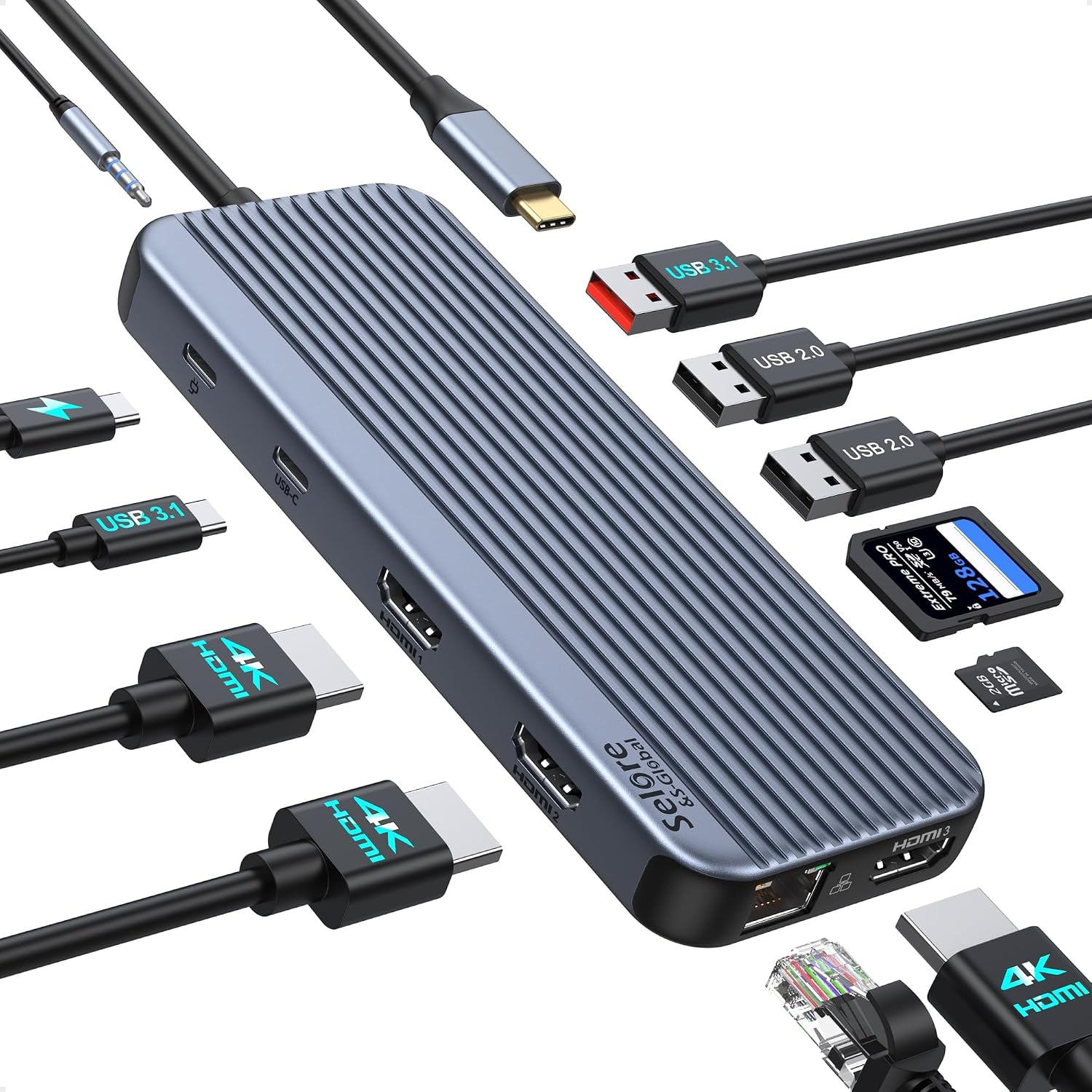 Selore 12-in-1 Dock
|
Mid-Range | Three 4K HDMI outputs | Students who need multiple external screens | Check Price | ||
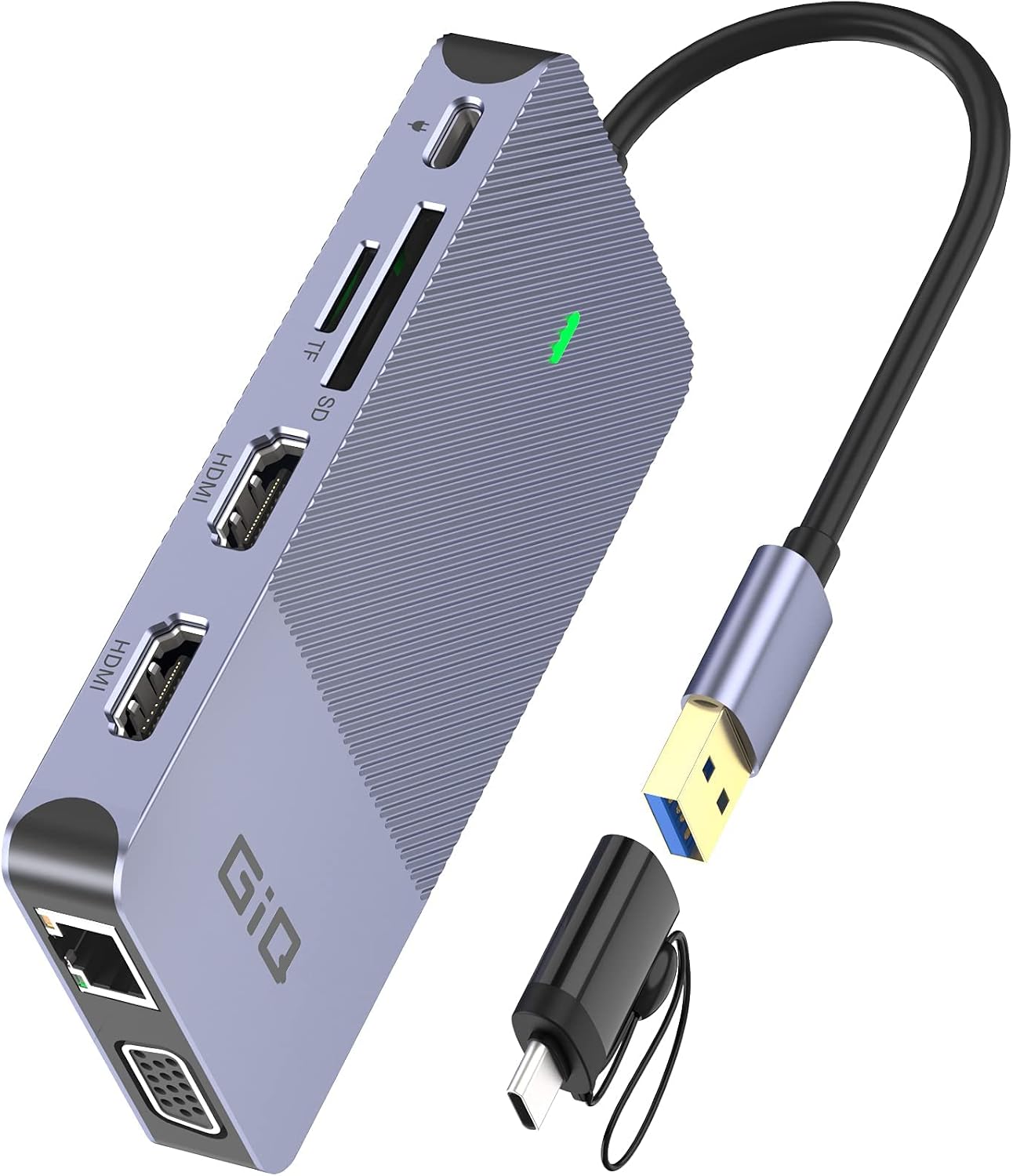 GIQ USB C Hub
|
Mid-Range | Compact dual HDMI + USB ports | Students who prioritize value and portability | Check Price | ||
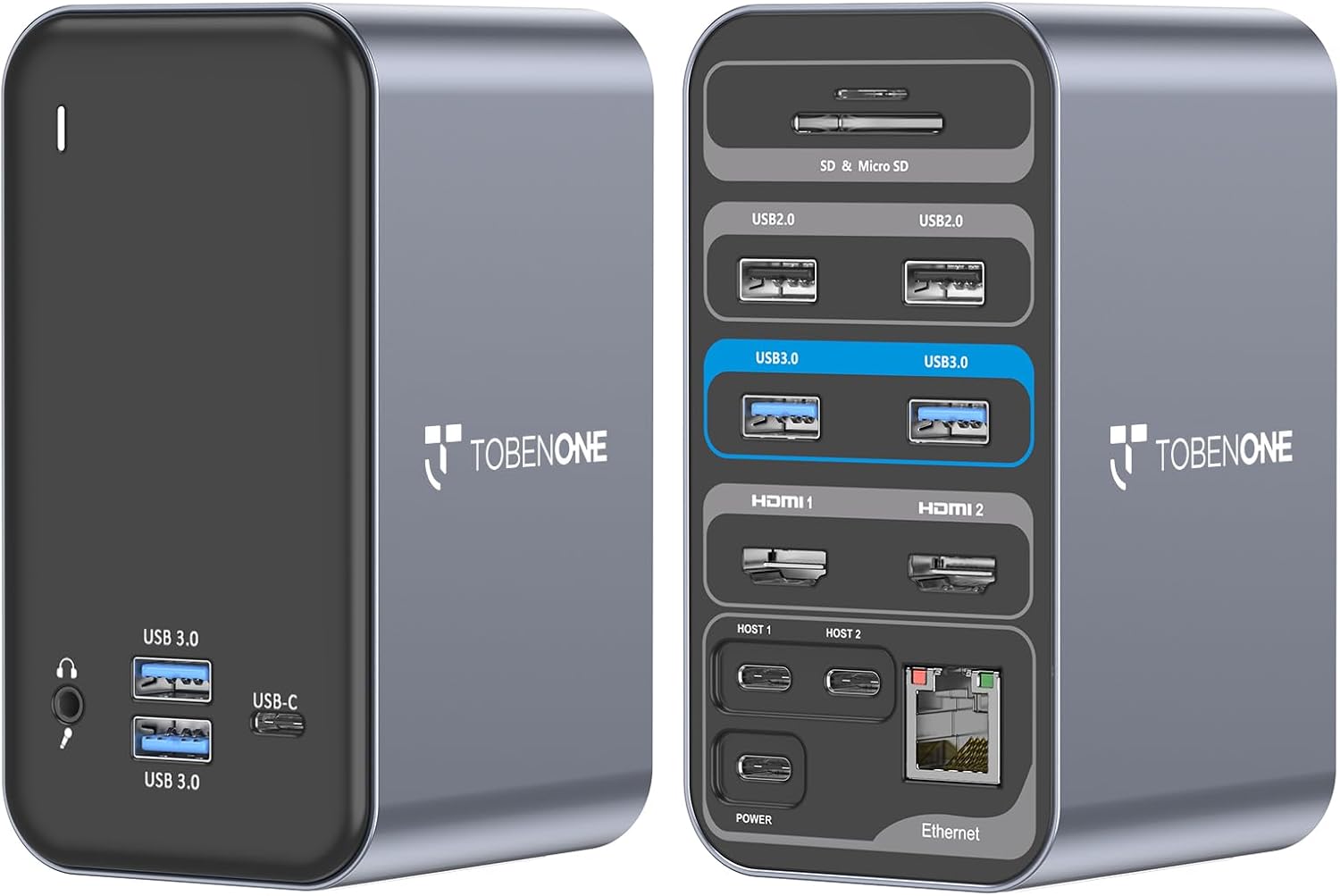 TobenONE Dual HDMI Dock
|
Mid-Range | 87W PD and dual 4K HDMI | Mac users and power-hungry laptops | Check Price |
1. USB C Docking Station 3 HDMI, Docking Station 3 Monitors,12 in 1 Docking Station Dual Monitor, Laptop Docking Station Triple HDMI with 10Gbps USB A/C 3.1,USB 2.0,100W PD,Ethernet, Audio&Mic,SD&TF Slot
Selore's 12-in-1 dock gives you the most flexible display and port options of the three — up to three HDMI outputs, fast USB and 100W PD support — which makes it the best all-around choice for students who want desktop-grade connectivity in a compact package. Real-world feedback praises its connectivity and build quality, though some users report intermittent HDMI/charging inconsistencies.
Key Specs
- 3x 4K HDMI outputs
- USB A/C 3.1 up to 10Gbps, 2x USB2.0
- 100W PD charging (requires compatible laptop PD)
- Gigabit Ethernet, SD/TF card slots, audio/mic
Pros
- More HDMI outputs than Giq and TobenONE for multi-monitor setups
- Stronger USB bandwidth (10Gbps) than Giq for fast file transfers
- Good build quality and port variety compared with simpler hubs
Cons
- Mixed reports of HDMI outputs working sporadically compared with TobenONE
- Some users find charging performance inconsistent versus dedicated PD docks
Best For: Students who need multiple external screens
Check Latest Price on Amazon2. USB Docking Station GIQ USB C HUB USB 3.0 to Dual HDMI VGA Adapter Triple Display USB C Laptop Docking Station Dual Monitor HDMI Splitter Extender Compatible with MacBook M1 M2 M3 USB Dock-Grey
The GIQ hub is a compact, value-focused dongle with dual HDMI capability, multiple USB ports and Ethernet — ideal for students who need extra monitors and some expansion without a big dock. Customers praise its size, ease of use and port versatility, but durability and the need for DisplayLink drivers are recurring concerns.
Key Specs
- Dual HDMI (mirroring/extending; UHD 30Hz or 1080p reported)
- 3x USB 3.0 ports, SD and microSD readers
- Gigabit RJ45 Ethernet
- Requires DisplayLink driver for some configurations; USB-C power input for hub only
Pros
- Smaller and more portable than Selore and TobenONE for carry-in-backpack use
- Better value for money than many larger docks
- Simple setup and useful port mix for travel compared with single-purpose dongles
Cons
- Durability concerns reported more often than Selore and TobenONE
- Less reliable multi-monitor performance and requires DisplayLink driver in some setups
Best For: Students who prioritize value and portability
Check Latest Price on Amazon3. USB C Docking Station Dual Monitor for MacBook Pro, 15 in 2 USB C Laptop Docking Station Dual Monitor HDMI for MacBook Pro/Air with 2 4K HDMI Display, 6 USB A,USB C, SD&Micro SD,LAN, 87W PD 3.0
TobenONE focuses on Mac compatibility and reliable dual-monitor extend mode with two 4K HDMI outputs and up to 87W power delivery — a good pick for MacBook users who need a tidy two-screen workstation. Users praise its ease of setup and compact footprint, but some report HDMI outputs failing after months of use.
Key Specs
- 2x HDMI supporting dual 4K (60Hz/30Hz depending on system)
- USB PD 3.0 up to 87W
- 4x USB 3.0, 2x USB 2.0, SD/TF card reader
- Gigabit Ethernet, 3.5mm audio
Pros
- Better Mac-focused compatibility than Selore for many Mac models
- Higher sustained PD (87W) than GIQ's hub input for faster charging
- Reliable plug-and-play setup reported by many users compared with driver-required hubs
Cons
- M1/M2 non-Pro Macs are limited to one external display without workarounds (less versatile than Selore in some Mac setups)
- Durability reported as a problem by some users over longer use compared with more robust docks
Best For: Mac users and power-hungry laptops
Check Latest Price on AmazonWhich One Should You Choose?
If budget is tight → Choose the GIQ USB C Hub (B08R9WZKFN). It’s the best value and most portable option for students who need extra screens and ports without a heavy dock. Be aware it can require DisplayLink drivers and durability varies.
If you need portable multi-monitor power → Choose the Selore 12-in-1 Dock (B0C6M11PW8). It offers the broadest set of HDMI outputs and fast USB bandwidth, making it the most flexible pick for students who switch locations but want a near-desk experience.
If you’re a Mac user or need strong charging → Choose the TobenONE Dual HDMI Dock (B08P5GXPHH). It’s tuned for Mac compatibility, gives reliable dual-4K outputs for many Mac models and provides up to 87W PD for sustained charging.
Best for Specific Scenarios
- Library study sessions with two monitors: Selore — its multiple HDMI ports and USB bandwidth make it easy to run research, notes and video at once.
- Backpack portability between classes: GIQ — compact, light and good value when you need extra screens on the go.
- MacBook users who want clean one-cable docking: TobenONE — Mac-focused compatibility and strong PD make it ideal for Mac students.
Frequently Asked Questions
Do these docks support three independent external monitors?
Selore advertises three HDMI outputs and can show multiple screens on compatible Windows/DP Alt Mode laptops; however, Mac hardware and some laptops may restrict simultaneous outputs. Always check your laptop's DP Alt Mode or Thunderbolt capabilities before assuming triple independent displays will work.
Will these docks charge my laptop while driving monitors?
TobenONE supports up to 87W PD and Selore lists 100W PD support (verify laptop acceptance); GIQ’s USB-C port is intended to power the hub and may not deliver full laptop charging. Confirm PD wattage and use the laptop's original charger or the dock’s required power adapter when necessary.
Are drivers required to run multiple monitors?
Some hubs rely on DisplayLink drivers to enable multi-monitor output (GIQ notes this requirement in certain setups). TobenONE and Selore emphasize plug-and-play behavior for many systems, but compatibility depends on your laptop’s chipset and OS—check product notes for M1/M2/M3 Mac limitations and DP Alt Mode requirements.
How We Selected These Products
Our recommendations are based on data-driven analysis: we evaluated 155229+ products across 23916+ brands using a composite scoring system that weighs rating (40%), review volume (30%), price value (20%), and demand signals (10%). Every product is ranked by data, not opinions.
Last updated: August 26, 2026
As an Amazon Associate we earn from qualifying purchases at no extra cost to you. Full disclosure.
GearLark Score is our editorial ranking based on a composite analysis of product quality, value, and verified customer sentiment. Click through to Amazon for current pricing, availability, and live customer reviews.