As an Amazon Associate we earn from qualifying purchases. Learn more.
How to Set Up a Dual Portable Monitor Dorm Desk (2026)
Setting up two portable monitors on a cramped dorm desk in 2026 is realistic and surprisingly tidy when you pick the right monitors, hub, and stand. This guide walks you through a complete dorm-friendly kit: which dual portable monitors work best with common laptop ports, how to wire them using USB-C, HDMI, and powered hubs, and compact stand choices that reduce clutter. Products were chosen for real-world dorm constraints — limited desk depth, single-bus USB-C laptops, and battery/power limits — and selected from portable monitors known for build quality, plug-and-play ease, and sensible value.
Quick Answer
Yes — you can run two portable monitors from a laptop on a small dorm desk. The Ingnok 15.6" Dual USB-C/HDMI portable monitor is our top pick for an easy, single-cable Type-C setup; pair it with a compact USB-C hub and a low-profile dual monitor stand for the cleanest wiring and best stability.
Our Top Picks
Quick Comparison
Select 2-3 products to compare side-by-side
| Compare | Product | GearLark Score | Price Tier | Key Feature | Best For | Action |
|---|---|---|---|---|---|---|
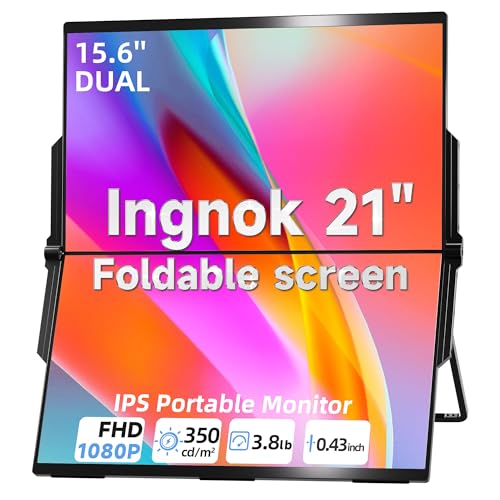 Ingnok 15.6" Dual Monitor
|
Mid-Range | Single Type-C plug-and-play setup | Students and coders needing easy expansion | Check Price | ||
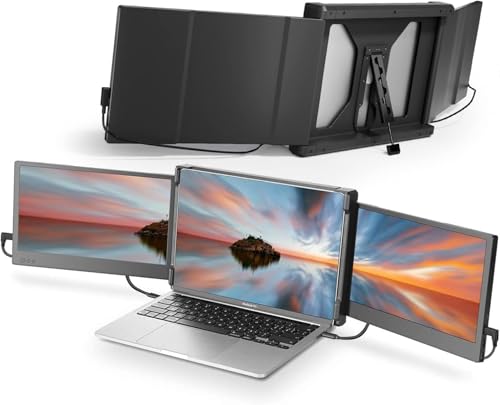 Teamgee 12" Dual Extender
|
Mid-Range | Flexible port combos (USB-C/HDMI/USB-A) | Users wanting triple-screen setups and flexibility | Check Price | ||
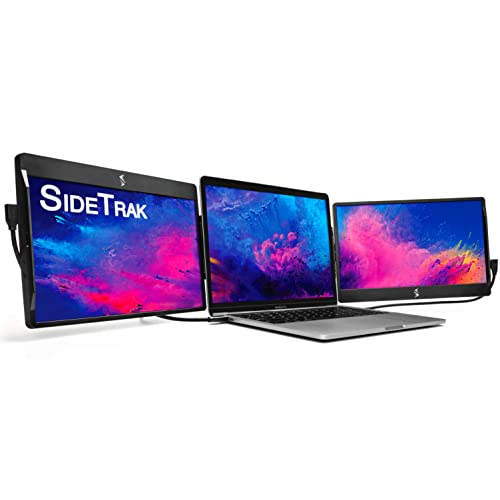 SideTrak Swivel 12.5"
|
Premium | Patented 360° swivel hinge and magnetic attach | Users who need attachable swivel screens | Check Price | ||
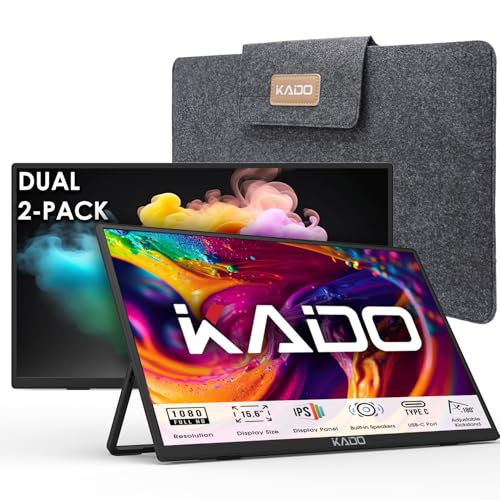 Kado Dual 15.6" Pack
|
Budget | Two 15.6" FHD monitors in one kit | Budget-conscious users wanting large portable screens | Check Price |
1. Laptop Screen Extender 15.6" 1080P Dual USB-C HDMI, Foldable Stacked Design,Dual Portable Monitors Compatible with Windows/Mac, Easy Setup
The Ingnok dual 15.6" portable monitors focus on simplicity: a single Type-C connection to many laptops, FHD panels, and a foldable stacked design for tight desks. Users praise its picture quality, portability, and clean wiring, though some report mixed long-term durability.
Key Specs
- Display: 15.6" FHD 1920x1080 with 100% sRGB
- Connectivity: USB-C and HDMI support; single Type-C plug option
- Design: Foldable, stacked layout with 180° adjustable stand
- Extras: Auto-rotation gravity sensor; 18-month warranty
Pros
- Clean single-cable Type-C setup for fewer wires
- Bright, color-accurate FHD panels for work
- Thin, foldable design saves desk space and backpack room
Cons
- Functionality reports are mixed for long-term durability
- Mid-range build may feel less robust than premium alternatives
Best For: Students and coders needing easy expansion
Check Latest Price on Amazon2. Teamgee 12" Laptop Screen Extender, Dual Display Triple Setup, Portable Monitor for 13"16" Laptops, USB-C/HDMI/USB-A Plug & Play, Ideal for Remote Work & Multitasking
Teamgee's 12" dual extenders are lightweight, plug-and-play, and designed for compatibility with many laptops and docking combos. They offer reliable visuals and portability, though setting up cable combos can be slightly fiddly on laptops with limited ports.
Key Specs
- Display: Dual 12" Full HD IPS with 178° viewing angles
- Connectivity: USB-C, HDMI, USB-A options for varied laptops
- Design: Folds flat, rotates to 210° for sharing
- Extras: Built-in speakers and eye-care mode
Pros
- Very portable and travel-friendly
- Multiple input options fit many laptop configurations
- Straightforward plug-and-play operation
Cons
- Complex cable combos can confuse less technical users
- Not compatible with some low-power MacBook Air M1/M2 models
Best For: Users wanting triple-screen setups and flexibility
Check Latest Price on Amazon3. SideTrak Swivel 12.5" Portable Monitor for Laptop, Patented Swivel Hinge, Triple Screen Laptop Setup | FHD Dual Screen w/Kickstand, USB-C & HDMI, Mac, PC, Chrome Compatible (Triple Monitor)
SideTrak stands out for its patented swivel hinge and magnetic attachment, ideal for a triple-screen workflow and quick angle changes. It’s a premium portable solution, but some buyers mention durability concerns with the magnet and connection cords, and supplemental power may be required for multi-screen setups.
Key Specs
- Display: 12.5" FHD panel with autorotation
- Connectivity: USB-C, USB-A, HDMI (plug-and-play)
- Design: Magnetic attach plate and patented swivel hinge
- Extras: Built-in kickstand for freestanding use
Pros
- Unique swivel hinge for flexible viewing angles
- Magnetic attach keeps the setup sleek and mobile
- Good fit for collaborative desk layouts
Cons
- Some reported connection durability issues with cables
- Magnet strength and long-term sturdiness have mixed feedback
Best For: Users who need attachable swivel screens
Check Latest Price on Amazon4. Kado Dual Portable Monitor Setup - 2-Pack 15.6'' FHD 1080p, Ultra-Slim Laptop Monitor 1920x1080 with Built-in Speakers, IPS Display 180 Kickstand Stacked Desktop Setup Office Gaming Daytrading
Kado offers two full-size 15.6" FHD portable monitors for a very budget-friendly dorm setup, giving strong value and easy connections via HDMI and USB-C. Customers like the bright screens and included cables; build quality is decent for the price but not as rugged as premium alternatives.
Key Specs
- Display: Dual 15.6" FHD 1920x1080 IPS panels
- Connectivity: HDMI and USB-C inputs on each monitor
- Design: Ultra-slim with 180° kickstand for stacked setups
- Extras: Built-in speakers and travel-friendly weight
Pros
- Excellent value with two large FHD monitors
- Simple setup with common HDMI/USB-C ports
- Lightweight for travel and dorm use
Cons
- Build feels less premium than higher-priced options
- May need powered hub or dock for laptops with limited ports
Best For: Budget-conscious users wanting large portable screens
Check Latest Price on AmazonWhich One Should You Choose?
If budget is tight → Kado Dual 15.6" Pack. It gives two FHD screens for the lowest cost and works well with a small hub. If you need the easiest, cleanest cable routing and single Type-C simplicity → Ingnok 15.6" Dual Monitor. If you want the most flexible attach/swivel option and premium ergonomics → SideTrak Swivel 12.5". If you want compact, travel-friendly screens with multiple input options → Teamgee 12" Dual Extender.
Best for Specific Scenarios
- Small, shallow dorm desk: Ingnok 15.6" Dual Monitor because its stacked/foldable design saves horizontal space.
- Budget-conscious student who wants large screens: Kado Dual 15.6" Pack because you get two full-size FHD displays for the lowest outlay.
- Frequent traveler or hybrid student: Teamgee 12" Dual Extender because it's lightweight, folds flat, and supports multiple input combos.
- Collaborative workspace with frequent angle changes: SideTrak Swivel 12.5" because of its patented swivel hinge and magnetic attach for quick repositioning.
Frequently Asked Questions
Can I run two portable monitors from a single USB-C port?
Sometimes — only if your laptop and the hub support DisplayPort MST or the hub exposes multiple video outputs with internal multiplexing. More commonly you'll use one USB-C and one HDMI or a powered docking station to run two external displays. Check your laptop's specs for DisplayPort Alt Mode and multi-display support.
Do I need a powered hub or docking station?
If your laptop has limited USB-C power delivery or you experience flicker when driving two monitors, a powered hub or dock with its own AC adapter stabilizes the video signal and can charge the laptop simultaneously. Powered hubs are especially helpful for budget monitors that rely on external power.
Which stand is best for a shallow dorm desk?
Choose a low-profile or stacked layout: foldable/stackable portable monitors keep depth to a minimum. If you prefer a stand, use a clamp-style dual monitor mount with adjustable arms that sit behind the desk edge, or a riser that elevates the laptop with the monitors placed above it to reclaim surface space.
How We Selected These Products
Our recommendations are based on data-driven analysis: we evaluated 155229+ products across 23916+ brands using a composite scoring system that weighs rating (40%), review volume (30%), price value (20%), and demand signals (10%). Every product is ranked by data, not opinions.
Last updated: August 18, 2026
As an Amazon Associate we earn from qualifying purchases at no extra cost to you. Full disclosure.
GearLark Score is our editorial ranking based on a composite analysis of product quality, value, and verified customer sentiment. Click through to Amazon for current pricing, availability, and live customer reviews.