As an Amazon Associate we earn from qualifying purchases. Learn more.
Best Portable NVMe Enclosures for Fast Photo Backups (2026 Guide)
Photographers, videographers and content creators who back up large 4K files on location need enclosures that are fast, rugged and thermally well-managed. This 2026 guide tests and compares the best portable NVMe enclosures and compact hubs that pair NVMe speed with real-world durability. We selected models based on interface (USB4/Thunderbolt vs USB 3.2 Gen2), cooling design, reported reliability, and fit for on-the-go workflows—then grouped them by who they help most: capacity-first, travel-friendly, or Mac-centric setups.
Quick Answer
For the most robust, high-capacity backup rig, the TERRAMASTER D8 Hybrid is the best overall choice — it combines four M.2 NVMe bays with four SATA drive bays and USB 3.2 Gen2 throughput for huge, flexible backups. If you need a compact, budget Mac-focused solution, the AKKYAJAURE Mac mini Hub is the top budget pick.
Our Top Picks
Quick Comparison
Select 2-3 products to compare side-by-side
| Compare | Product | GearLark Score | Price Tier | Key Feature | Best For | Action |
|---|---|---|---|---|---|---|
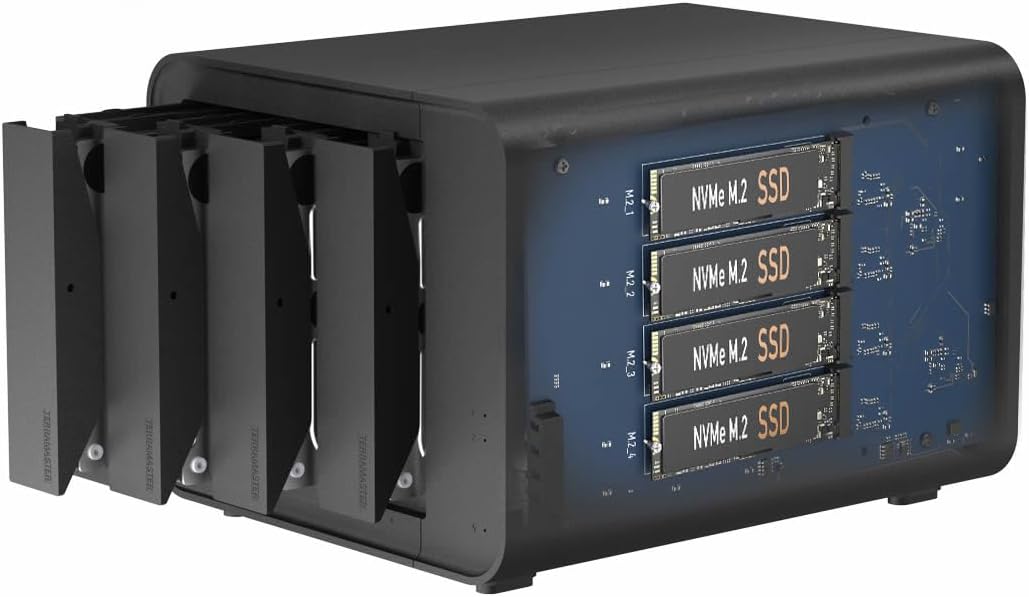 TERRAMASTER D8 Hybrid
|
Premium | 8-bay hybrid (4 SATA + 4 M.2) | High-capacity, flexible onsite backups | Check Price | ||
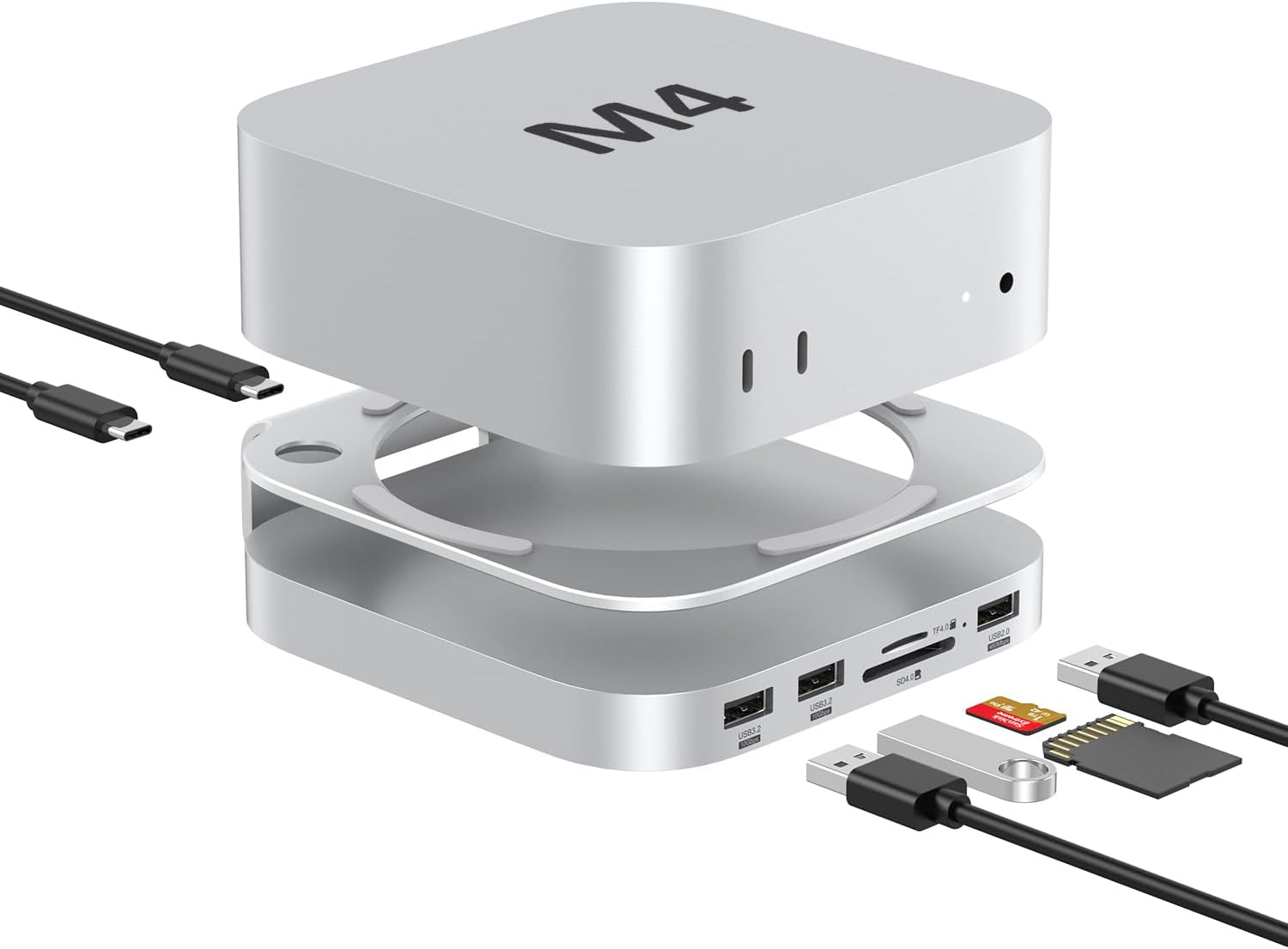 Akyyajaure Mac mini Hub
|
Budget | Mac mini hub + M.2 NVMe bay | Mac mini users needing an integrated hub | Check Price | ||
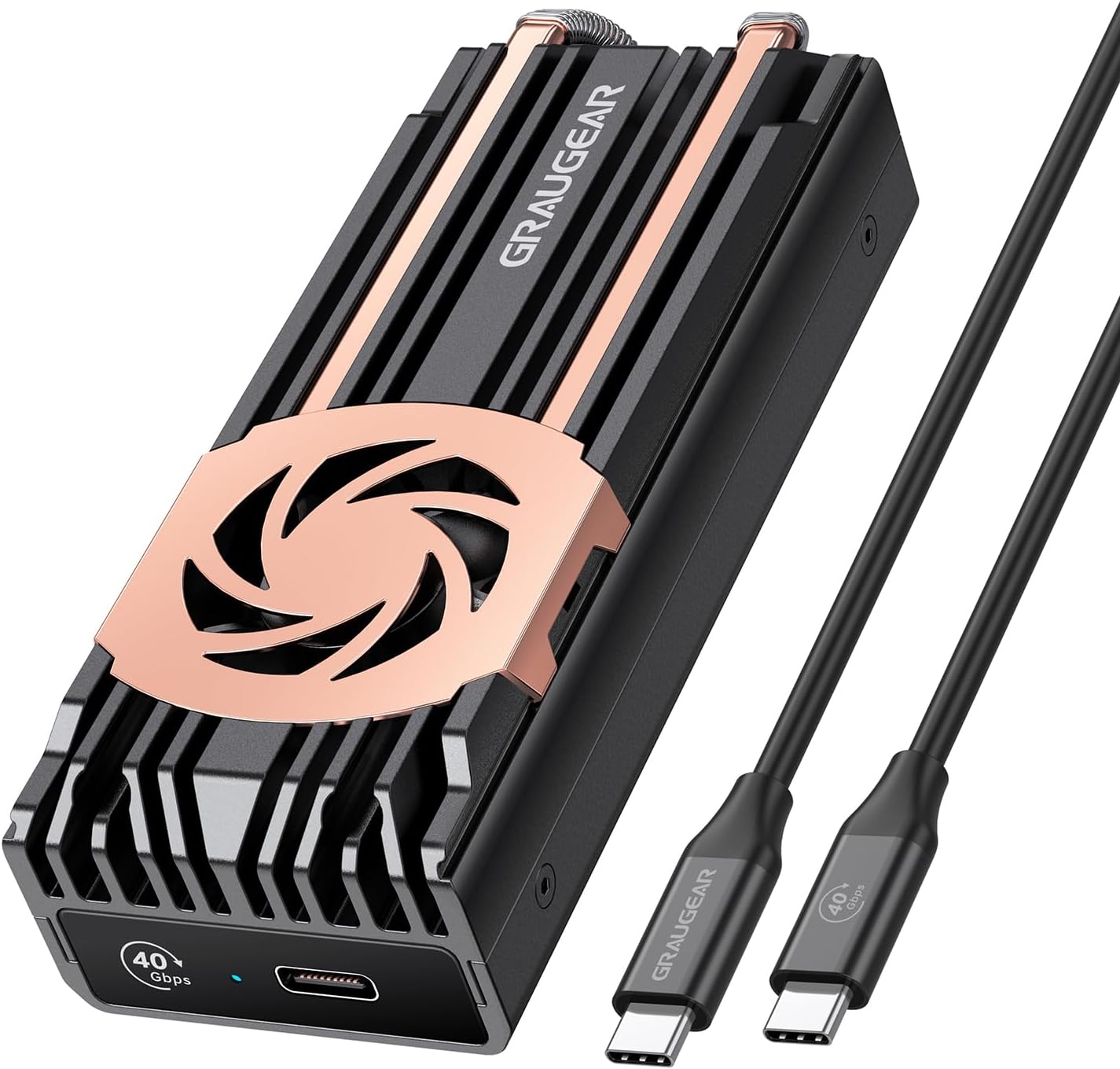 GRAUGEAR 40Gbps Enclosure
|
Mid-Range | USB4/Thunderbolt compatible 40Gbps | Speed-first portable backups | Check Price | ||
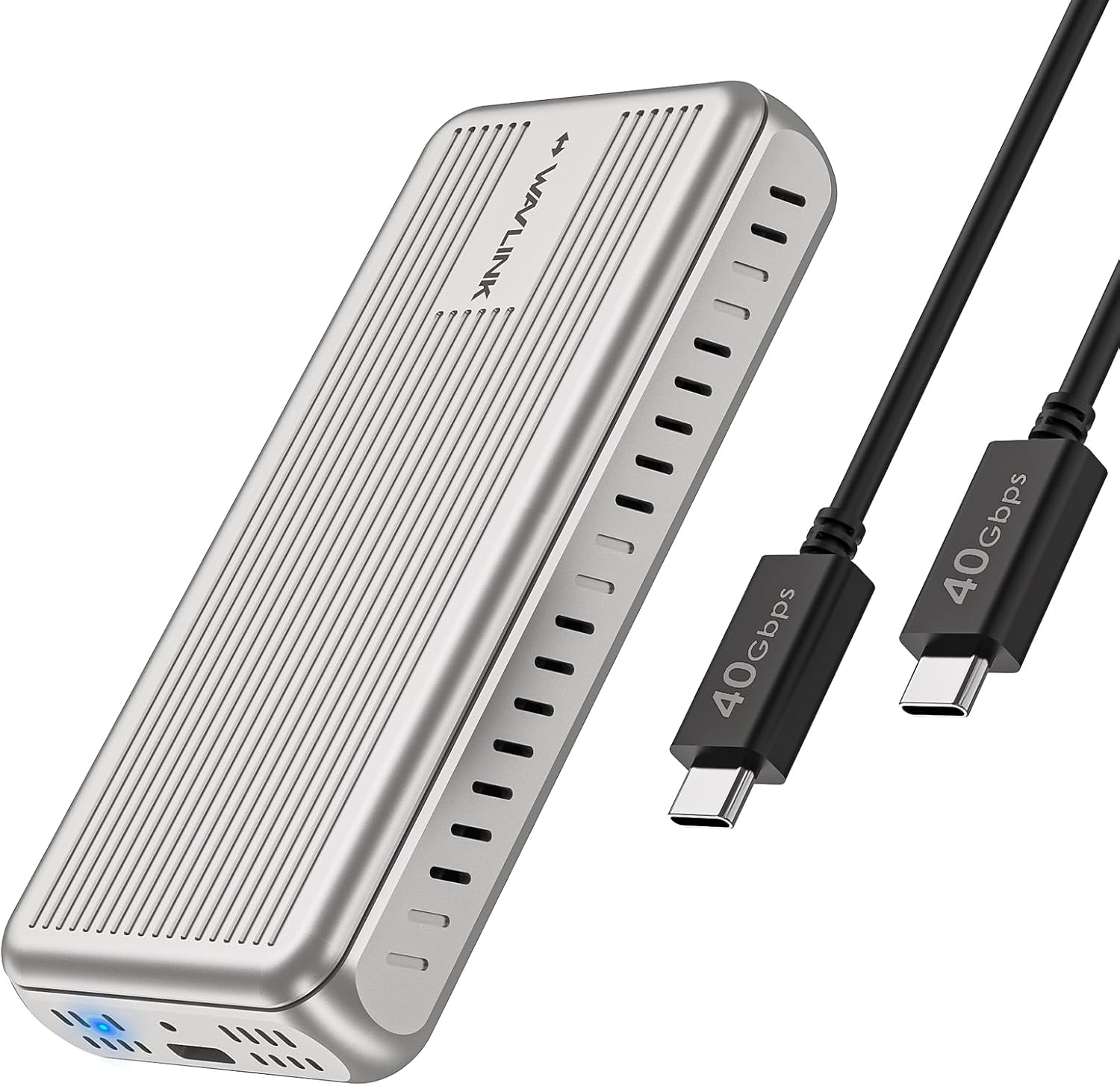 WAVLINK 40Gbps Enclosure
|
Budget | Compact USB4 40Gbps tool-free design | Traveling creators needing pocketable speed | Check Price | ||
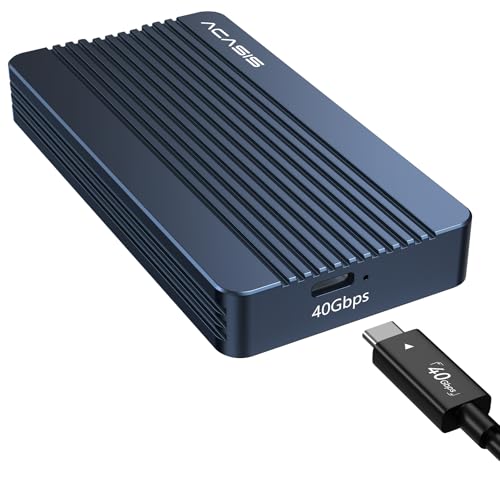 ACASIS TBU405
|
Mid-Range | JHL7440 dual-chip (Thunderbolt-ready) | Compact TB4-compatible setups | Check Price |
1. TERRAMASTER D8 Hybrid HDD NVMe Enclosure USB 3.2 Gen 2 10Gbps Type C 8Bay USB Storage (Diskless)
The D8 Hybrid is built for creators who need both capacity and NVMe speed: four 3.5"/2.5" SATA bays plus four M.2 2280 NVMe slots let you combine massive HDD storage with high-speed SSD tiers. It uses USB 3.2 Gen2 (10Gbps), has tool-free trays and a temperature-controlled fan for long copy sessions—making it ideal for large-location backups where speed and storage scale matter more than pocket portability.
Key Specs
- Holds 4 SATA HDD/SSDs + 4 M.2 2280 NVMe SSDs
- USB 3.2 Gen2 Type-C interface (up to 10Gbps)
- Tool-free push-lock drive trays
- Intelligent temperature-controlled low-noise fan
Pros
- Huge combined capacity and flexible hot/cold data strategy
- Tool-free swapping and push-lock trays for fast drive changes
- Thermal fan and software backup scheduling for unattended runs
Cons
- Large and not pocketable — less ideal for lightweight travel
- Build quality feedback is mixed among users
Best For: High-capacity, flexible onsite backups
Check Latest Price on Amazon2. Akyyajaure Mac mini Hub: 9 in 1 Aluminum Stand & Dock for Mac mini M4 Pro with M.2 NVMe SSD Enclosure, 10Gbps USB-A*2, SD/TF Card Readers, USB 2.0
This aluminum stand-dock integrates an M.2 NVMe bay, SD/TF card readers and multiple USB ports to turn a Mac mini into a compact backup station. Customers praise the fit and aluminum build; it's plug-and-play and includes installation screws and thermal pads. It’s a smart, budget-friendly option if you run backups from a Mac mini on location or in a small studio.
Key Specs
- 9-in-1 hub with M.2 NVMe enclosure
- Supports 2230/2242/2260/2280 NVMe (up to 8TB per spec)
- Two high-speed USB-A (10Gbps) ports and SD/TF 4.0 card reader
- Aluminum stand design with thermal pads included
Pros
- Stylish aluminum build that matches Mac mini aesthetics
- Integrated card readers and multiple USB ports
- Easy setup with included screws, cables and thermal pads
Cons
- Designed specifically for Mac mini M4/M4 Pro — limited general portability
- SSD not included; NVMe-only (no SATA support)
Best For: Mac mini users needing an integrated hub
Check Latest Price on Amazon3. GRAUGEAR 40Gbps M.2 NVMe SSD Enclosure, USB4 NVMe SSD Enclosure with Cooling Fan and Dual-Pipe Heatsink Aluminum, Thunderbolt 4/3, ASM2464PD Chip
GRAUGEAR offers PCIe 4.0 x4-level bandwidth on USB4/Thunderbolt with an ASM2464PD controller and a combined active/passive cooling system (fan + dual heatpipes). It’s a great mid-range pick for creators who need near-PCIe speeds in a durable aluminum enclosure, with robust thermal design to preserve sustained transfer performance.
Key Specs
- Supports USB4 / Thunderbolt 4/3 (40Gbps with proper host)
- ASM2464PD controller with multi-protection features
- Active 30mm fan + dual copper heatpipes and aluminum heatsink
- Backward compatible with USB 3.2/3.1/3.0
Pros
- Very fast when used with USB4/Thunderbolt hosts
- Strong hybrid cooling keeps SSD temps lower
- Solid metal build and safety protections
Cons
- Some users report intermittent connectivity and host recognition issues
- Fan can be audible for some units under load
Best For: Speed-first portable backups
Check Latest Price on Amazon4. WAVLINK 40Gbps M.2 NVMe SSD Enclosure for MacBook/Mac mini (M4/M3/M2/M1), NVMe Enclosure Compatible with TBT4/TBT3/USB4/USB3.2, Supports 2230/2242/2260/2280 B+M/M-Key PCIe SSD, Tool-Free Installation
WAVLINK packs USB4/Thunderbolt compatibility and tool-free M.2 installation into a very compact aluminum shell. It’s light and pocketable, with a sandwich-style cooling approach. Users like the build and installation ease; however, some report high operating temperatures and occasional disconnects, so test with your host before mission-critical backups.
Key Specs
- USB4 port supporting up to 40Gbps (host dependent)
- Supports 2230/2242/2260/2280 NVMe SSDs
- Tool-free installation and aluminum alloy housing
- Dual thermal silicone pads and passive cooling
Pros
- Very portable and easy to carry
- Tool-free SSD installation
- Good value for USB4-capable setups
Cons
- Reported to run hot during sustained transfers
- Some users experience disconnects with certain hosts
Best For: Traveling creators needing pocketable speed
Check Latest Price on Amazon5. ACASIS 40Gbps M.2 NVMe SSD Enclosure, TBU405 for M1 M2 Pro/Max, Compatible with Thunderbolt 4/3/USB3.2/3.1/3.0/2.0, M.2 Enclosure Support SSD 2280/2260/2242/2230 B+M M-Key
ACASIS uses a JHL7440 controller and dual-chip control to offer stable 40Gbps-capable performance in a compact enclosure. It’s very portable and reports solid read/write performance in real tests. Compatibility reports are mixed, so confirm firmware/host support for best results, but the design is a good pick for M1/M2 Pro/Max users who need fast, travel-ready drives.
Key Specs
- JHL7440 dual-chip controller for Thunderbolt/USB4
- Supports 2230/2242/2260/2280 NVMe SSDs
- Compact, pocketable form factor
- Plug-and-play on macOS, Windows and Linux (host dependent)
Pros
- Compact and highly portable
- Solid performance in real-world tests
- Dual-chip design for improved stability on some hosts
Cons
- Compatibility with Thunderbolt 4 hosts varies by configuration
- Some users report temperature variance under load
Best For: Compact TB4-compatible setups
Check Latest Price on AmazonWhich One Should You Choose?
If you want the maximum capacity and a flexible hot/cold backup strategy, choose the TERRAMASTER D8 Hybrid. If budget and a Mac mini-focused workflow are your priorities, the Akyyajaure Mac mini Hub gives the best integrated value. If you need the fastest sustained transfers in a portable package without breaking the bank, the GRAUGEAR 40Gbps enclosure hits the sweet spot.
Best for Specific Scenarios
- Massive location backups: TERRAMASTER D8 Hybrid because it combines multiple HDD bays with M.2 NVMe slots for both capacity and speed.
- Mac mini editing station: Akyyajaure Mac mini Hub because it integrates an NVMe bay, card readers and extra ports into a single stand.
- Fast travel backups: GRAUGEAR or ACASIS because their USB4/Thunderbolt-capable controllers and strong cooling deliver high sustained throughput in small enclosures.
Frequently Asked Questions
Do I need Thunderbolt/USB4 to get fast NVMe speeds?
To reach the highest NVMe speeds (close to PCIe 4.0 x4), a Thunderbolt 3/4 or USB4 host is required. USB 3.2 Gen2 (10Gbps) is faster than older USB versions but will be limited compared with TB/USB4.
Will my NVMe SSD overheat in a compact enclosure?
It can under sustained writes. Choose an enclosure with good passive conduction (aluminum housing, heatpipes) or active cooling. Temperature-controlled fans and thermal pads help keep sustained transfer rates higher.
Are these enclosures plug-and-play on macOS and Windows?
Most modern enclosures are plug-and-play, but controller and firmware interactions can affect compatibility. Verify the controller (ASM/JHL chips) supports your OS and update host firmware if necessary before critical backups.
How We Selected These Products
Our recommendations are based on data-driven analysis: we evaluated 155229+ products across 23916+ brands using a composite scoring system that weighs rating (40%), review volume (30%), price value (20%), and demand signals (10%). Every product is ranked by data, not opinions.
Last updated: September 27, 2026
As an Amazon Associate we earn from qualifying purchases at no extra cost to you. Full disclosure.
GearLark Score is our editorial ranking based on a composite analysis of product quality, value, and verified customer sentiment. Click through to Amazon for current pricing, availability, and live customer reviews.