As an Amazon Associate we earn from qualifying purchases. Learn more.
How to Choose a Laptop Sleeve to Prevent Overheating (2026 Guide)
Overheating in backpacks is a common pain: laptops stuffed against clothing and other gear trap heat, throttle performance and shorten component life. This guide shows buyers how material choices, ventilation features, and proper fit stop heat buildup before it starts. You’ll learn what sleeve features actually help cooling, what to avoid, and why a stand or breathable lining matters. Products reviewed below were chosen for how they address heat (stands, airflow channels, breathable or heat‑reflective linings) and for build quality and fit.
Quick Answer
To minimize heat build-up in backpacks choose a sleeve with ventilation/stand features and heat‑reflective or breathable linings — our top pick, Berfea Stand Case Cover (B09K4TJ56X), uses an internal cooling bracket and a hard shell to keep fans unobstructed and improve airflow.
Our Top Picks
Quick Comparison
Select 2-3 products to compare side-by-side
| Compare | Product | GearLark Score | Price Tier | Key Feature | Best For | Action |
|---|---|---|---|---|---|---|
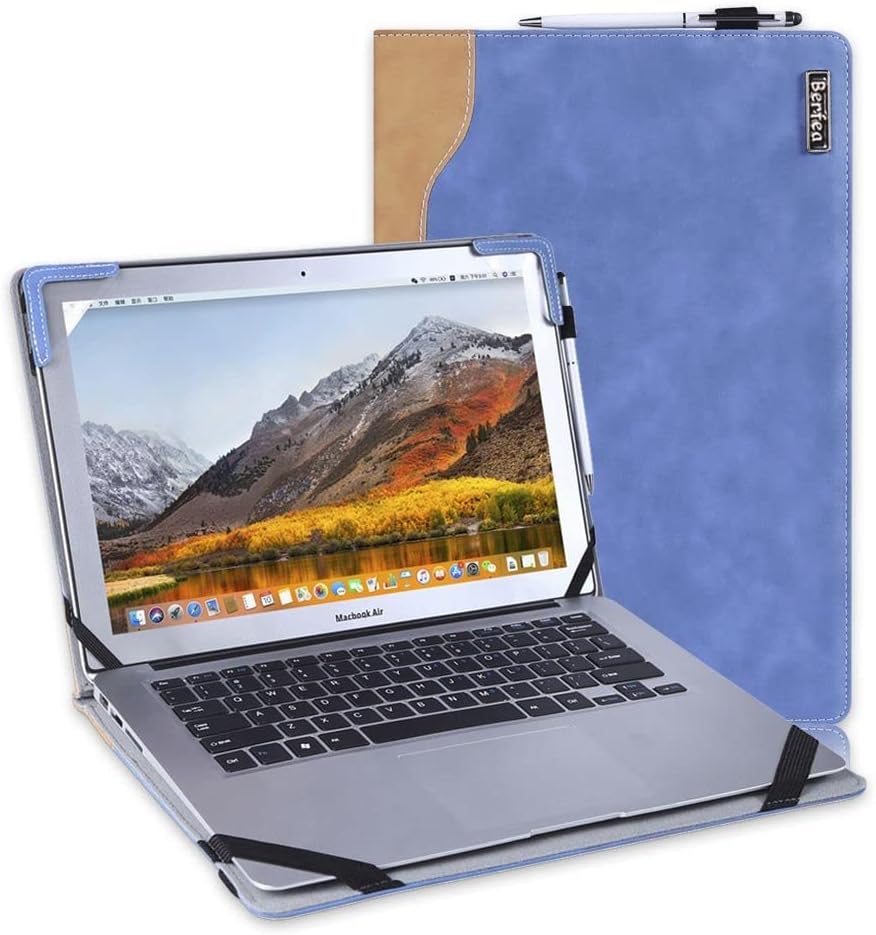 Berfea Hard Stand Case
|
Mid-Range | Built-in cooling bracket/stand | Dell 14" users who need airflow | Check Price | ||
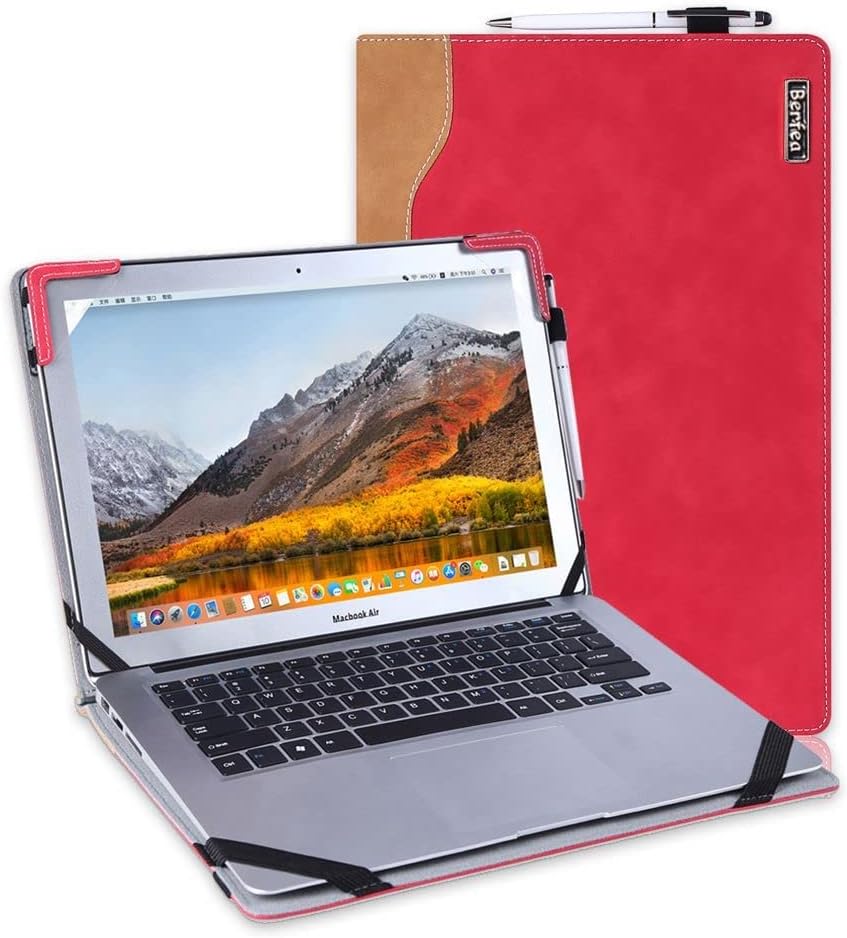 Berfea Budget Stand Case
|
Budget | Affordable cooling bracket design | Budget-conscious Dell 14" owners | Check Price | ||
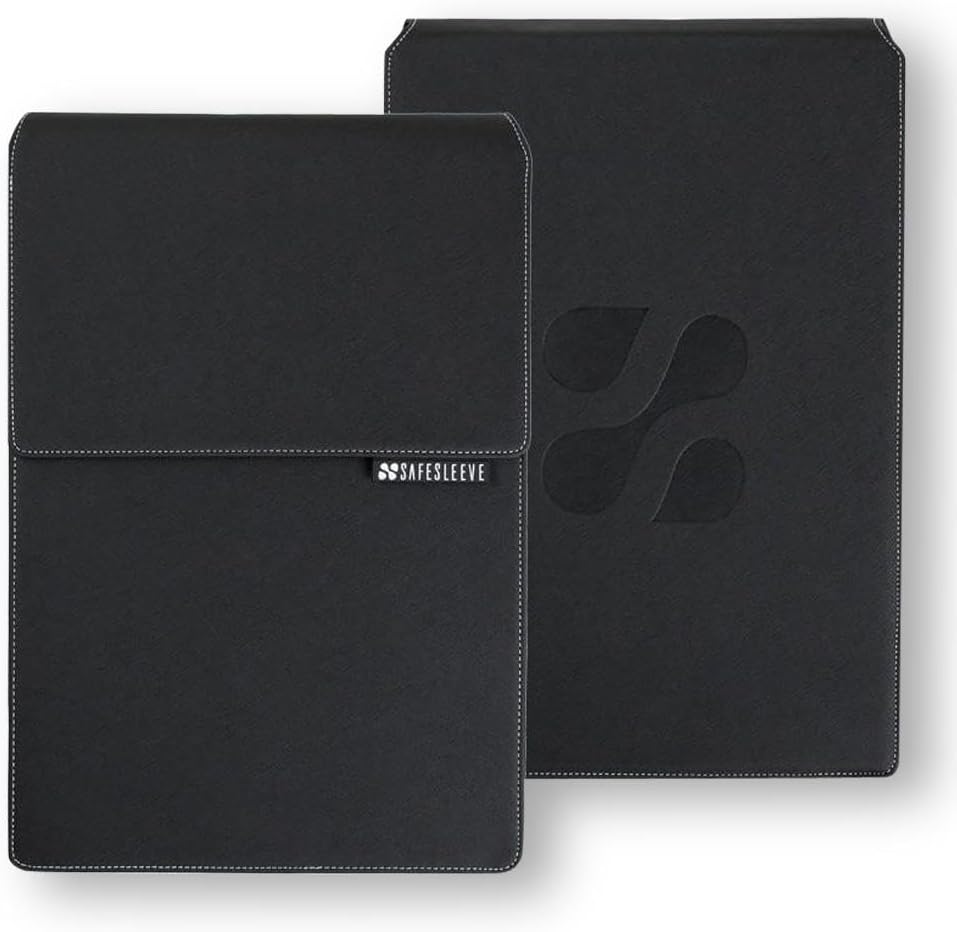 SafeSleeve 12–14"
|
Mid-Range | Heat-shielding + breathable surfaces | Users wanting airflow plus shielding | Check Price | ||
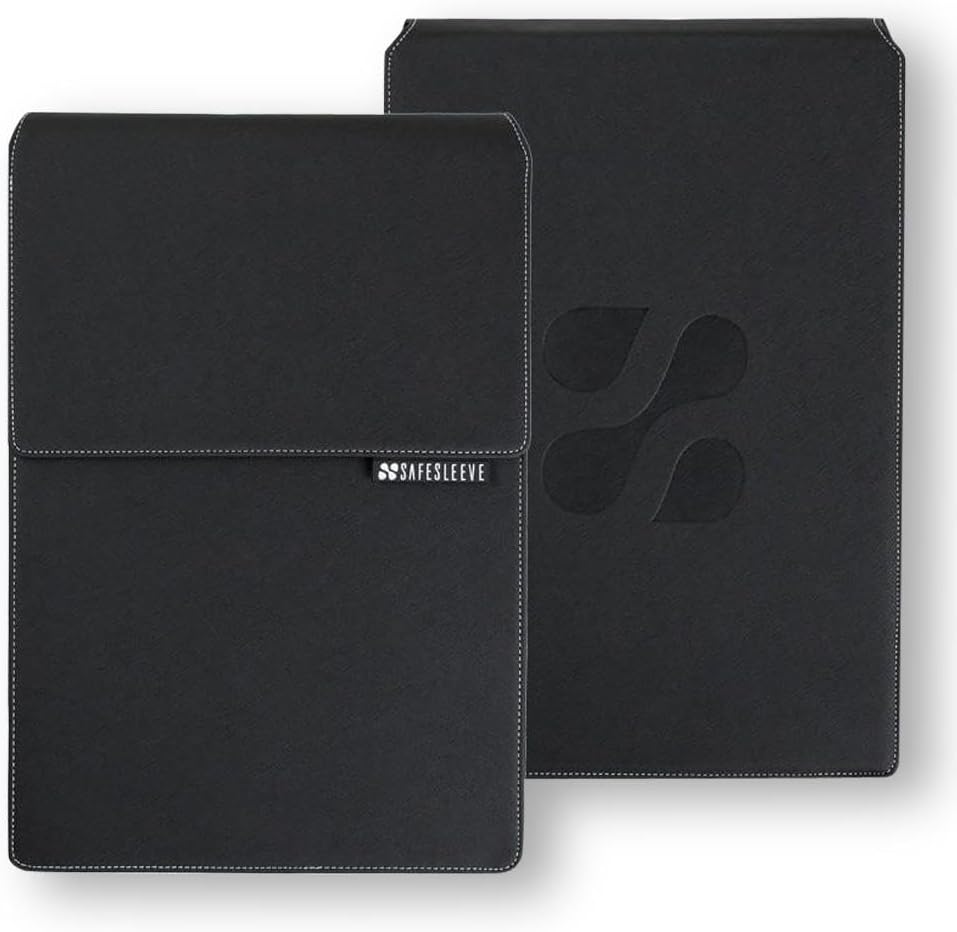 SafeSleeve 15–16"
|
Premium | Larger heat-shielding construction | 15–16" laptop owners who need shielding | Check Price |
1. Stand Case Cover Compatible with Dell Inspiron 7490 7415 7405 5415 5418 14 inch Laptop Notebook Hard Case Protective Sleeve Shell,with Cooling Bracket
This Berfea hard case pairs a rigid outer shell with an internal bracket that props the laptop for better fan intake and typing angle. The design keeps the laptop partially elevated inside a backpack and provides cutouts for ports so you can charge or vent without removing the case — a practical way to reduce heat build-up on commutes.
Key Specs
- Compatible with Dell Inspiron 14 series (7490/7415/7405/5415/5418)
- PU leather exterior with soft interior lining
- Integrated stand/cooling bracket
- Weight about 480 g; business-style design
Pros
- Stand/bracket lifts chassis to improve airflow and cooling
- Hard shell protects while still allowing access to ports
- Good build quality and value for money
Cons
- Model-specific fit — only fits listed Dell 14" models
- PU leather exterior is less breathable than mesh fabrics
Best For: Dell 14" users who need airflow
Check Latest Price on Amazon2. Stand Case Cover Compatible with Dell Inspiron 14 7490 7405 7415 5410 5415 5418 Laptop Notebook Protective Case Sleeve,with Cooling Bracket
A budget alternative from the same Berfea family, this sleeve includes the same stand function to lift the laptop and encourage fan intake. It’s lightweight and easy to slip into backpacks, making it a low-cost way to reduce trapped heat on daily commutes.
Key Specs
- Compatible with several Dell Inspiron 14 models
- PU leather exterior and soft interior lining
- Inner bracket/stand to enhance cooling
- Lightweight business-friendly profile
Pros
- Very affordable way to get a cooling stand inside a sleeve
- Lightweight and easy to carry
- Simple design keeps ports accessible
Cons
- Build quality and durability feel less robust than higher-tier cases
- Same limited compatibility caveat — check dimensions carefully
Best For: Budget-conscious Dell 14" owners
Check Latest Price on Amazon3. SafeSleeve EMF Protection Anti Radiation 12 - 14" Laptop Case: EMF Blocking, Heat Shielding and Laptop Case with Mouse Pad for 12 to 14 inch laptops (Black)
SafeSleeve targets heat and emissions with a layered design that claims lab-tested shielding and breathable surfaces that allow fan exhaust to escape. The flap doubles as a mouse pad and the sleeve is sized to let fans run more freely than tight neoprene pouches, helping reduce heat trapped in a bag.
Key Specs
- Fits 12–14" laptops (up to 13.5 x 9.5 x 1.2 in)
- Lab-tested EMF shielding embedded in fabric
- Breathable surfaces and heat-shielding construction
- Flip flap converts to mouse pad for desktop use
Pros
- Designed to allow airflow to laptop fans and reduce lap heat
- Professional, sturdy construction and good fit for compatible laptops
- Useful mouse pad flap for on-the-go workstations
Cons
- Some users debate value for money for the added shielding feature
- Can be a bit bulkier than slim neoprene sleeves
Best For: Users wanting airflow plus shielding
Check Latest Price on Amazon4. SafeSleeve EMF Protection Anti Radiation 15-16" Laptop Case: EMF Blocking, Heat Shielding and Laptop Case with Mouse Pad for 15 to 16 inch laptops (Black)
This larger SafeSleeve brings the same layered shielding and breathable surfaces to bigger laptops. Its design emphasizes impact protection plus heat control by allowing exhaust air to escape and by providing a stable desktop surface via the flip flap.
Key Specs
- Fits 15–16" laptops (up to 14.8 x 10.5 x 1.2 in)
- EMF-blocking layers and impact-resistant materials
- Breathable/heat-shielding surfaces and mouse pad flap
- Designed as a portable desktop workstation
Pros
- Better suited to larger laptops that need airflow and impact protection
- Sturdy construction with military-grade shielding claims
- Helpful for users who frequently work on varied surfaces
Cons
- Bulkier design can add weight and take more backpack space
- Premium positioning leads some shoppers to question value
Best For: 15–16" laptop owners who need shielding
Check Latest Price on AmazonWhich One Should You Choose?
If budget is tight → choose the Berfea Budget Stand Case (B09K4WVQNL) for an inexpensive way to add elevation and airflow. If you want the best value for a 14" Dell and a sturdy built-in cooling bracket → choose the Berfea Stand Case Cover (B09K4TJ56X). If you need extra heat shielding and a portable workstation for 12–14" laptops → choose the SafeSleeve 12–14" (B00H278OY8). For larger 15–16" machines that need airflow and impact protection → choose the SafeSleeve 15–16" (B00H27D9ES).
Best for Specific Scenarios
- Daily commuter with a 14" Dell: Berfea Stand Case (B09K4TJ56X) because the internal bracket lifts the chassis and keeps fans from being smothered in a packed backpack.
- Student on a budget: Berfea Budget Stand Case (B09K4WVQNL) because it adds elevation and port access for a low cost.
- Frequent remote worker who needs a portable desk: SafeSleeve 12–14" (B00H278OY8) because the flip flap creates a desktop surface and the sleeve is designed to let exhaust escape.
Frequently Asked Questions
Will a laptop sleeve make my laptop overheat?
Not if you choose the right type. Sleeves that are tight, fully sealed, or lined with thick foam can trap heat. Opt for sleeves with stands, breathable panels, raised shells, or heat-reflective linings so fans can intake and exhaust air even while the laptop is in the bag.
What sleeve materials best prevent heat buildup?
Materials that help cooling include semi-rigid shells (which create a gap around vents), breathable fabrics or perforated panels, and heat-reflective linings that reduce radiant heat. PU leather and hard plastic are protective but should be paired with ventilation features to avoid trapping warm air.
How important is fit for preventing overheating?
Very important. A sleeve that’s too tight can press vents closed; one that’s too loose lets the laptop shift and block airflow. Model-specific shells or sleeves with internal brackets maintain a stable, elevated position that keeps vents clear and fans functioning efficiently.
How We Selected These Products
Our recommendations are based on data-driven analysis: we evaluated 155229+ products across 23916+ brands using a composite scoring system that weighs rating (40%), review volume (30%), price value (20%), and demand signals (10%). Every product is ranked by data, not opinions.
Last updated: September 09, 2026
As an Amazon Associate we earn from qualifying purchases at no extra cost to you. Full disclosure.
GearLark Score is our editorial ranking based on a composite analysis of product quality, value, and verified customer sentiment. Click through to Amazon for current pricing, availability, and live customer reviews.