As an Amazon Associate we earn from qualifying purchases. Learn more.
Best USB-C Hubs for Students: Compact and Classroom-Ready (2026)
Students juggling presentations, group projects, and photo/video assignments need a compact USB-C hub that adds HDMI, Ethernet and SD card access without adding bulk. This roundup tests small, classroom-ready hubs from compact 4-port dongles to multiport docks. You'll learn which hubs balance build quality, display support, and card reader reliability, and how real user feedback influenced our picks. Products were selected for portability, necessary student features (HDMI, Ethernet, SD), and a mix of budget to premium options.
Quick Answer
For most students the Belkin Connect 4 Port USB C Hub is the best pick — it's compact, well-built, and supports fast 10Gbps data plus 100W PD pass-through for presentations and media. If you need a wallet-friendly dock with multiple display and card slots, choose the NOVOO 11-in-1 for broad port coverage at a budget price.
Our Top Picks
Quick Comparison
Select 2-3 products to compare side-by-side
| Compare | Product | GearLark Score | Price Tier | Key Feature | Best For | Action |
|---|---|---|---|---|---|---|
 Belkin Connect 4-Port
|
Premium | 4 × USB-C 10Gbps ports | Students needing compact, high-speed transfers | Check Price | ||
 NOVOO 11-in-1
|
Budget | 2 HDMI + SD/TF reader | Budget-conscious students who need many ports | Check Price | ||
 Selore 14-in-1
|
Premium | Triple-display support (varies by host) | Students needing many displays and ports | Check Price | ||
 GVRIOY 8-in-1
|
Mid-Range | Multiple display outputs (HDMI/DP/VGA) | Students needing flexible display options | Check Price | ||
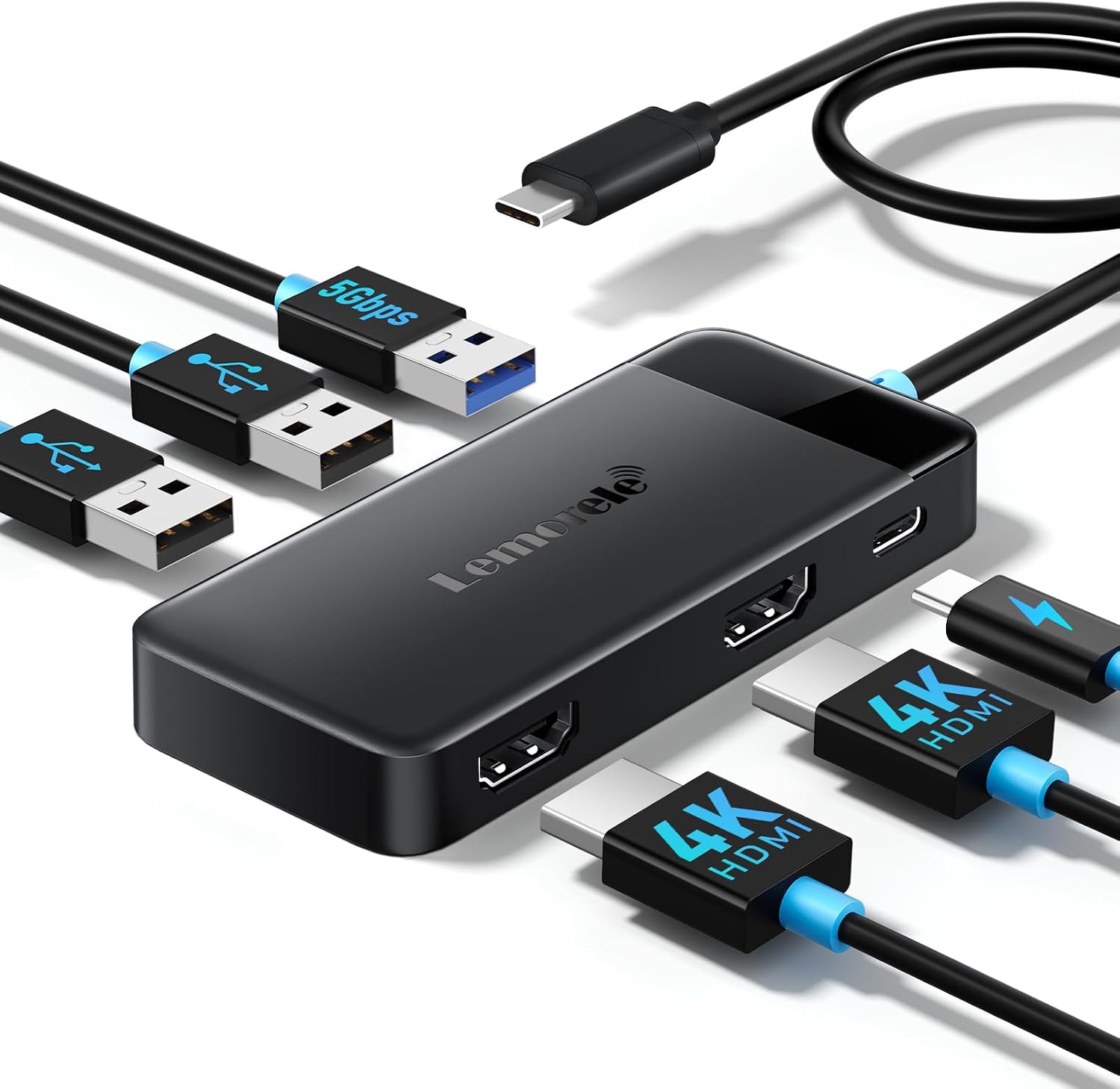 Lemorele 6-in-1
|
Budget | Two HDMI ports in a compact body | Students who travel and present often | Check Price | ||
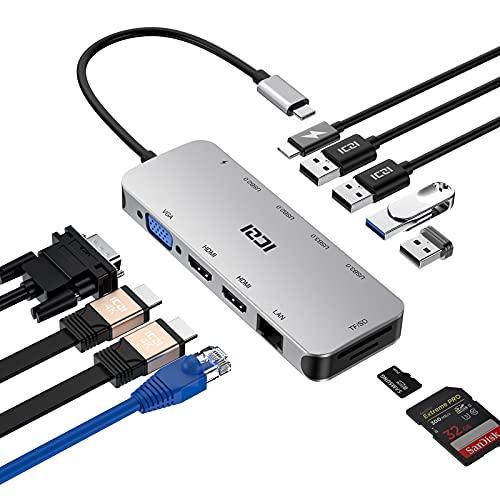 ICZI 11-in-1
|
Premium | Triple-display capable with Ethernet | Power users who need many simultaneous ports | Check Price |
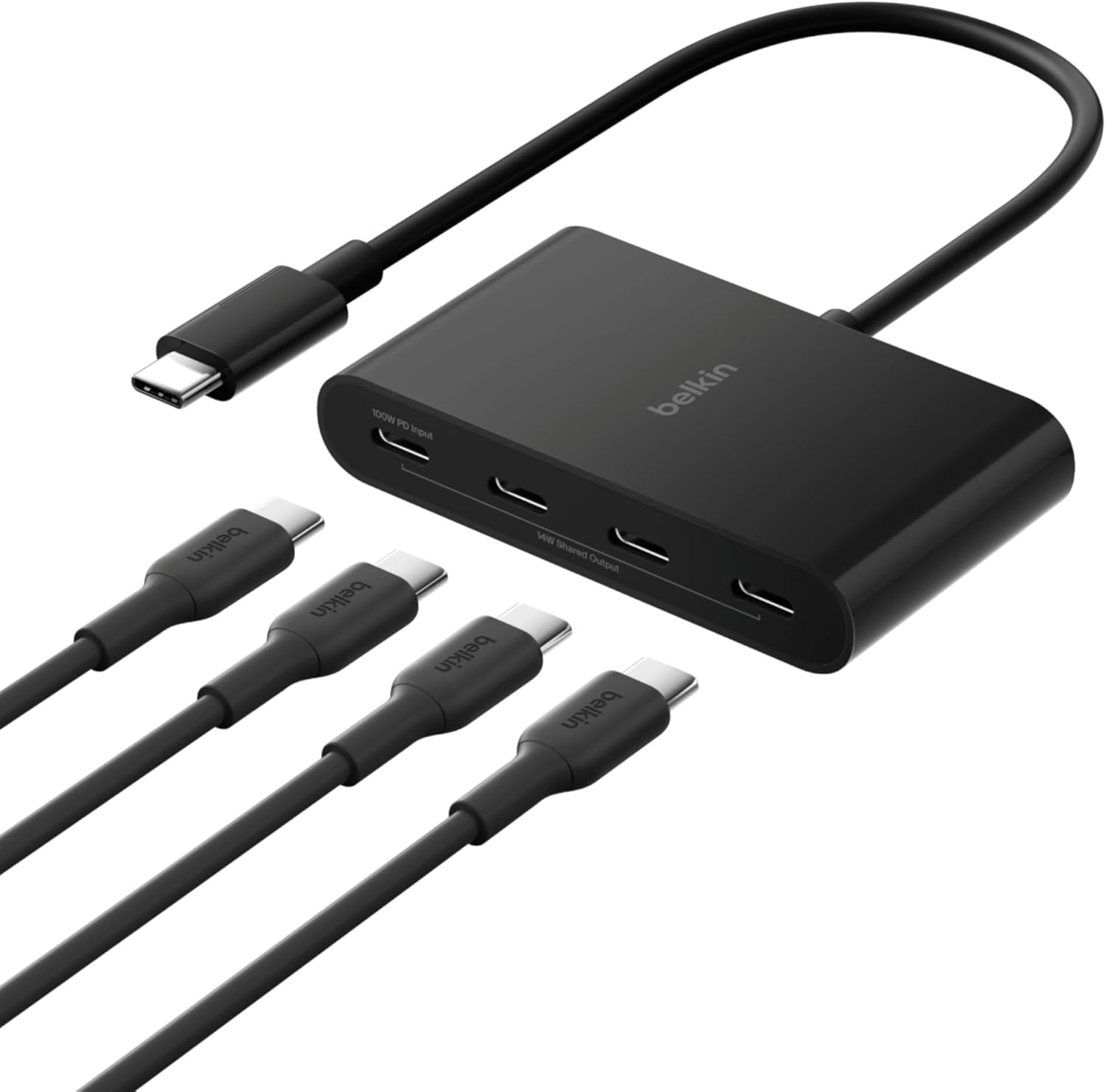
1. Belkin Connect 4 Port USB C Hub - Multiport Adapter Dongle with 4 USB C 3.2 Gen 2 Ports - High Speed 10G Data Transfer - 100W PD
A compact, well-engineered 4‑port USB-C hub focused on fast data and clean design. It delivers 10Gbps data per port and supports up to 100W pass-through charging — great for students who move between labs and classrooms with external SSDs, mics, or capture devices.
Key Specs
- 4 × USB-C 3.2 Gen 2 ports (10Gbps each)
- Pass-through PD charging up to 100W (85W to host)
- Durable tethered USB-C cable; aluminum/plastic housing
- 2-year limited warranty; made with recycled content
Pros
- High-speed 10Gbps ports ideal for external SSDs
- Compact, portable design good for backpacks
- Solid build quality and eco-minded housing materials
Cons
- No dedicated HDMI or full-size SD slot (focuses on USB-C)
- Some users report mixed functionality or early failures
Best For: Students needing compact, high-speed transfers
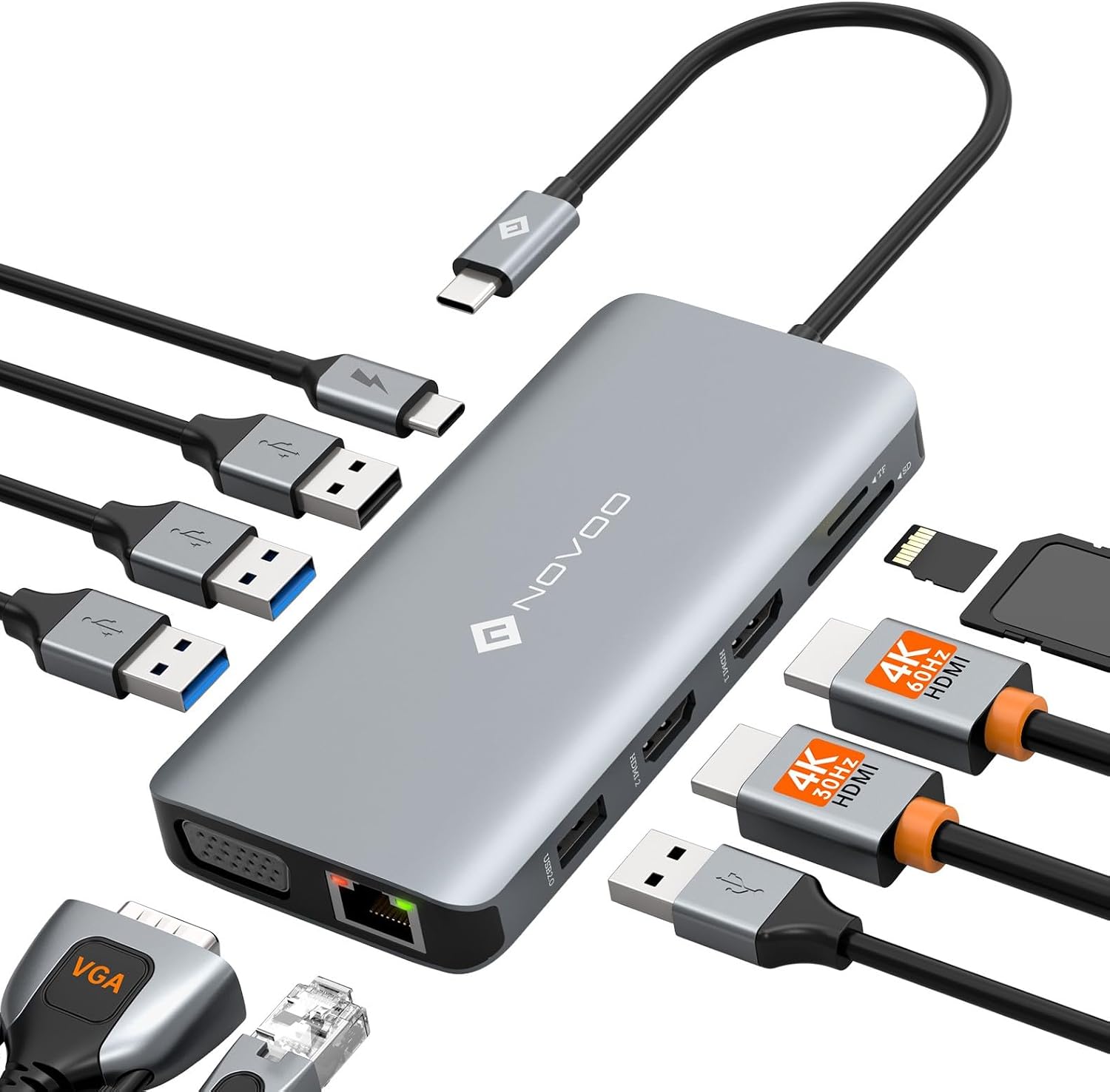
Check Latest Price on Amazon2. USB C Docking Station Dual HDMI Adapter, 11 in 1 Multi Display Docking Station Dual Monitor with 2 HDMI, VGA, 100W PD, 4 USB - NOVOO
An affordable multiport dock with dual HDMI, Ethernet and card readers — it covers nearly every student connectivity need on paper. Real-world feedback praises its value and port variety, though some users report heat and intermittent durability issues under heavy use.
Key Specs
- 2 × HDMI (up to 4K@30Hz depending on host)
- 1Gbps RJ45 Ethernet port
- SD and TF card readers; 100W PD passthrough
- 2 × USB-A 3.0 + 2 × USB-A 2.0 + VGA
Pros
- Excellent port variety for presentations and projects
- Good value for the feature set
- Supports wired gigabit Ethernet for stable classroom networks
Cons
- Can run hot during extended use
- Some users report connectivity or durability problems
Best For: Budget-conscious students who need many ports
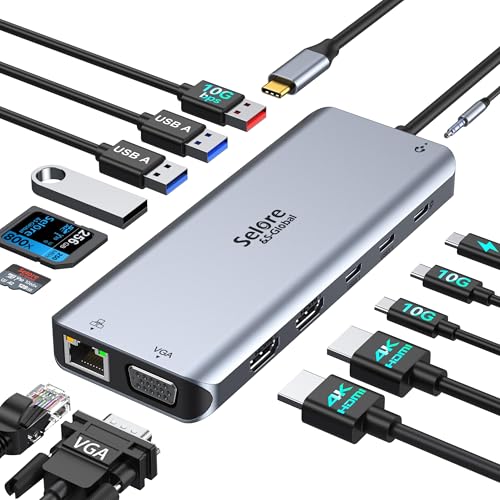
Check Latest Price on Amazon3. Selore USB C Docking Station Dual Monitor, 14 in 1 Docking Station 3 Monitors with 2 HDMI, VGA, 10G USB A/C,100W PD
A full-featured docking station designed for triple-display setups and abundant USB ports. It's versatile for multimedia projects and multitasking, though display behavior varies by OS and DP/Alt Mode support — typical tradeoffs for high-port docks.
Key Specs
- 2 × 4K HDMI + VGA for up to 3 displays (host-dependent)
- 100W PD in; ~87W power out for host
- 3 × 10Gbps USB (A/C) + 4 × USB-A ports
- SD/MicroSD card readers; 3.5mm audio
Pros
- Huge port capacity for complex setups
- Good data speeds on USB 3.1/3.2 ports
- Recognized for value and ease of use by many users
Cons
- Connectivity and HDMI reliability can be mixed
- Some users report fit/alignment issues with cases
Best For: Students needing many displays and ports
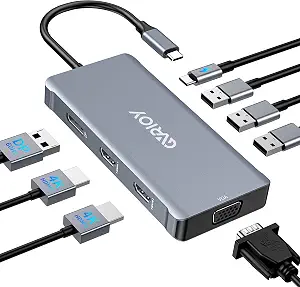
Check Latest Price on Amazon4. USB C to Dual HDMI Adapter, Multi Display Docking Station Dual Monitor with 2 HDMI, Displayport, VGA, 100W PD, 3 USB Ports - GVRIOY
A mid-range hub that prioritizes display flexibility with HDMI, DisplayPort and VGA outputs plus PD charging. It's a solid all-in-one for older lab projectors and modern monitors, though compatibility lists are long — check your laptop's DP Alt Mode support before buying.
Key Specs
- 2 × HDMI + 1 × DisplayPort + VGA
- PD charging up to 100W (87W out max)
- 3 × USB 2.0 ports; supports many laptop models
- Designed for plug-and-play; broad compatibility list
Pros
- Extensive display options for different classroom hardware
- PD charging keeps laptops topped up
- Good mid-range balance of features and price
Cons
- Compatibility varies widely; check your model first
- Less detailed customer feedback available
Best For: Students needing flexible display options
Check Latest Price on Amazon5. Lemorele Docking Station Dual Monitor, 6 in 1 USB C Hub Multiport Adapter w/2 HDMI 4K, 5Gbps USB3.0 & 2 USB2.0, 100W PD - Lemorele
A compact 6-in-1 hub that keeps things simple: dual HDMI, a fast USB 3.0 port and PD charging. Review signals show it's portable and good value, though a subset of users experienced HDMI issues early on — choose carefully if you rely on consistent multi-monitor output.
Key Specs
- 2 × HDMI (4K 30Hz single; MST/SST modes vary)
- 1 × USB-A 3.0 (5Gbps) + 2 × USB-A 2.0
- USB-C PD charging (100W max)
- Plug-and-play compatibility for many USB-C devices
Pros
- Small and travel-friendly
- Good value for casual multi-monitor setups
- Fast USB 3.0 port for external drives
Cons
- Mixed reports of HDMI failing for some users
- Build quality described as inconsistent by some
Best For: Students who travel and present often
Check Latest Price on Amazon6. ICZI Docking Station, USB C Hub Multiport Adapter 11 in 1 with 2 HDMI Triple Display, VGA, 100W PD, 4 USB Ports, Ethernet, SD/TF
An aluminum-bodied docking station promising triple-display support alongside Ethernet and card readers. It's marketed as a compact all-in-one for travel and desktop use. As with other complex hubs, real-world results depend on laptop DP/Alt Mode support and a reliable PD adapter.
Key Specs
- 2 × 4K HDMI + VGA (triple display up to 1080p)
- Gigabit RJ45 Ethernet port
- 2 × USB 3.0 + 2 × USB 2.0; SD/TF card slots
- PD charging up to 100W; aluminum alloy finish
Pros
- Aluminum construction feels premium and durable
- All essential student ports included (SD, Ethernet, HDMI)
- Designed for simultaneous multi-port use
Cons
- Complex setup needs DP Alt Mode — check compatibility
- Less visible customer feedback to confirm reliability
Best For: Power users who need many simultaneous ports
Check Latest Price on AmazonWhich One Should You Choose?
If budget is tight → NOVOO 11 in 1 (B0CDFRLD43) for maximum ports and value. If you need portable, high-speed data transfers → Belkin Connect 4 Port (B0BY27XSJ3). If premium port density and multi-monitor setups matter → Selore 14 in 1 (B0CVVPJTZ7).
Best for Specific Scenarios
- Frequent presenters: NOVOO 11 in 1 because it has dual HDMI, Ethernet and card readers for fast classroom setups.
- Field photographers and videographers: Belkin Connect 4 Port because of its 10Gbps ports for fast SSD transfers and compact portability.
- Multi-screen multitaskers: Selore 14 in 1 because it offers triple-display options and many high-speed USB ports for complex workflows.
Frequently Asked Questions
Will a USB-C hub work with my laptop?
Most USB-C hubs will work for data and power on any laptop with a USB-C port, but video outputs (HDMI/DisplayPort) require the laptop’s USB-C port to support DisplayPort Alternate Mode or Thunderbolt. Check your laptop's spec sheet or port symbols to confirm video support.
Do hubs support pass-through charging while using HDMI?
Many hubs support PD pass-through (often up to 100W), but the actual power delivered to your laptop can be slightly lower because the hub consumes some power. Premium hubs tend to provide more consistent passthrough when you’re also driving displays.
Is a built-in Ethernet port important for students?
If you often use campus labs, dorm ethernet, or need the lowest-latency connection for online exams or large uploads, a gigabit RJ45 port is useful. Otherwise, modern Wi‑Fi is sufficient for general browsing and cloud submissions.
How We Selected These Products
Our recommendations are based on data-driven analysis: we evaluated 155229+ products across 23916+ brands using a composite scoring system that weighs rating (40%), review volume (30%), price value (20%), and demand signals (10%). Every product is ranked by data, not opinions.
Last updated: August 21, 2026
As an Amazon Associate we earn from qualifying purchases at no extra cost to you. Full disclosure.
GearLark Score is our editorial ranking based on a composite analysis of product quality, value, and verified customer sentiment. Click through to Amazon for current pricing, availability, and live customer reviews.